
Sesame Lock Screen para PC
Sesame crew
Baixe Sesame Lock Screen no PC com o emulador GameLoop
Sesame Lock Screen no PC
Sesame Lock Screen, vindo do desenvolvedor Sesame crew, está rodando no sistema Android no passado.
Agora, você pode jogar Sesame Lock Screen no PC com GameLoop sem problemas.
Faça o download na biblioteca GameLoop ou nos resultados da pesquisa. Chega de ficar de olho na bateria ou fazer chamadas frustrantes na hora errada.
Apenas aproveite o Sesame Lock Screen PC na tela grande gratuitamente!
Sesame Lock Screen Introdução
"Best free Android app of 2016, 100 you must download" - TechRadar
NOTE ON LOCK SCREENS: Sesame works with Android's security, which makes it 100% safe. But some phone manufacturers customize the lock screen and Sesame can't perfectly control the display on these devices. We work on 90% of phones but if you see display problems, please don't give us a 1 star review. Email me with your phone's info and we'll try to make a custom fix :)
Sesame makes your Android faster and prettier.
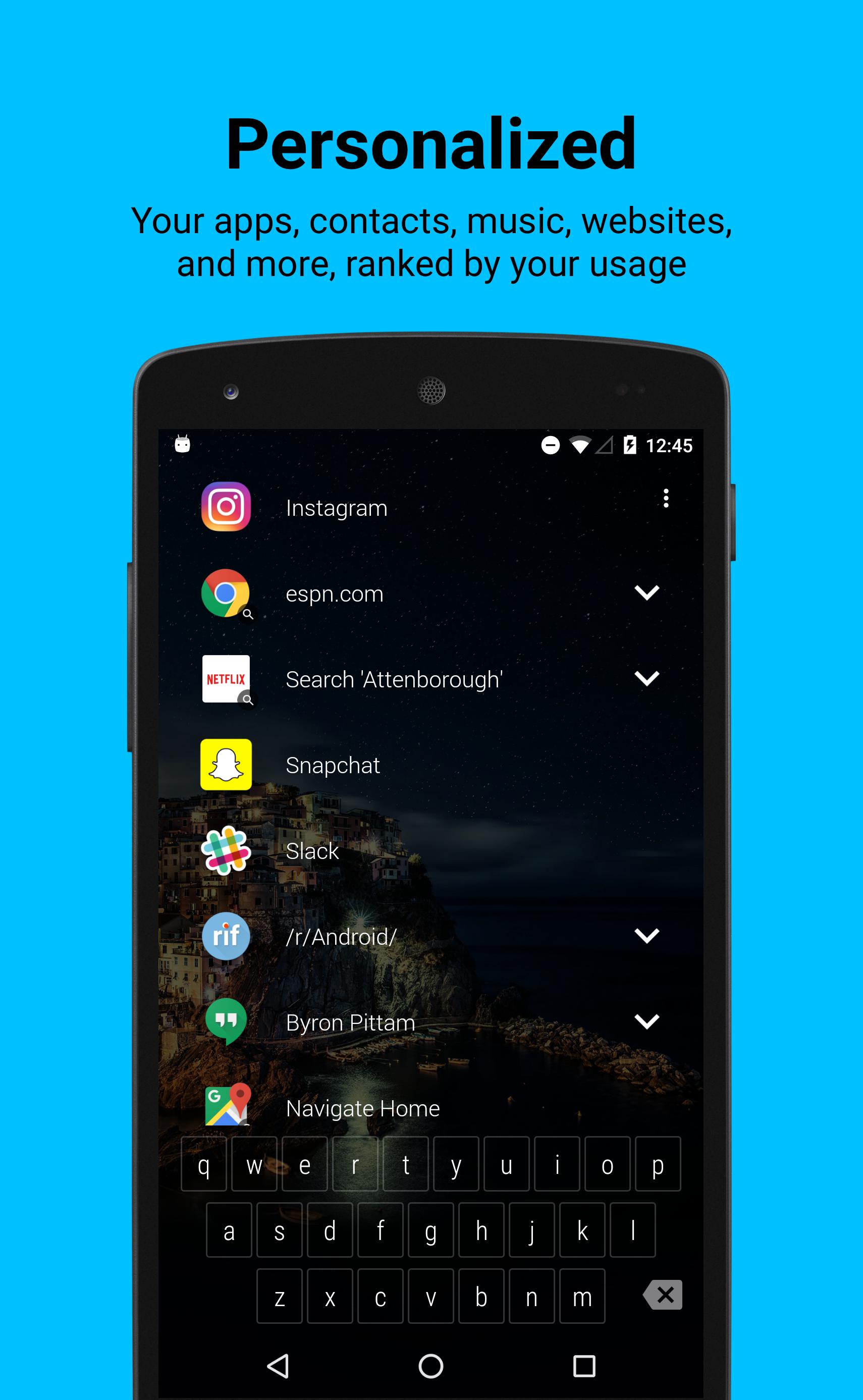
It puts your favorite apps in a ranked list on the lock screen along with a keyboard that can filter to pretty much anything in 1 or 2 touches. It learns from your behavior and makes you personalized shortcuts like...
* Your apps, ranked by how often you use them
* Your contacts with 1 touch to text, call, or email (WhatsApp too!)
* Websites you visit (but not when browsing incognito)
* Music library and new stuff you listen to (Spotify only atm but expanding soon)
* Google Now (movie times, tip calculator, flight and package tracking)
* You can Quick Search: Maps, Waze, Netflix, Spotify, Google Music, Chrome, Play Store, and YouTube. And it makes shortcuts back to your searches
* Hangouts conversations, including groups
* Alarms you set
* Uber/Lyft see live ride options w/ ETA & Surge Pricing
* Reddit - all your subreddits
Choose how and where it displays
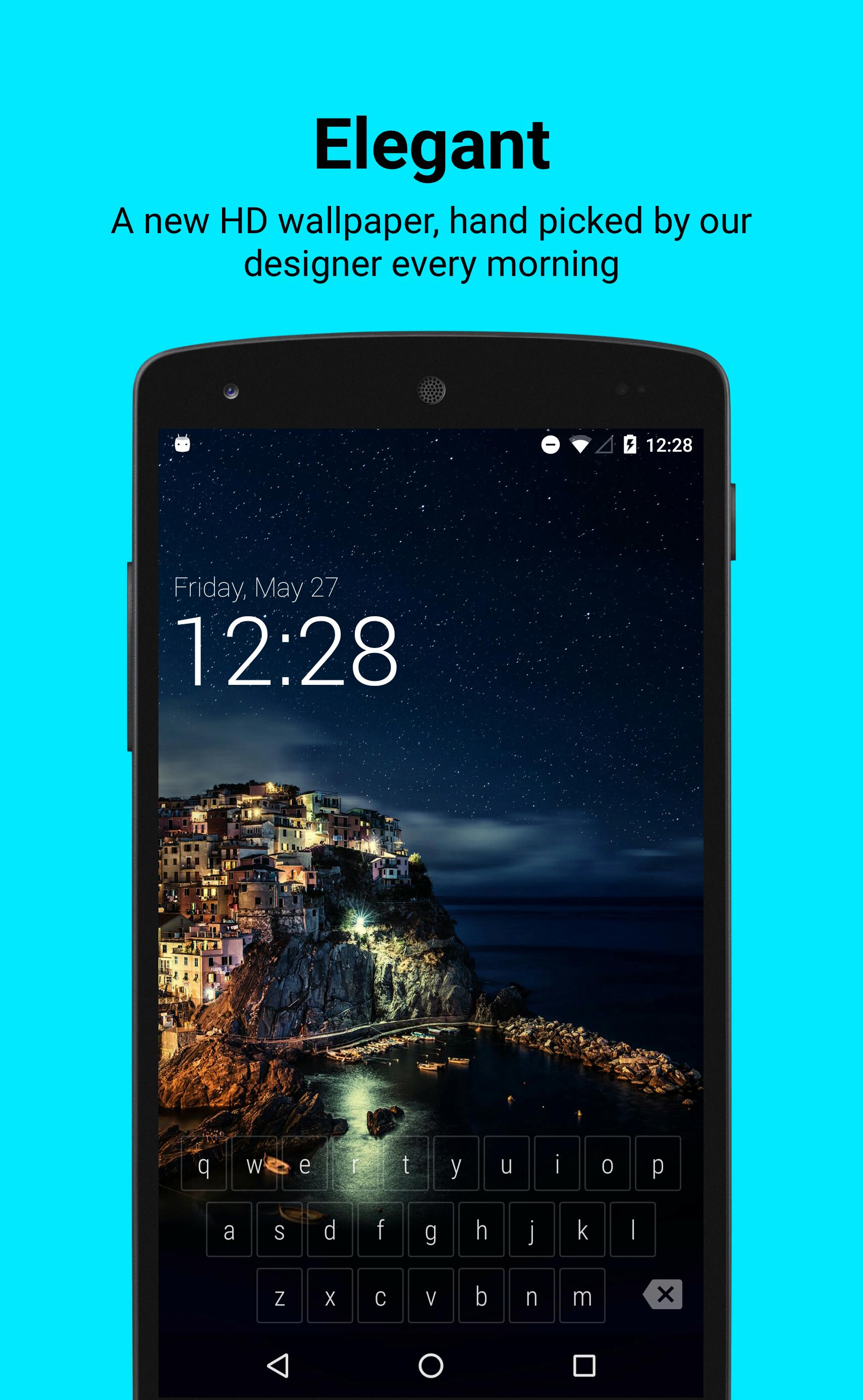
In Settings you can pick to show your shortcut list right away, or hide it just behind a beautiful wallpaper. 1 tap will reveal your shortcuts, or you can start typing on the keyboard right away.
Smart Keyboard that learns you
The keyboard is designed to pull things up fast. You don’t need to type full words. It understands shorthand, so if I want to play music by Ratatat I can type ’S’ for Spotify then ‘R’ and 'Spotify: Ratatat' will come right up. It also learns from your choices so next time only 'S' might get the job done.
There’s no registration and none of the data leaves your device.
Lock Screen Features
* New HD wallpaper updates every day
* Keeps your system security in place. Is 100% safe
* Displays your notifications, filters spam
How we use data
Sesame Lock Screen needs to access your data in order to make cool shortcuts for you. I wouldn’t want someone reading my personal data and I’m sure you don’t either, so we designed Sesame to work without needing to send your data to our servers.
We do send ourselves errors reports and basic analytics data to make sure the app is working well. None of this contains personal data. Your data stays on your phone. Send me an email if you’d like to learn more about how we use data.
Sesame Lock Screen is built by Steve Blackwell and Phil Wall (me). I can be reached anytime at phil@sesame.ninja. I’m happy to help with problems and would love to hear feedback so we can make it better.
We hope you like it :)
Visualizar
Em formação
Desenvolvedor
Sesame crew
Última versão
0.6.6
Ultima atualização
2016-07-20
Categoria
Produtividade
Disponível em
Google Play
Mostre mais
Como jogar Sesame Lock Screen com GameLoop no PC
1. Baixe o GameLoop do site oficial e execute o arquivo exe para instalar o GameLoop.
2. Abra o GameLoop e procure por “Sesame Lock Screen”, encontre Sesame Lock Screen nos resultados da pesquisa e clique em “Install”.
3. Divirta-se jogando Sesame Lock Screen no GameLoop.
Minimum requirements
OS
Windows 8.1 64-bit or Windows 10 64-bit
GPU
GTX 1050
CPU
i3-8300
Memory
8GB RAM
Storage
1GB available space
Recommended requirements
OS
Windows 8.1 64-bit or Windows 10 64-bit
GPU
GTX 1050
CPU
i3-9320
Memory
16GB RAM
Storage
1GB available space