Pop Art Studio para PC
Fotoview
Baixe Pop Art Studio no PC com o emulador GameLoop
Pop Art Studio no PC
Pop Art Studio, vindo do desenvolvedor Fotoview, está rodando no sistema Android no passado.
Agora, você pode jogar Pop Art Studio no PC com GameLoop sem problemas.
Faça o download na biblioteca GameLoop ou nos resultados da pesquisa. Chega de ficar de olho na bateria ou fazer chamadas frustrantes na hora errada.
Apenas aproveite o Pop Art Studio PC na tela grande gratuitamente!
Pop Art Studio Introdução
Pop Art Studio is a versatile program that allows users to perform all the typical image-editing functions and many cool extras, as well. There is no easier way to get familiarized with certain artistic practices than by actually testing and reproducing their main features by yourself. Regarding that, Pop Art Studio is a helpful application that comes to guide and ease your creativity.
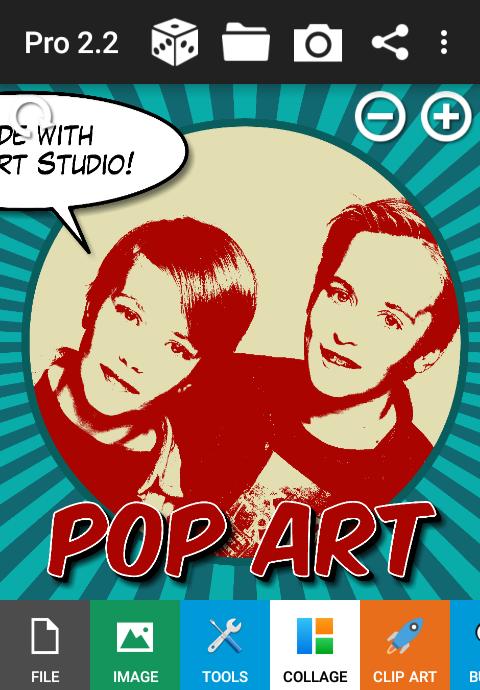
POP ART
• Andy Warhol, Marilyn Monroe, Ten Marilyns, Che Guevara, Mao
• Self Portrait, Speed Skater, Brooklyn Bridge, Sachiko, Guns
• Yes We Can, Coca Cola, Martini, Pop Art Girls, Neon Glow
FILTERS
• Extrude, Woven Photo, 3D Shattering, Salvador Dali - Galatea of the Spheres
• Pixelate, Bas Relief, Relief Map, Sands of Time, Frosted Glass, Sliding Puzzle, Urban Ink
• Psychedelic, Vignette, Holga, Oil Painting, Mondriaan, Mosaic, Color Splash
• Black and White, Stencil, Negative, Posterize, Neon Glow, Colorize
• Polaroid, PIP, Single Photo Collage, Big Picture, Stack of Polaroids, Droste Effect
• Valentine Stripes, Fifties, Rays, Stripes, Retro Circles, Techno Dots, Honeycomb Pattern
• Mirror, Water and Wet Floor Reflection, Clouds, Fire, Stars, Snow, Water drops
COLLAGES
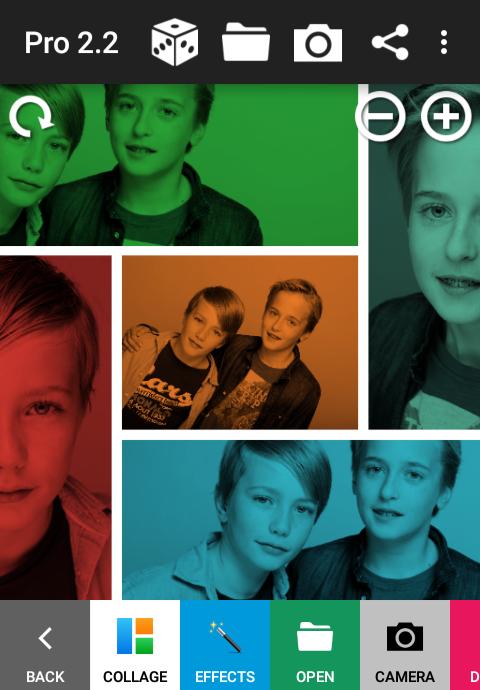
• 120 collage grids to choose from
• Add effects to your collage pictures
TEXT, SHAPES AND CLIP ART
• Multiple fonts.
• Solid and gradient fill, Shadow.
• Multiple outlines, 3D and Glow effect.
• Basic Shapes, Arrows, Stars, Crosses, Hearts, Various
• Animals, Christmas, Comic, Emoticons, Flowers, Food, Beards, Kids, Scribbles, Web, ZAP!
CARTOON BALLOONS
• Square, rounded, oval, and spikey speech balloons and thought bubbles.
• The bubble tail can be moved independently from the bubble.
• Smaller circles, normal, curled, jagged, and double tails.
STICKERS
• Hats, Hair, Eyes, Face, Party, Romance, Summer, Halloween, Christmas
TOOLS
• Color Splash, Effect Brush (History Brush), Magic Pen, Clip Art cutout.
• Resize, Canvas Size, Crop, Flip, Rotate, Rotate by Angle, Drop Shadow, Multiply.
• Eraser, Pencil, Lines, Polylines, Polygons.
• Brightness/Contrast, Hue/Saturation, Red/Green/Blue/Alpha, CMYK.
• Gaussian Blur, Zoom Blur, Motion Blur, Spin Blur.
• Add Noise, Sharpen, Unsharp Mask, Edge Preserving Smooth.
• Multi Color Gradients, Linear Gradients, Radial Gradients, and Canonical Gradients.
• Eye-dropper, Color-Picker tool, and default Color Palette.
DRAWING FEATURES
• Rectangular and circular selections.
• Copy and Paste pictures and selected area's of the picture.
• Insert pictures into your drawing (Layers).
• Adjust opacity and position, apply effects to inserted picture.
• Undo and Redo your last action, reload picture.
• Randomize text and effect parameters, reset to default values.
• Full alpha transparency support (PNG file format).
• High resolution pictures, 1800 (small memory devices) up to 4000 pixels.
• Save and Share your picture in PNG or JPG format
Designed to run on mobile phones and tablets.
Please don't hesitate to contact us if you have any questions or suggestions:
contact@fotoview.nl
Visualizar
Em formação
Desenvolvedor
Fotoview
Última versão
3.1
Ultima atualização
2019-10-21
Categoria
Fotografia
Disponível em
Google Play
Mostre mais
Como jogar Pop Art Studio com GameLoop no PC
1. Baixe o GameLoop do site oficial e execute o arquivo exe para instalar o GameLoop.
2. Abra o GameLoop e procure por “Pop Art Studio”, encontre Pop Art Studio nos resultados da pesquisa e clique em “Install”.
3. Divirta-se jogando Pop Art Studio no GameLoop.
Minimum requirements
OS
Windows 8.1 64-bit or Windows 10 64-bit
GPU
GTX 1050
CPU
i3-8300
Memory
8GB RAM
Storage
1GB available space
Recommended requirements
OS
Windows 8.1 64-bit or Windows 10 64-bit
GPU
GTX 1050
CPU
i3-9320
Memory
16GB RAM
Storage
1GB available space