Icon Kompanions for KLWP/KWGT para PC
BaconBits
Baixe Icon Kompanions for KLWP/KWGT no PC com o emulador GameLoop
Icon Kompanions for KLWP/KWGT no PC
Icon Kompanions for KLWP/KWGT, vindo do desenvolvedor BaconBits, está rodando no sistema Android no passado.
Agora, você pode jogar Icon Kompanions for KLWP/KWGT no PC com GameLoop sem problemas.
Faça o download na biblioteca GameLoop ou nos resultados da pesquisa. Chega de ficar de olho na bateria ou fazer chamadas frustrantes na hora errada.
Apenas aproveite o Icon Kompanions for KLWP/KWGT PC na tela grande gratuitamente!
Icon Kompanions for KLWP/KWGT Introdução
YOU NEED TO HAVE THE PRO VERSION OF KUSTOM KLWP INSTALLED ON YOUR PHONE TO USE THE KOMPONENTS - https://goo.gl/UkHJ99
YOU NEED TO HAVE THE PRO VERSION OF KUSTOM KWGT INSTALLED ON YOUR PHONE TO USE THE WIDGETS - https://goo.gl/ABJVXq
This is a collection of eighteen komponents and eighteen widgets in the same style as some of the most popular icon packs on the Play Store. Six styles, with three komponents/widgets in each style
Instructions - Video - https://www.youtube.com/watch?v=-3lvkrFSXQ4&feature=youtu.be
Using a komponent
- Open the Kustom KWLP app
- Tap the + icon
- Select Icon Kompanions
- Select the komponent(s) you wish to use
- Tap on save icon
- Make Kustom the Live Wallpaper
- Return to homescreen
- Colours can be changed via the Globals menu in the editor
Using a Widget
- Longpress on homescreen and select Widget
- Scroll down and select a KWGT widget
- Rersize widget and tap on it
- KWGT app will open
- Select load preset from menu
- Tap on Installed and select Icon Kompanions
- Select the widget you which to use and press save
- Return to the homescreen
- Colours can be changed via the Globals menu in the editor
Features
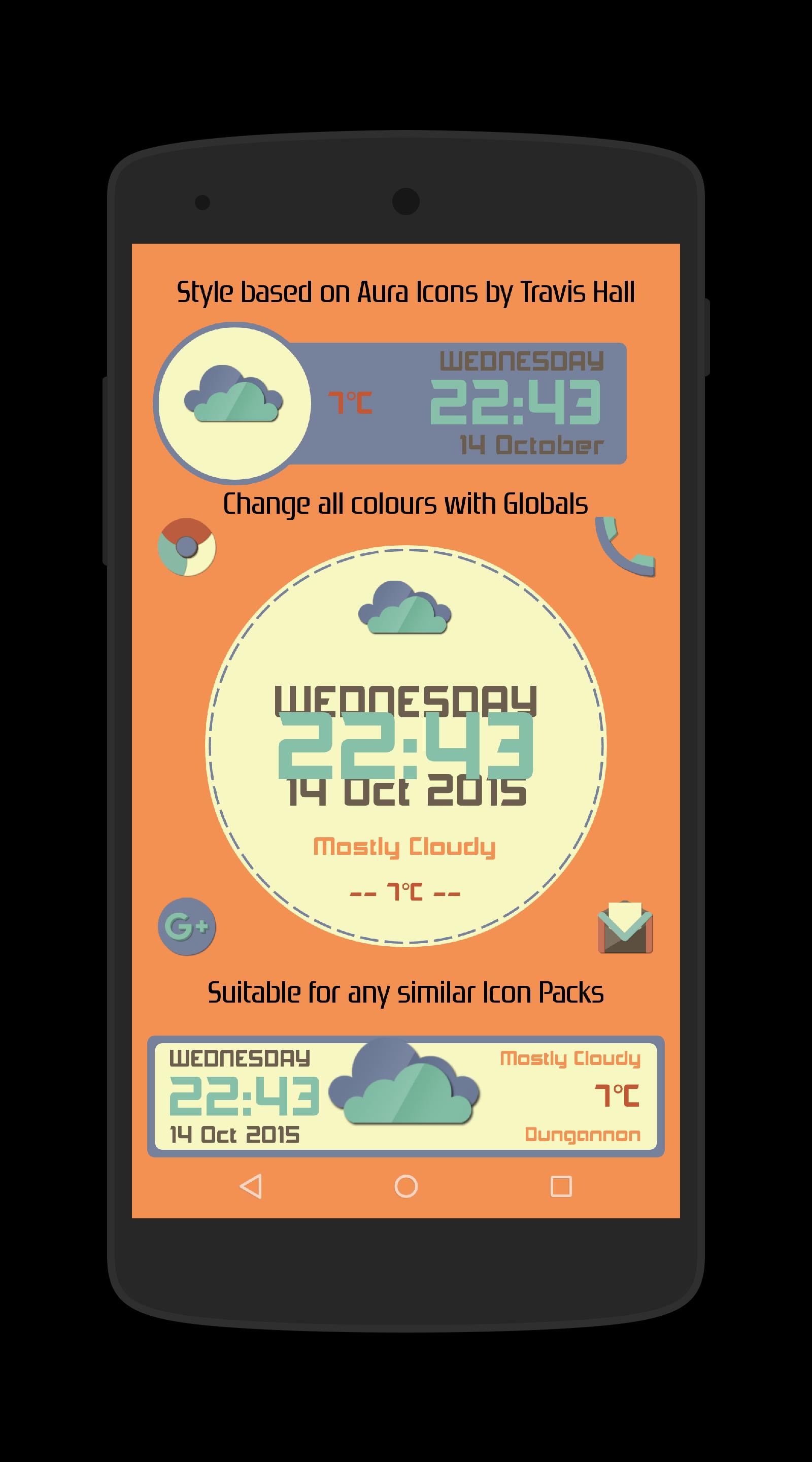
Aura - Based on Aura Icons by Travis Hall - https://plus.google.com/+TravisHall/posts
- Three komponents/widgets with Time/Date, weather/temp/condition (See Pic 1)
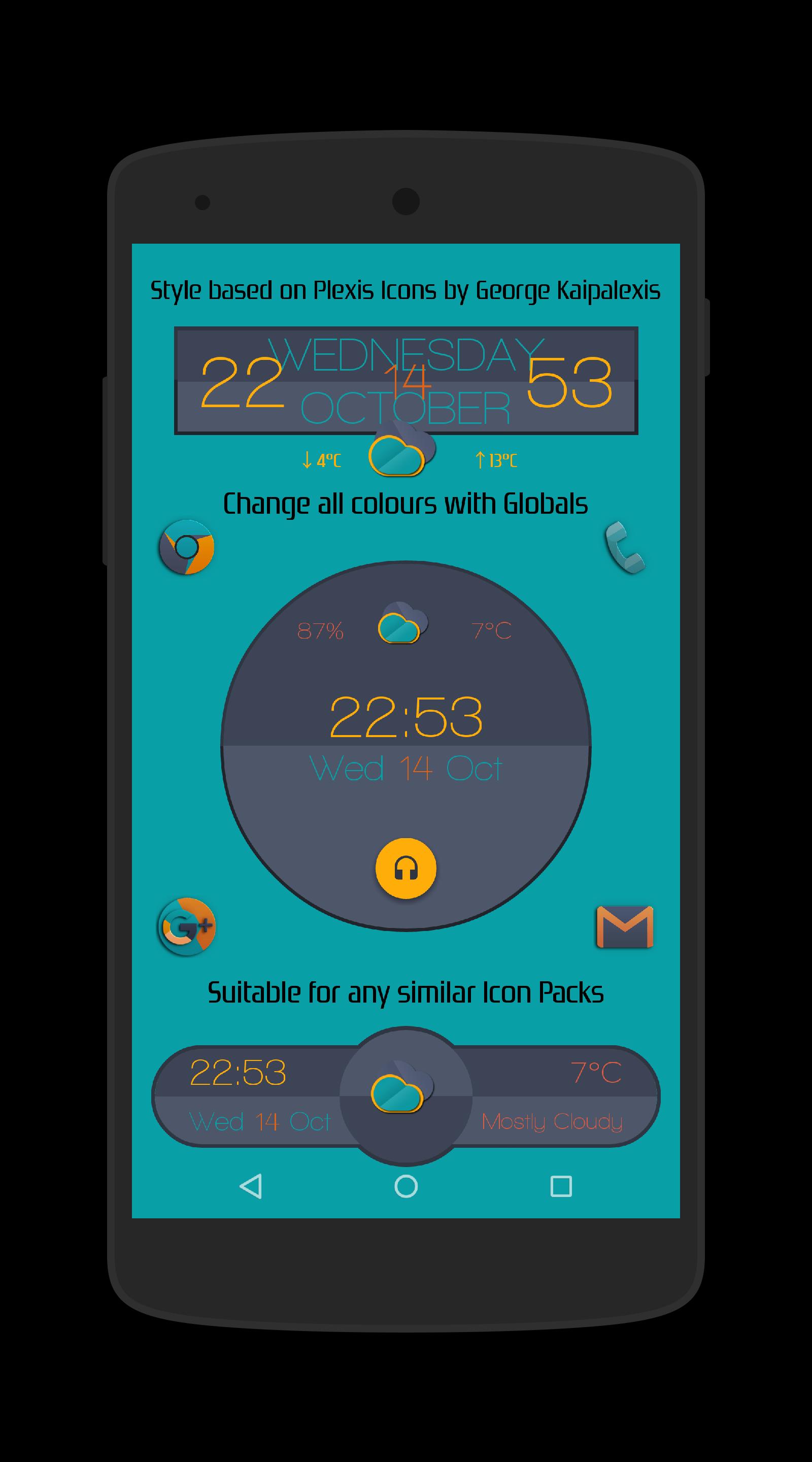
Plexis - Based on Plexis Icons by George Kaipalexis - https://plus.google.com/+GeorgeKaipalexis/posts
- Three komponents/widgets with Time/Date, weather/temp/condition (See Pic 2)
- Plexis2 has music/media playback. Tap the Headphone icon to play Music
Retrorika - Based on Retrorika Icons by Sikebo Giraz - https://plus.google.com/+SikeboGiraz/posts
- Three komponents/widgets with Time/Date, weather/temp/condition (See Pic 3)
Dynasty - Based on Dynasty Icons by DrumDestroyer - https://plus.google.com/+DrumDestroyerThemes/posts/VYBmxWJSxtE
- Three komponents/widgets with Time/Date, weather/temp/condition (See Pic 4)
- Dynasty2 has music/media playback. Tap the Headphone icon to play Music
Moonrise - Based on Moonrise Icons by Simon Martinov - https://plus.google.com/+SimonMartinov
- Three komponents/widgets with Time/Date, weather/temp/condition (See Pic 5)
Material - Based on Material/Lollipop style Icon Packs
- Three komponents/widgets with Time/Date, weather/temp/condition (See Pic 6)
- Material3 has a hidden weather menu. Tap the bar to reveal (Has a 15sec opening time before closing again)
Thanks to Zaibun Alexander for creating and sharing the weather icons used in these widgets - https://plus.google.com/101013923294281960229/posts
Aer weather set, used in the Moonrise rise komps/widgets shared by SixtyFour ThirtyTwo - https://plus.google.com/+SixtyFourThirtyTwo/posts/AhALtQujoVp
All colours in each of the komponents/widgets can be changed via the Globals menu in the editor
And, of course, you can use these komponents/widgets with any icon pack, wallpaper or whatever you wish :-D
If you have any queries, please email me instead of leaving 1* reviews
Enjoy & Thankyou
Find me on Reddit - https://www.reddit.com/user/BaconBitsNI/
or Twitter - https://twitter.com/baconbitskustom
for more Bacon
Visualizar
Tag
PersonalizaçãoEm formação
Desenvolvedor
BaconBits
Última versão
2.1
Ultima atualização
2020-09-01
Categoria
Personalização
Disponível em
Google Play
Mostre mais
Como jogar Icon Kompanions for KLWP/KWGT com GameLoop no PC
1. Baixe o GameLoop do site oficial e execute o arquivo exe para instalar o GameLoop.
2. Abra o GameLoop e procure por “Icon Kompanions for KLWP/KWGT”, encontre Icon Kompanions for KLWP/KWGT nos resultados da pesquisa e clique em “Install”.
3. Divirta-se jogando Icon Kompanions for KLWP/KWGT no GameLoop.
Minimum requirements
OS
Windows 8.1 64-bit or Windows 10 64-bit
GPU
GTX 1050
CPU
i3-8300
Memory
8GB RAM
Storage
1GB available space
Recommended requirements
OS
Windows 8.1 64-bit or Windows 10 64-bit
GPU
GTX 1050
CPU
i3-9320
Memory
16GB RAM
Storage
1GB available space