
Outlander PHEV remote control para PC
Mitsubishi Motors Corporation
Baixe Outlander PHEV remote control no PC com o emulador GameLoop
Outlander PHEV remote control no PC
Outlander PHEV remote control, vindo do desenvolvedor Mitsubishi Motors Corporation, está rodando no sistema Android no passado.
Agora, você pode jogar Outlander PHEV remote control no PC com GameLoop sem problemas.
Faça o download na biblioteca GameLoop ou nos resultados da pesquisa. Chega de ficar de olho na bateria ou fazer chamadas frustrantes na hora errada.
Apenas aproveite o Outlander PHEV remote control PC na tela grande gratuitamente!
Outlander PHEV remote control Introdução
Notice regarding third party's access to the Mitsubishi Remote Control on the Outlander PHEV (17th June 2016)
It has been confirmed that a third party has tried to decode the password used by the Wi-Fi connection for the Mitsubishi Remote Control on the Outlander PHEV in order to gain unauthorized access to various car functions such as deactivating the theft alarm, turning on/off headlights and/or air conditioner, as well as changing charging timer settings.
At present no incidents regarding unauthorized unlocking of doors, unauthorized control of power switch, or leak of personal information have been confirmed; however for the time being MMC recommends customers who are concerned to shut down the Mitsubishi Remote Control following the procedure under "Remove All Registered Devices."
MMC apologizes for concerns this may have caused. MMC is now studying methods to further enhance wireless connection security.
-----------------------------------
This Application is applied to Mitsubishi remote control only.
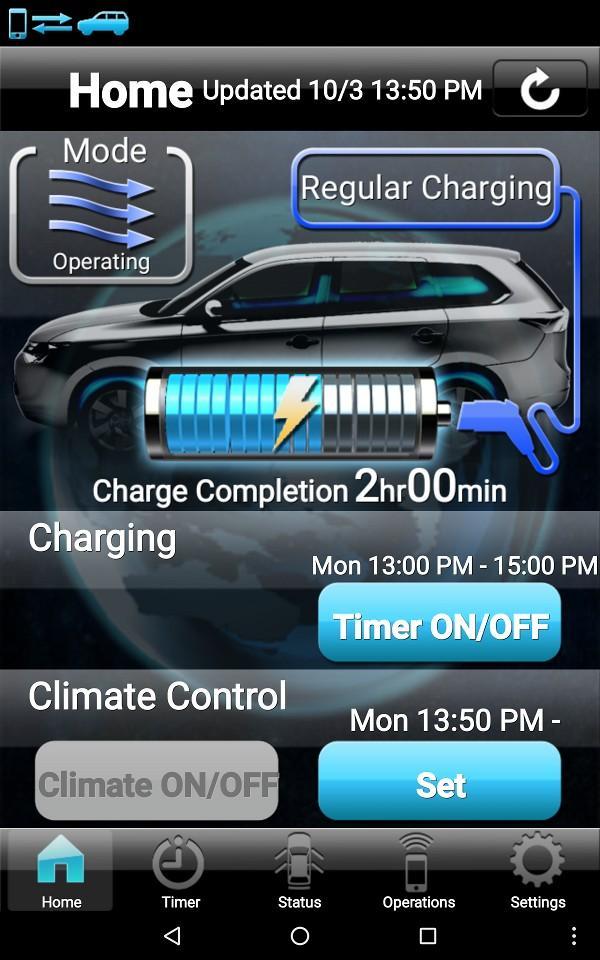
Mitsubishi remote control is possible to easily control various functions of Outlander PHEV by Wireless LAN*.
Need IEE802.11b Wireless LAN devices.
Visualizar
Em formação
Desenvolvedor
Mitsubishi Motors Corporation
Última versão
A.1.4.0
Ultima atualização
2016-01-11
Categoria
Estilo de vida
Disponível em
Google Play
Mostre mais
Como jogar Outlander PHEV remote control com GameLoop no PC
1. Baixe o GameLoop do site oficial e execute o arquivo exe para instalar o GameLoop.
2. Abra o GameLoop e procure por “Outlander PHEV remote control”, encontre Outlander PHEV remote control nos resultados da pesquisa e clique em “Install”.
3. Divirta-se jogando Outlander PHEV remote control no GameLoop.
Minimum requirements
OS
Windows 8.1 64-bit or Windows 10 64-bit
GPU
GTX 1050
CPU
i3-8300
Memory
8GB RAM
Storage
1GB available space
Recommended requirements
OS
Windows 8.1 64-bit or Windows 10 64-bit
GPU
GTX 1050
CPU
i3-9320
Memory
16GB RAM
Storage
1GB available space