Battle City Classic para PC
Classic Retro Games
Baixe Battle City Classic no PC com o emulador GameLoop
Battle City Classic no PC
Battle City Classic, vindo do desenvolvedor Classic Retro Games, está rodando no sistema Android no passado.
Agora, você pode jogar Battle City Classic no PC com GameLoop sem problemas.
Faça o download na biblioteca GameLoop ou nos resultados da pesquisa. Chega de ficar de olho na bateria ou fazer chamadas frustrantes na hora errada.
Apenas aproveite o Battle City Classic PC na tela grande gratuitamente!
Battle City Classic Introdução
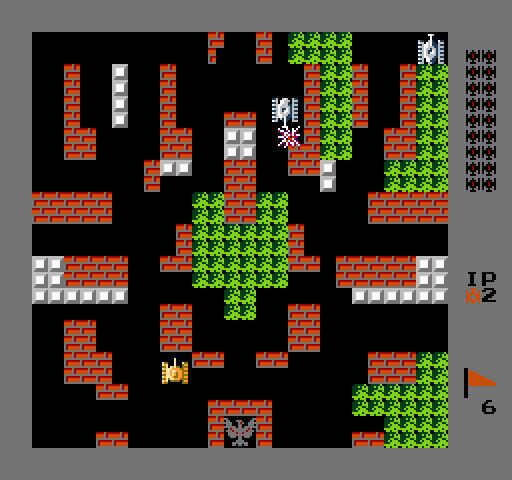
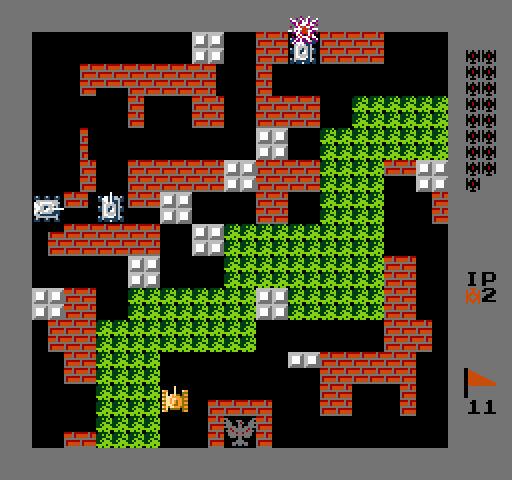
The player, controlling a Tank, must destroy enemy tanks in each level, which enter the playfield from the top of the screen. The enemy tanks attempt to destroy the player's base (represented on the map as a bird, eagle, or Phoenix), as well as the human tank itself. A level is completed when the player destroys all 20 enemy tanks, but the game ends if the player's base is destroyed or the player loses all available lives.
Note that the player tank's weapon can destroy the base as well, so the player can still lose even after all enemy tanks are destroyed.
Visualizar
Em formação
Desenvolvedor
Classic Retro Games
Última versão
1.0.1
Ultima atualização
2018-07-15
Categoria
Arcade
Disponível em
Google Play
Mostre mais
Como jogar Battle City Classic com GameLoop no PC
1. Baixe o GameLoop do site oficial e execute o arquivo exe para instalar o GameLoop.
2. Abra o GameLoop e procure por “Battle City Classic”, encontre Battle City Classic nos resultados da pesquisa e clique em “Install”.
3. Divirta-se jogando Battle City Classic no GameLoop.
Minimum requirements
OS
Windows 8.1 64-bit or Windows 10 64-bit
GPU
GTX 1050
CPU
i3-8300
Memory
8GB RAM
Storage
1GB available space
Recommended requirements
OS
Windows 8.1 64-bit or Windows 10 64-bit
GPU
GTX 1050
CPU
i3-9320
Memory
16GB RAM
Storage
1GB available space