Easycap & UVC Player(FPViewer) para PC
Labsp
Descarga Easycap & UVC Player(FPViewer) en PC con GameLoop Emulator
Easycap & UVC Player(FPViewer) en PC
Easycap & UVC Player(FPViewer), proveniente del desarrollador Labsp, se ejecuta en el sistema Android en el pasado.
Ahora, puedes jugar Easycap & UVC Player(FPViewer) en PC con GameLoop sin problemas.
Descárgalo en la biblioteca de GameLoop o en los resultados de búsqueda. No más mirar la batería o llamadas frustrantes en el momento equivocado nunca más.
Simplemente disfrute de Easycap & UVC Player(FPViewer) PC en la pantalla grande de forma gratuita!
Easycap & UVC Player(FPViewer) Introducción
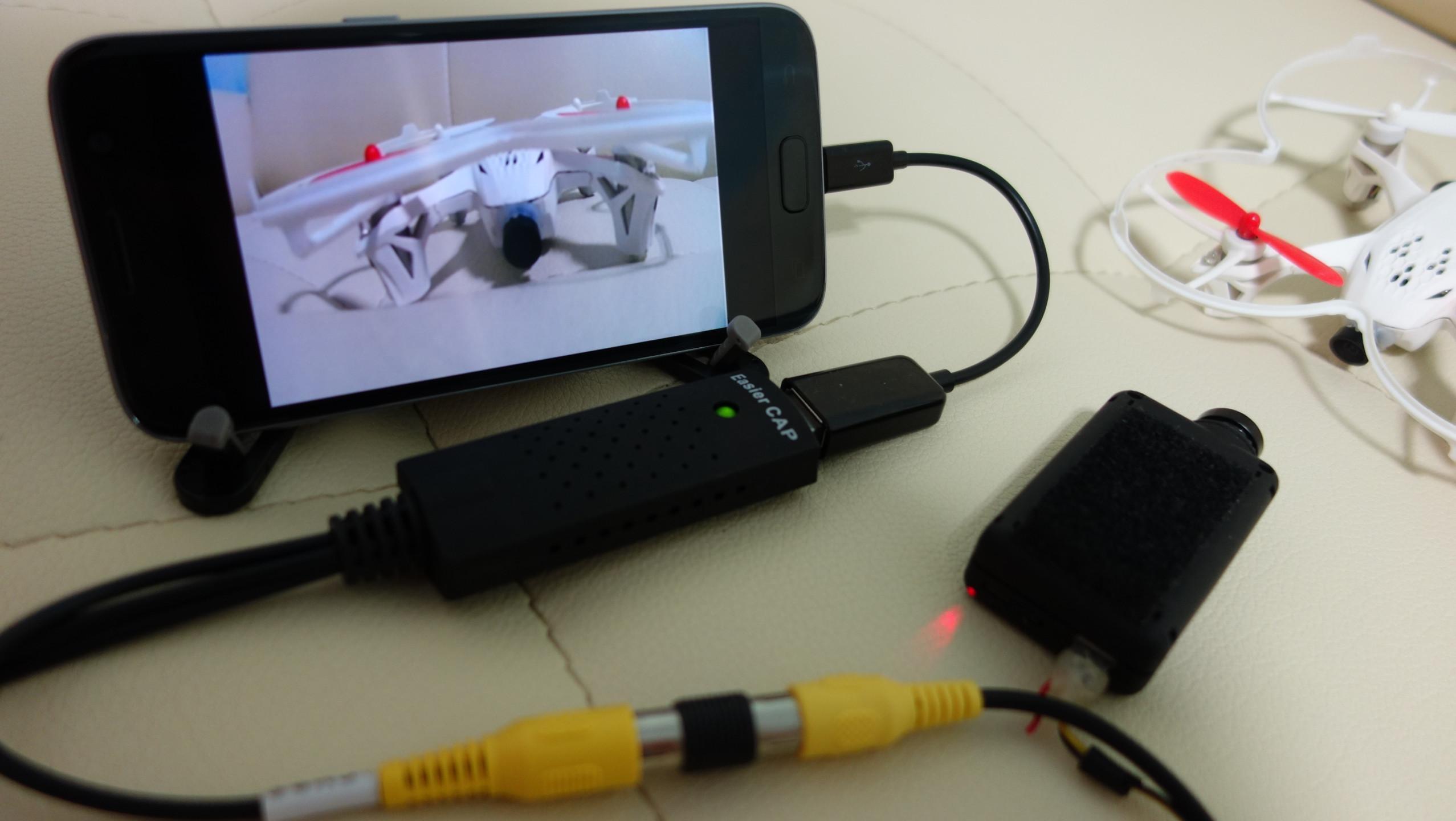
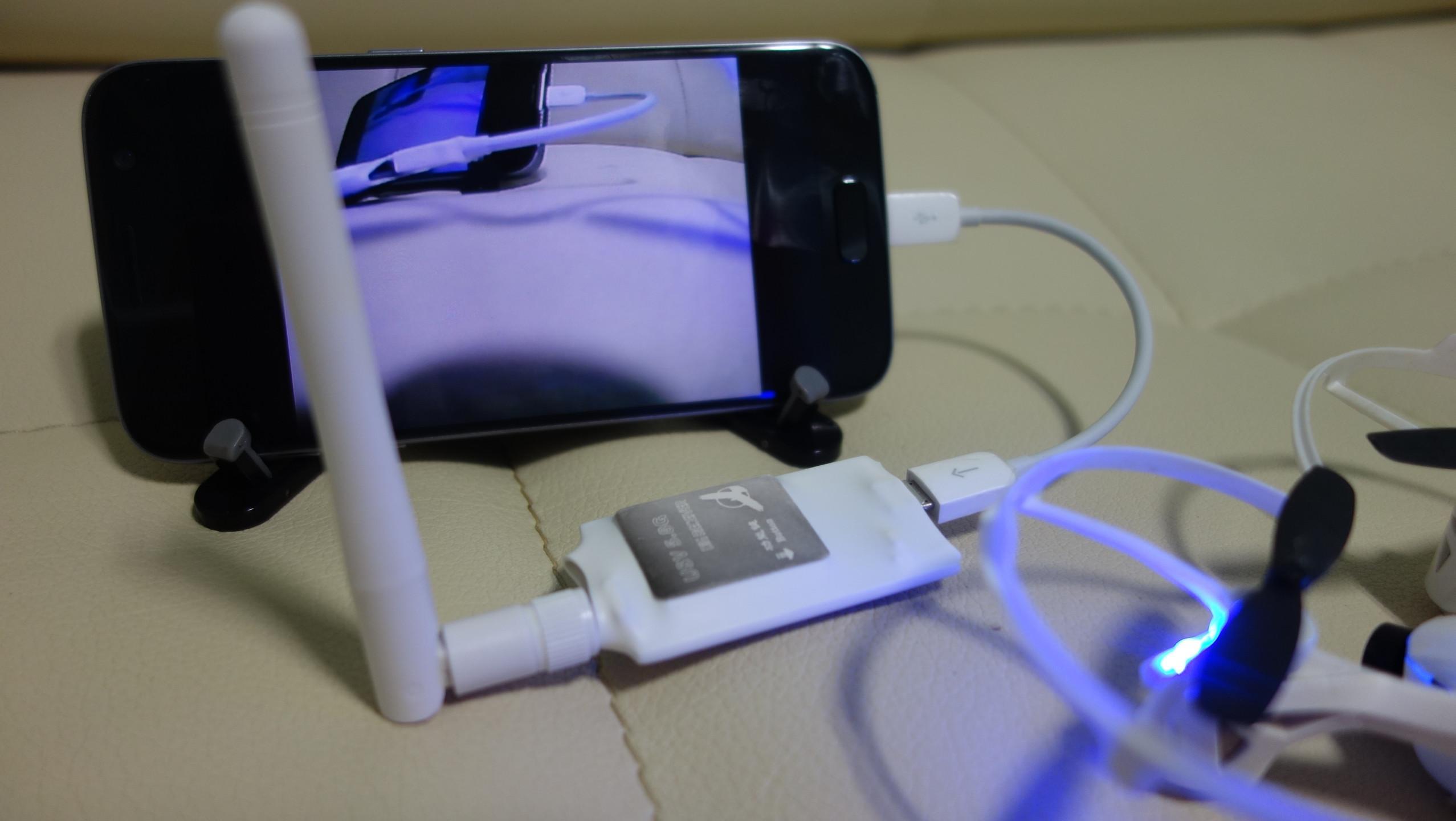
FPViewer is an application to display analog video using Easycap & UVC video grabber device connected via OTG cable to android device.(no root)
Also, FPViewer offers an optimized feature allows you to use the Android devices as FPV monitor.
■ Features
Easycap Viewer
Display analog video using Easycap video grabber device on android device.(only support UTV007, HTV600, HTV800 version Easycap and not support audio input)
FPV 5.8G Receiver OTG Viewer
Display a FPV 5.8G Receiver device.(Eachine ROTG01, ROTG02, ATX03, R051 and more)
UVC Video Grabber or UVC Webcam Viewer
Display analog video using UVC video grabber device on android device.(this device's function is same with Easycap) Also, If your USB camera is UVC type then, you can use the camera with this app.(only support 640x480 resolution)
Video Recording
Save display video as a MP4 file.(Android 4.3 or higher)
Side by Side(VR)
Support Side by Side(VR) mode, so you can use android device as fpv goggle.
Always On Top
Set the viewer screen to the top of the phone screen. so viewer screen never disappear even if you get a phone call or text notification.
Avance
Etiquetas
Video-PlayersInformación
Desarrollador
Labsp
La última versión
1.4.0
Última actualización
2021-10-20
Categoría
Video-players-editors
Disponible en
Google Play
Mostrar más
Cómo jugar Easycap & UVC Player(FPViewer) con GameLoop en PC
1. Descargue GameLoop desde el sitio web oficial, luego ejecute el archivo exe para instalar GameLoop.
2. Abra GameLoop y busque "Easycap & UVC Player(FPViewer)", busque Easycap & UVC Player(FPViewer) en los resultados de búsqueda y haga clic en "Instalar".
3. Disfruta jugando Easycap & UVC Player(FPViewer) en GameLoop.
Minimum requirements
OS
Windows 8.1 64-bit or Windows 10 64-bit
GPU
GTX 1050
CPU
i3-8300
Memory
8GB RAM
Storage
1GB available space
Recommended requirements
OS
Windows 8.1 64-bit or Windows 10 64-bit
GPU
GTX 1050
CPU
i3-9320
Memory
16GB RAM
Storage
1GB available space