
MAPinr - KML/KMZ/OFFLINE/GIS para PC
Xylem Technologies
Descarga MAPinr - KML/KMZ/OFFLINE/GIS en PC con GameLoop Emulator
MAPinr - KML/KMZ/OFFLINE/GIS en PC
MAPinr - KML/KMZ/OFFLINE/GIS, proveniente del desarrollador Xylem Technologies, se ejecuta en el sistema Android en el pasado.
Ahora, puedes jugar MAPinr - KML/KMZ/OFFLINE/GIS en PC con GameLoop sin problemas.
Descárgalo en la biblioteca de GameLoop o en los resultados de búsqueda. No más mirar la batería o llamadas frustrantes en el momento equivocado nunca más.
Simplemente disfrute de MAPinr - KML/KMZ/OFFLINE/GIS PC en la pantalla grande de forma gratuita!
MAPinr - KML/KMZ/OFFLINE/GIS Introducción
Thank you for using MAPinr. MAPinr is the simple, ad-free map app for professionals and outdoor enthusiasts: Manage, visualize and share KML, KMZ and GPX files directly on your Android device - without tracking, without advertising, without hidden data storage.
What MAPinr offers:
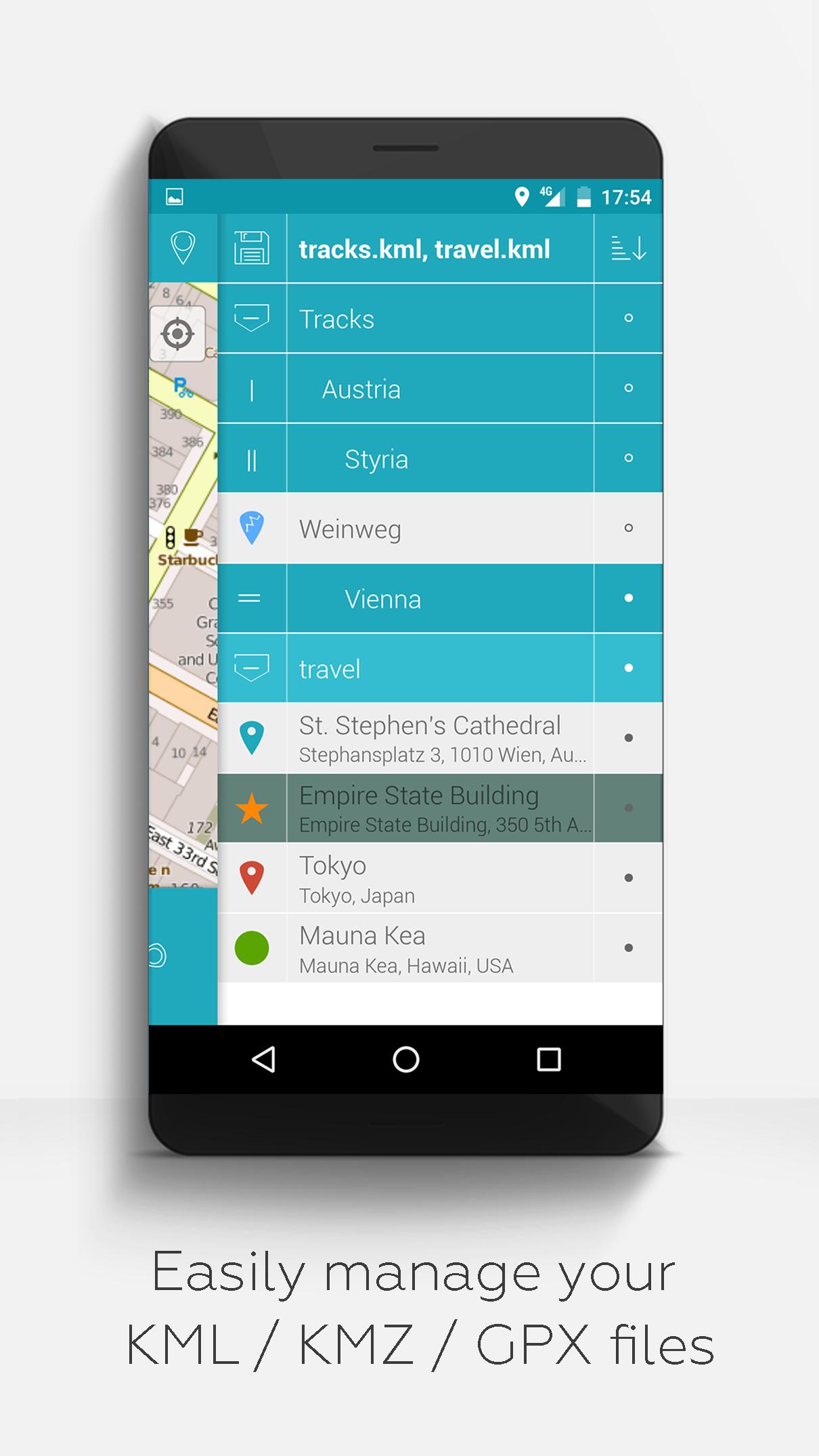
- Import, edit and manage KML/KMZ/GPX files
- Offline maps: OpenStreetMap, OpenTopoMap, OpenCycleMap, satellite, hybrid
- Web Map Service (WMS) support for own data sets and OpenData
- Photo mapping: assign images geographically
- Record and analyze tracks
- Measure distances and areas
- Display multiple map layers simultaneously
- Hierarchical folder structure for large amounts of data
- Multilingual (English, German, Spanish, etc.)
Our claim:
- Ad-free and data-safe: No background services, no trackers, no data collection
- Non-profit development: Financed by voluntary donations - not by user data
- Compatible with older Android versions:
For devices with Android 12 and older, we offer our own versions directly on farming.software.
Who is MAPinr made for?
- Outdoor sports: hiking, cycling, ski touring, trekking
- Professional use: surveying, environmental monitoring
- Privacy-conscious users
- Small-scale farming, permaculture, agroforestry, market gardening, hobby gardeners
________________________________________
Constructive feedback is welcome:
MAPinr thrives on interaction with its users.
If you have any suggestions, questions or error messages, please contact us directly:
mapinr@farming.software
Please help us to improve the app:
- Constructive feedback is more valuable to us than a bad rating without comment.
- Error reports with device, Android version and a brief description of the problem help us to make targeted improvements.
- We check feature requests for feasibility and relevance for the community.
Our resources are limited, but we endeavor to regularly implement sensible suggestions and improvements. Criticism only helps us if we understand it - please rate fairly.
Avance
Etiquetas
Travel-&Información
Desarrollador
Xylem Technologies
La última versión
4.2.12
Última actualización
2025-10-06
Categoría
Travel-local
Disponible en
Google Play
Mostrar más
Cómo jugar MAPinr - KML/KMZ/OFFLINE/GIS con GameLoop en PC
1. Descargue GameLoop desde el sitio web oficial, luego ejecute el archivo exe para instalar GameLoop.
2. Abra GameLoop y busque "MAPinr - KML/KMZ/OFFLINE/GIS", busque MAPinr - KML/KMZ/OFFLINE/GIS en los resultados de búsqueda y haga clic en "Instalar".
3. Disfruta jugando MAPinr - KML/KMZ/OFFLINE/GIS en GameLoop.
Minimum requirements
OS
Windows 8.1 64-bit or Windows 10 64-bit
GPU
GTX 1050
CPU
i3-8300
Memory
8GB RAM
Storage
1GB available space
Recommended requirements
OS
Windows 8.1 64-bit or Windows 10 64-bit
GPU
GTX 1050
CPU
i3-9320
Memory
16GB RAM
Storage
1GB available space