
SnoopSnitch para PC
Security Research Labs
Descarga SnoopSnitch en PC con GameLoop Emulator
SnoopSnitch en PC
SnoopSnitch, proveniente del desarrollador Security Research Labs, se ejecuta en el sistema Android en el pasado.
Ahora, puedes jugar SnoopSnitch en PC con GameLoop sin problemas.
Descárgalo en la biblioteca de GameLoop o en los resultados de búsqueda. No más mirar la batería o llamadas frustrantes en el momento equivocado nunca más.
Simplemente disfrute de SnoopSnitch PC en la pantalla grande de forma gratuita!
SnoopSnitch Introducción
Disclaimer: Patch analysis will work on any phone. However, active network tests and attack monitoring require a compatible* rooted device with Qualcomm chipset.
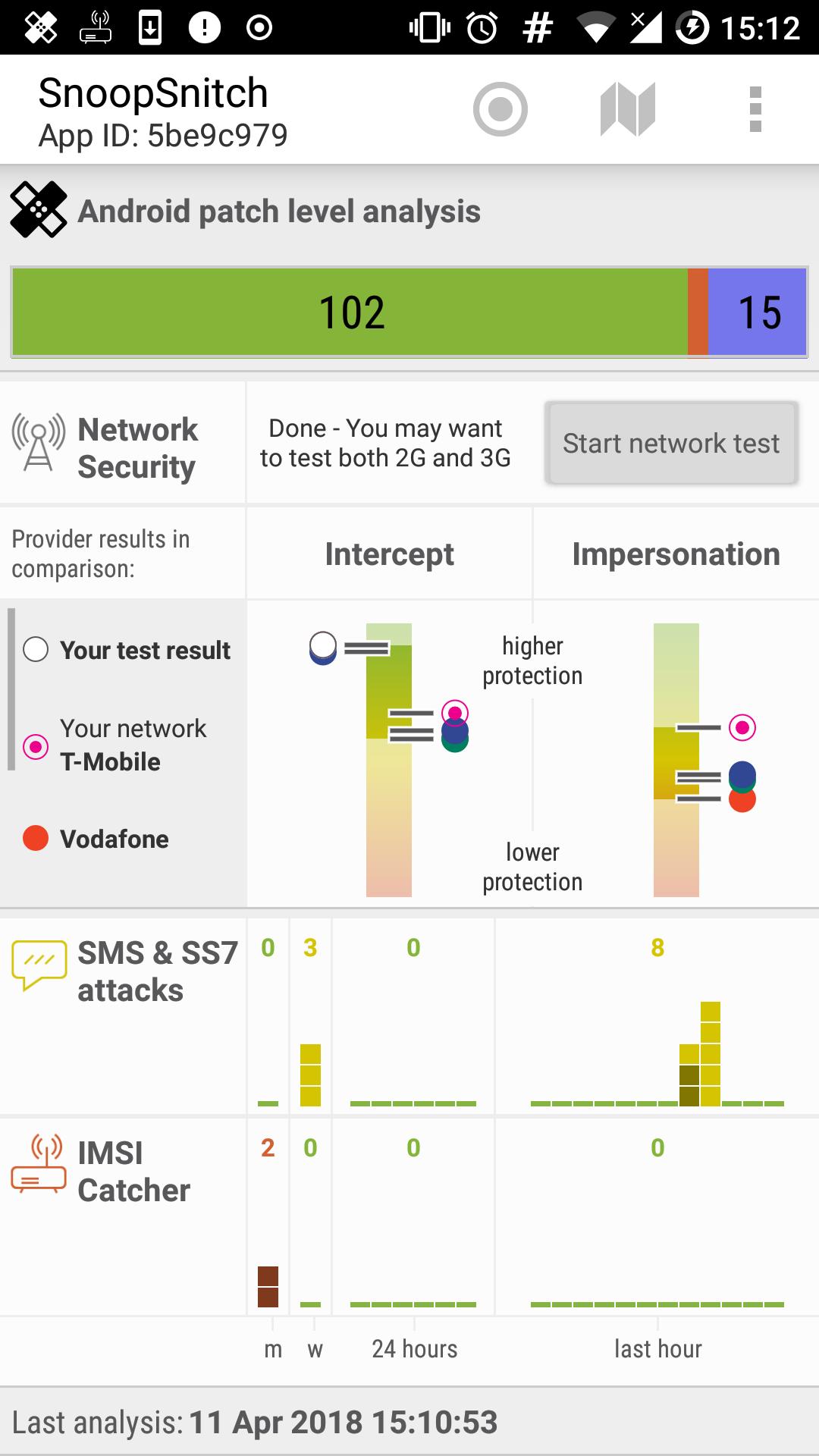
What. SnoopSnitch analyzes your phone's firmware for installed or missing Android security patches. On compatible* rooted phones, SnoopSnitch can also collect and analyze mobile radio data to make you aware of your mobile network security and to warn you about threats like fake base stations (IMSI catchers), user tracking, and SS7 attacks.
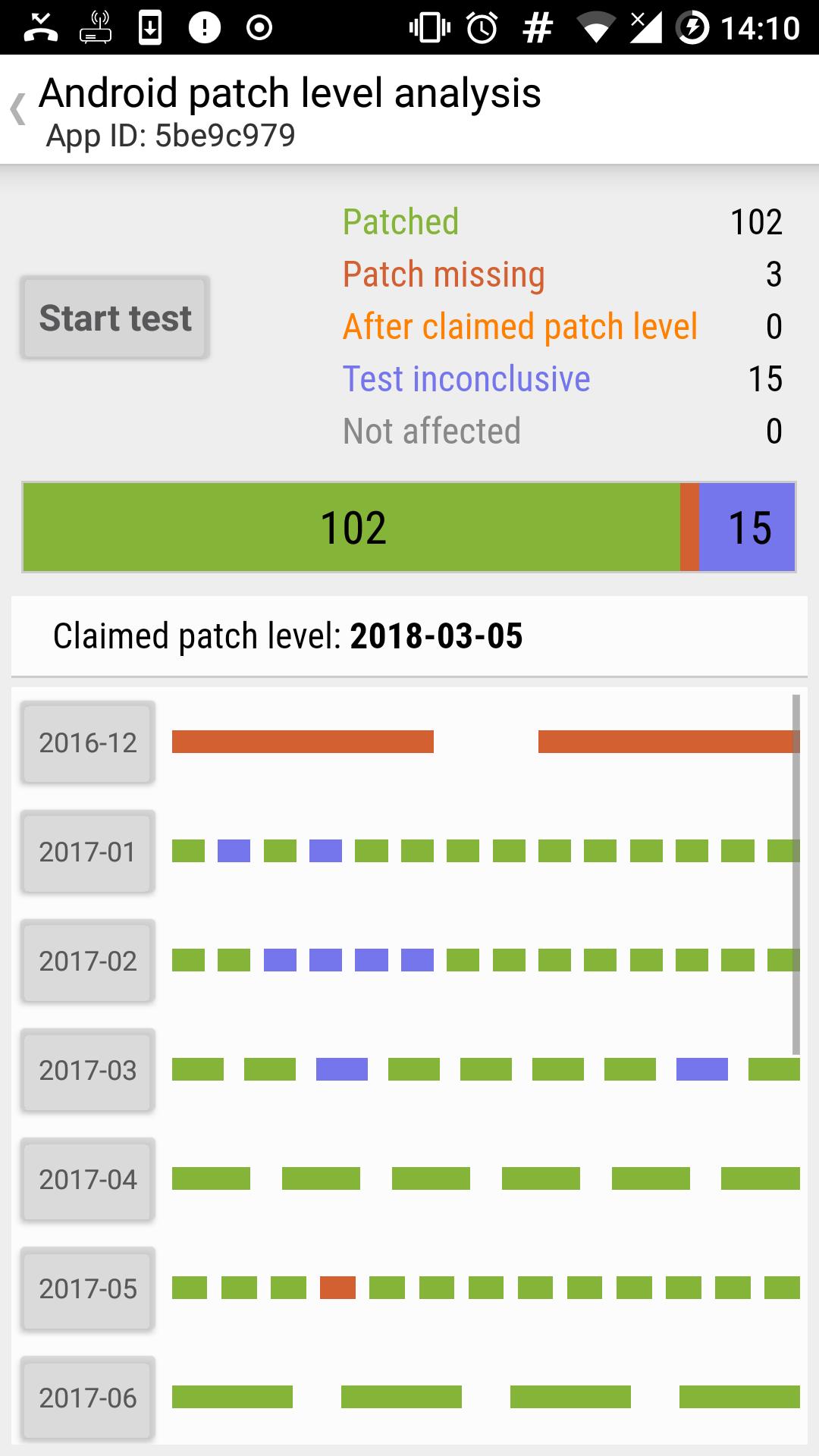
How. SnoopSnitch allows you to analyze your phone's firmware and provides a detailed report with the patch-status of vulnerabilities (CVEs) by month.
Network security and attack monitoring: To use these features, a rooted device* with a Qualcomm chipset running stock Android 4.1 or higher is required. Custom ROMs are often unsupported as they can lack necessary proprietary drivers. (CyanogenMod seems to work for some users.)
Contribute. SnoopSnitch uses data contributed by users. Patch analysis results and firmware build details are uploaded to our server. This enables further tool improvements and research of the Android patch landscape.
You may also choose to help improve our global network security and threat statistics by uploading your network measurements or security events. SnoopSnitch will ask for confirmation before uploading any such information to our servers. All uploads are encrypted.
Permissions. The app asks for a number of permissions, most of which are only required for network tests and attack monitoring:
https://opensource.srlabs.de/projects/snoopsnitch/wiki/Android_application_permissions
License. SnoopSnitch is open-source software released under the GPL version 3. Please visit our project website for source code and further information:
https://opensource.srlabs.de/projects/snoopsnitch
*Compatible phones (when rooted). A list of these devices can be found here:
https://opensource.srlabs.de/projects/snoopsnitch/wiki/DeviceList
Feedback. We look forward to hearing from you at snoopsnitch@srlabs.de.
PGP fingerprint: 9728 A7F9 D457 1FBB 746F 5381 D52C AC10 634A 9561
-- snoop snitch
Avance
Etiquetas
HerramientasInformación
Desarrollador
Security Research Labs
La última versión
2.0.13
Última actualización
2023-10-28
Categoría
Herramientas
Disponible en
Google Play
Mostrar más
Cómo jugar SnoopSnitch con GameLoop en PC
1. Descargue GameLoop desde el sitio web oficial, luego ejecute el archivo exe para instalar GameLoop.
2. Abra GameLoop y busque "SnoopSnitch", busque SnoopSnitch en los resultados de búsqueda y haga clic en "Instalar".
3. Disfruta jugando SnoopSnitch en GameLoop.
Minimum requirements
OS
Windows 8.1 64-bit or Windows 10 64-bit
GPU
GTX 1050
CPU
i3-8300
Memory
8GB RAM
Storage
1GB available space
Recommended requirements
OS
Windows 8.1 64-bit or Windows 10 64-bit
GPU
GTX 1050
CPU
i3-9320
Memory
16GB RAM
Storage
1GB available space