
FamiKit - Parental Control para PC
AnvSoft Inc.
Descarga FamiKit - Parental Control en PC con GameLoop Emulator
FamiKit - Parental Control en PC
FamiKit - Parental Control, proveniente del desarrollador AnvSoft Inc., se ejecuta en el sistema Android en el pasado.
Ahora, puedes jugar FamiKit - Parental Control en PC con GameLoop sin problemas.
Descárgalo en la biblioteca de GameLoop o en los resultados de búsqueda. No más mirar la batería o llamadas frustrantes en el momento equivocado nunca más.
Simplemente disfrute de FamiKit - Parental Control PC en la pantalla grande de forma gratuita!
FamiKit - Parental Control Introducción
FamiKit is the most easy-to-use and multi-functional parental control app. With FamiKit installed on kid’s device, parents can easily and remotely monitor kid’s phone activities; limit screen time on social apps like WhatsApp, YouTube, Facebook, Instagram and more; track browsing history; filter any unwanted websites such as porn, adult, violence, gambling and more; track real-time location; view location histories timeline; set geofences; monitor YouTube watch history and block YouTube videos or channels, etc.
Create a nurturing space for kids with FamiKit
1. Over-indulgence in mobile phones contributes to kids’ myopia.
✔ FamiKit helps to set time limits on smartphone usage to protect kid’s eyesight.
2. Kids tend to stay up late for online gaming or chatting.
✔ FamiKit helps to set downtime for smartphone usage to improve kids’ sleep quality.
3. Kids are inclined to be exposed to porn, violence and any inappropriate websites.
✔ FamiKit helps to create a healthy internet environment by blocking sites by categories and customizing site access.
4. It is easy for kids to get lost or to be kidnapped by strangers.
✔ FamiKit helps to track kids’ real-time location and location histories as well as set geofences and get alerts when they arrive or leave the zones.
5. Kids may secretly access to sexually explicit or violent contents on browsers or share them on social platforms.
✔ FamiKit helps to detect risky words to prevent being searched on various browsers as well as perceive them and warn kids on multiple social apps.
6. YouTube is littered with inappropriate contents and some even target towards young kids.
✔ FamiKit helps to remotely track kid's YouTube watch histories and block inappropriate videos or channels.
👍 Phone Activity Tracking
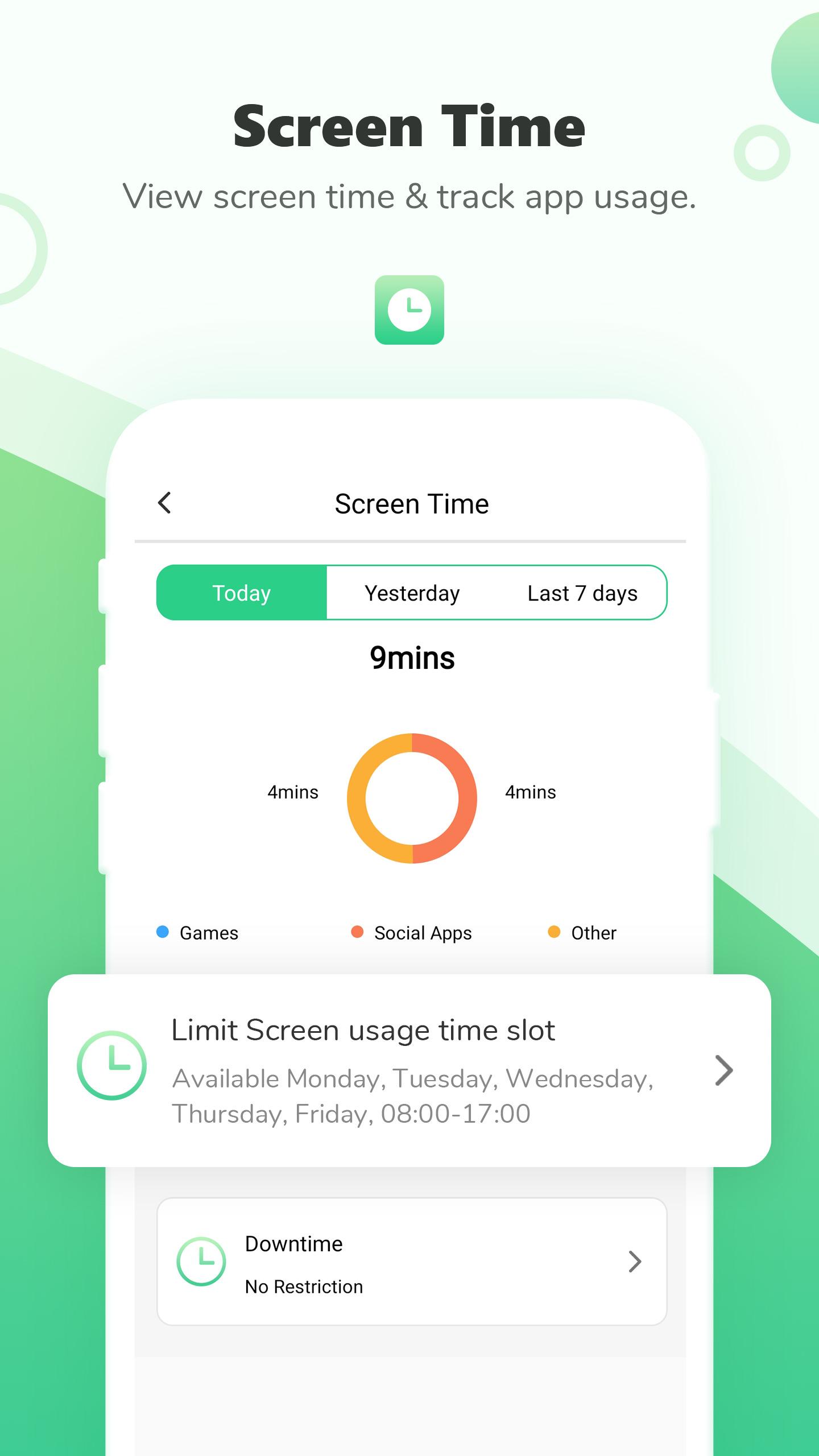
- Check daily or weekly reports on kids’ smartphone usage
- Get to know the most used apps and hours used
👍 Screen Time Limits
- Control daily or weekly maximum time that kids spend on certain app or smartphone
- Remotely create curfew for certain app or smartphone usage
👍 Location Tracking & Geofences
- Track kids’ real-time location and location histories
- Create safe zones for kids and get alerts when they arrive or leave the defined areas
👍 Browser History & Website Filter
- Remotely track kid's browsing histories
- One-click to block adult, violence, gaming, gamble and more unwanted websites by categories
- Customize site access as you wish
👍 Safe Search & Safe Social
- Detect risky words and prevent kids from searching them in Chrome, Firefox, Edge and other browsers
- Detect risky words and warn kids in WhatsApp, Facebook, YouTube, Instagram, Twitter and more social apps
👍 YouTube Monitoring
- Track kid's YouTube watch histories in real-time manner.
- Remotely block inappropriate YouTube videos or channels for kids.
👍 Detect Porn Images
- Detect suspicious images like nude selfies or porn images.
- Report suspicious porn images to you to protect your kid.
How to use FamiKit to remotely set up parental control on kid’s device?
1. Install FamiKit both on kid’s and parents’ device.
2. Register a FamiKit account with email.
3. Sign in and set up FamiKit on kid’s device.
4. Back to parents’ device to start remotely control.
Full guidance here: https://www.famikit.com/android-guide.html
---FAQs---
What platforms does FamiKit support?
-FamiKit parental control app currently supports Android devices and will be available for iOS soon.
How many devices can parents track with one account?
-Parents can manage 3 to 20 devices with one FamiKit account depending on your subscription.
Contacts Us
Please feel free to contact us if you have any problems or feedbacks!
-Email: support@famikit.com
-Facebook: https://www.facebook.com/FamiKit-105619441268726
Try It for Free Now
FamiKit offers 7-day free trial for new users. Download now and start an adventure!😘
Avance
Etiquetas
HerramientasInformación
Desarrollador
AnvSoft Inc.
La última versión
1.3.3
Última actualización
2022-07-31
Categoría
Herramientas
Disponible en
Google Play
Mostrar más
Cómo jugar FamiKit - Parental Control con GameLoop en PC
1. Descargue GameLoop desde el sitio web oficial, luego ejecute el archivo exe para instalar GameLoop.
2. Abra GameLoop y busque "FamiKit - Parental Control", busque FamiKit - Parental Control en los resultados de búsqueda y haga clic en "Instalar".
3. Disfruta jugando FamiKit - Parental Control en GameLoop.
Minimum requirements
OS
Windows 8.1 64-bit or Windows 10 64-bit
GPU
GTX 1050
CPU
i3-8300
Memory
8GB RAM
Storage
1GB available space
Recommended requirements
OS
Windows 8.1 64-bit or Windows 10 64-bit
GPU
GTX 1050
CPU
i3-9320
Memory
16GB RAM
Storage
1GB available space