
EdiView II para PC
Edimax Technology Co., Ltd.
Descarga EdiView II en PC con GameLoop Emulator
EdiView II en PC
EdiView II, proveniente del desarrollador Edimax Technology Co., Ltd., se ejecuta en el sistema Android en el pasado.
Ahora, puedes jugar EdiView II en PC con GameLoop sin problemas.
Descárgalo en la biblioteca de GameLoop o en los resultados de búsqueda. No más mirar la batería o llamadas frustrantes en el momento equivocado nunca más.
Simplemente disfrute de EdiView II PC en la pantalla grande de forma gratuita!
EdiView II Introducción
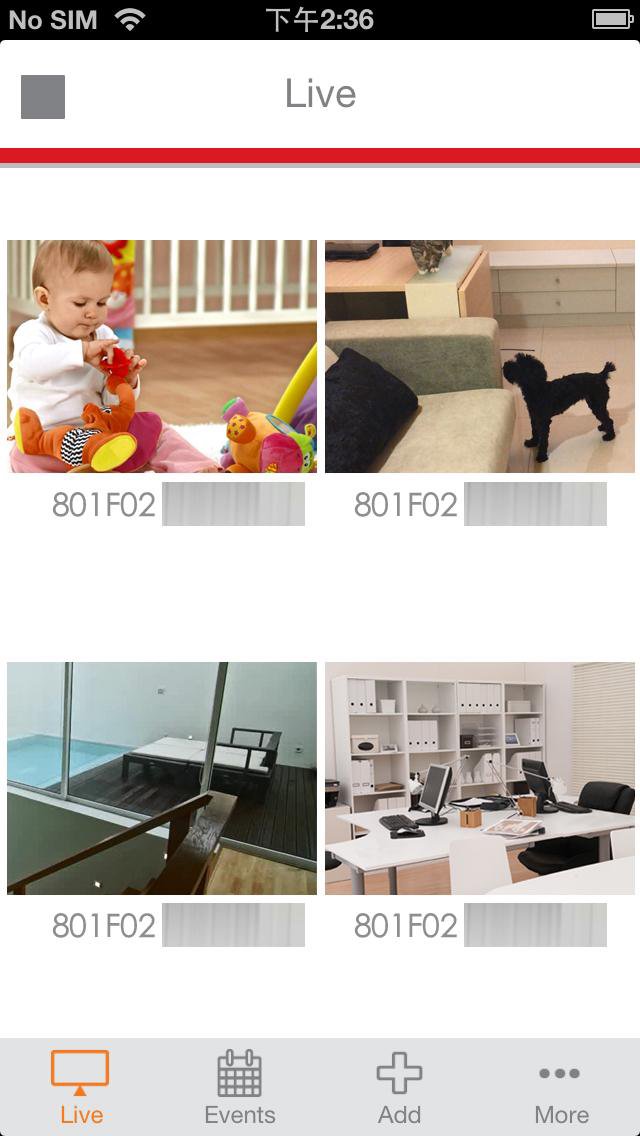
EdiView II is an easy-to-use and handy network camera app, ideal for monitoring your home or office from any 3G or Wi-FI connection. With Edimax’s innovative Plug-n-View technology, you can say goodbye to inconvenient and complicated setting procedures. It’s extremely easy to connect your Edimax network camera to the cloud in just a few simple steps and access it remotely with a smartphone, tablet, or computer no matter where you are.
Features of the EdiView II Android app:
1. Easy, intuitive setup and network management
2. Live viewing from any 3G or Wi-Fi connection
3. Remote pan and tilt control*1
4. Motion activated snapshots
5. Adjust brightness, saturation, sharpness, video quality and pan & tilt speed settings remotely*1
6. Push notifications supported
7. Video events supported*2
8. Two way audio supported*3
9. Remotely control up to 12 Edimax network cameras
*1 For pan/tilt supported models
*2 For video event supported models
*3 For two way audio supported models
Supported Edimax Plug-n-View network cameras:
1. IC-3116W
2. IC-3140W
3. IC-7112W
4. IC-7113W
5. IC-9110W
Device Requirements: The EdiView II app requires a device running Android OS 4.X or above.
For better performance, please use a device with Quad core processor or newer models.
For security reason, the Edimax IP Camera provides more security with firmware v3.x or later version. The EdiView II can’t support this function, due to its architecture, and only firmware version v3.x or later version for Edimax IP Camera will support this function. Please download Edimax EdiLife APP. The EdiView II will not allow user upgrade firmware to v3.x or later version.
EdiLife can download here: https://play.google.com/store/apps/details?id=com.edimax.edilife
Avance

Etiquetas
HerramientasInformación
Desarrollador
Edimax Technology Co., Ltd.
La última versión
1.0.13
Última actualización
2018-10-25
Categoría
Herramientas
Disponible en
Google Play
Mostrar más
Cómo jugar EdiView II con GameLoop en PC
1. Descargue GameLoop desde el sitio web oficial, luego ejecute el archivo exe para instalar GameLoop.
2. Abra GameLoop y busque "EdiView II", busque EdiView II en los resultados de búsqueda y haga clic en "Instalar".
3. Disfruta jugando EdiView II en GameLoop.
Minimum requirements
OS
Windows 8.1 64-bit or Windows 10 64-bit
GPU
GTX 1050
CPU
i3-8300
Memory
8GB RAM
Storage
1GB available space
Recommended requirements
OS
Windows 8.1 64-bit or Windows 10 64-bit
GPU
GTX 1050
CPU
i3-9320
Memory
16GB RAM
Storage
1GB available space