Custom Volume Panel Styles para PC
Prime App's
Descarga Custom Volume Panel Styles en PC con GameLoop Emulator
Custom Volume Panel Styles en PC
Custom Volume Panel Styles, proveniente del desarrollador Prime App's, se ejecuta en el sistema Android en el pasado.
Ahora, puedes jugar Custom Volume Panel Styles en PC con GameLoop sin problemas.
Descárgalo en la biblioteca de GameLoop o en los resultados de búsqueda. No más mirar la batería o llamadas frustrantes en el momento equivocado nunca más.
Simplemente disfrute de Custom Volume Panel Styles PC en la pantalla grande de forma gratuita!
Custom Volume Panel Styles Introducción
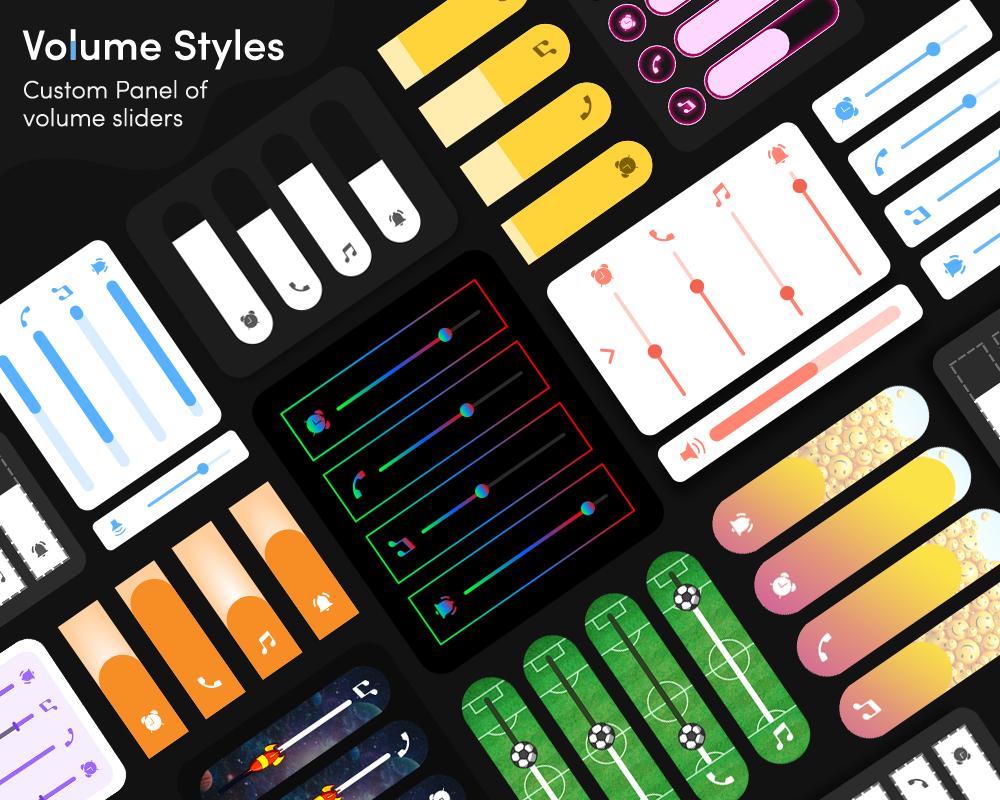
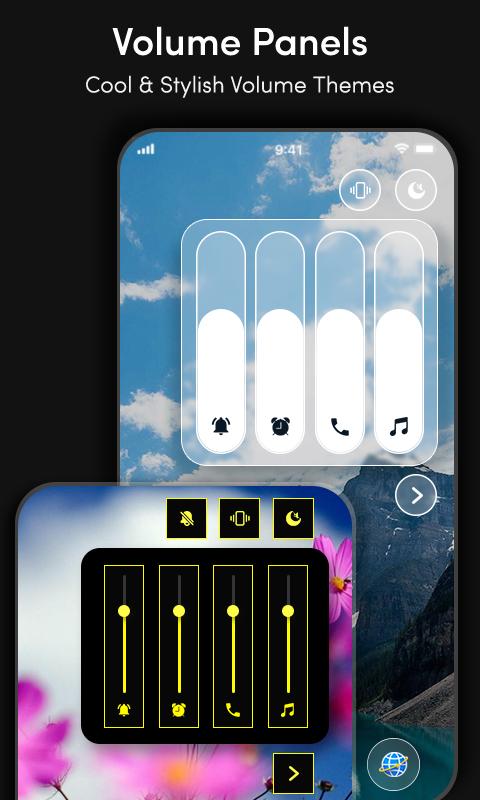
Custom Volume Panel Styles app provides Stylish volume controls. To get full control of the volume panel and to customize it you have to use Customize Volume Panel Styles app. Volume Styles app provides a wonderful look to your volume slider. You can select different Volume Styles Paneland make your volume control appearance awesome.
Volume styles customize your volume panel
Sound control provides full control to change the theme of your volume slider. You can change the position and appearance of your phone volume control. Volume styles provide full access to set and customize your volume panel slider
Custom Volume Panel app lets you get different volume slide bar styles skins to match the color and theme with your app launcher.
Change the appearance with a single tap by selecting any one of the following skins...
SKINS:
• Basic
• Emojis
• Neon
• Super Heroes
• Simple
• RGB
Custom Volume Panel app provides the following core functionality for volume control
Volume Styles of Music or Media
Volume slider for Ringtone
Alarm volume slider
Volume slider Notifications
System volume Control
Voice call/Incall volume sliders
Voice call Volume Sliders
Incall volume sliders
Bluetooth volume sliders
More CUSTOMIZATION for your volume panel :
• Customize Volume Panel Styles for volume sliders:
• Manage left/Right position for your app
• Keep the default volume panel while the certain apps are used
• Use volume slider expanded option for selection
• Custom duration for the volume slider
• Customize dim effects for background
This app is using Accessibility Service to detect volume keys. To provide a customized volume panel we need Accessibility Service API permission so the app will provide a perfect functionality of volume styles. We respect user privacy and we do not collect any kind of user personal data. The functionality and need of the Accessibility Service is defined in the video.
This app is using Query_All_packages permission to provide the basic functionality of customized volume control panel. By using Query _All_ Packages you can chose the apps on which user wants to use the default volume control and on which to appear the customized volume control panel.
Avance
Etiquetas
HerramientasInformación
Desarrollador
Prime App's
La última versión
1.0.7
Última actualización
2022-08-07
Categoría
Herramientas
Disponible en
Google Play
Mostrar más
Cómo jugar Custom Volume Panel Styles con GameLoop en PC
1. Descargue GameLoop desde el sitio web oficial, luego ejecute el archivo exe para instalar GameLoop.
2. Abra GameLoop y busque "Custom Volume Panel Styles", busque Custom Volume Panel Styles en los resultados de búsqueda y haga clic en "Instalar".
3. Disfruta jugando Custom Volume Panel Styles en GameLoop.
Minimum requirements
OS
Windows 8.1 64-bit or Windows 10 64-bit
GPU
GTX 1050
CPU
i3-8300
Memory
8GB RAM
Storage
1GB available space
Recommended requirements
OS
Windows 8.1 64-bit or Windows 10 64-bit
GPU
GTX 1050
CPU
i3-9320
Memory
16GB RAM
Storage
1GB available space