
Magnetic Sensor | Magnetometer para PC
Mypro
Descarga Magnetic Sensor | Magnetometer en PC con GameLoop Emulator
Magnetic Sensor | Magnetometer en PC
Magnetic Sensor | Magnetometer, proveniente del desarrollador Mypro, se ejecuta en el sistema Android en el pasado.
Ahora, puedes jugar Magnetic Sensor | Magnetometer en PC con GameLoop sin problemas.
Descárgalo en la biblioteca de GameLoop o en los resultados de búsqueda. No más mirar la batería o llamadas frustrantes en el momento equivocado nunca más.
Simplemente disfrute de Magnetic Sensor | Magnetometer PC en la pantalla grande de forma gratuita!
Magnetic Sensor | Magnetometer Introducción
Turn your phone into a magnetic field meter (EMF Detector & Gauss meter) and offline compass — no extra hardware needed. Using your device's built-in magnetometer, this app displays real-time Gauss meter readings, 3-axis (X/Y/Z) field data, and offline navigation, all in one clean toolkit. Designed for teachers, students, DIY enthusiasts, and outdoor adventurers.
🚀 Key Features
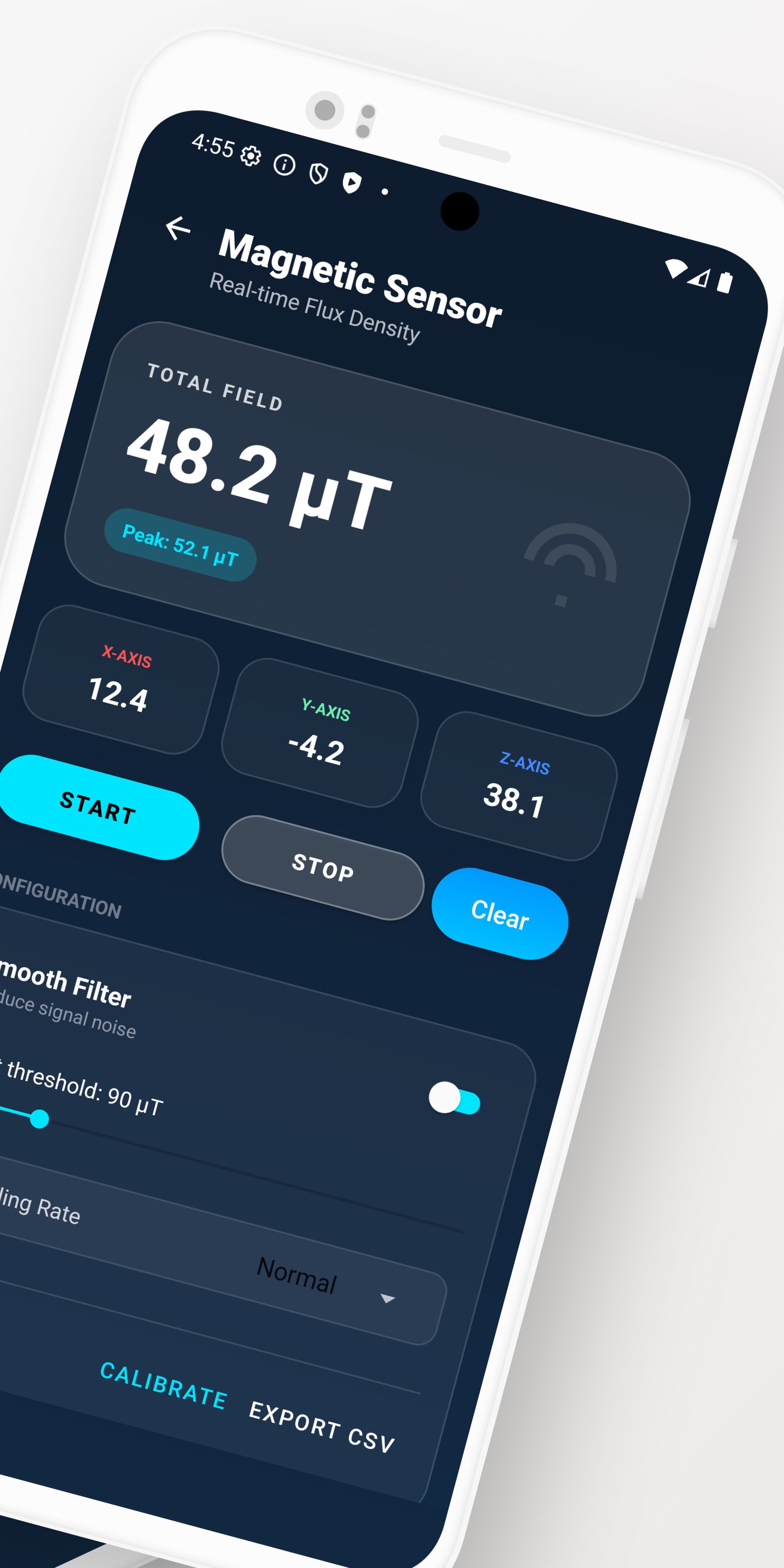
- Magnetic Field Meter (EMF Detector / Gauss Meter): Monitor magnetic field strength in real time using 3-axis (X/Y/Z) magnetometer data. Readings are shown in microtesla (µT) to help you spot magnetic interference or changes in field strength.
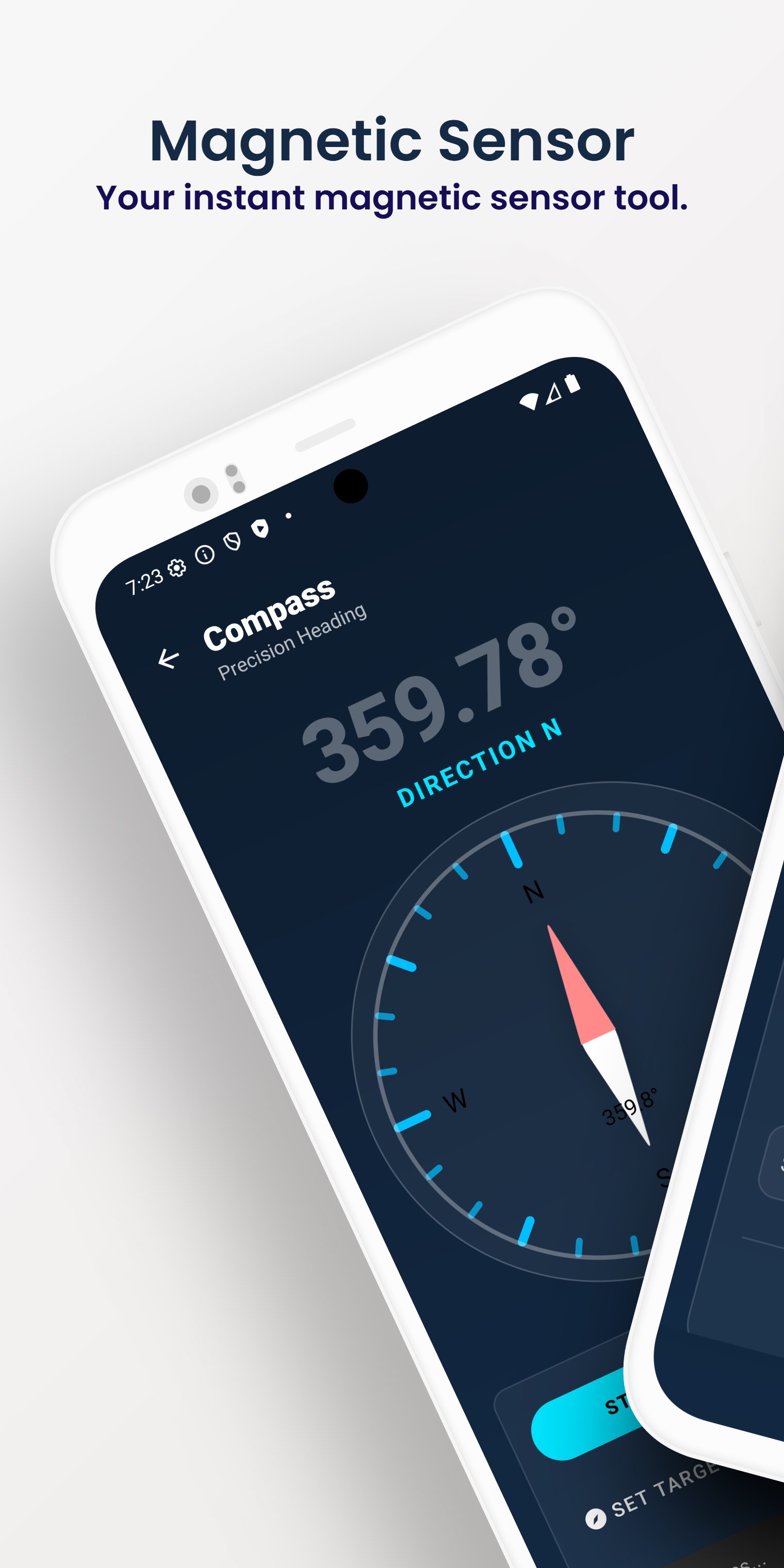
- Offline Digital Compass: A compass that works with no mobile data or Wi-Fi — useful for hiking, camping, and orienting yourself in remote locations.
- Custom Alerts & Thresholds: Set your own magnetic field limits and get a notification when a reading crosses your chosen threshold.
- Data Logger: Record sensor readings over time and review the logs inside the app — useful for science experiments, comparisons, and simple diagnostics.
- Live Sensor Analysis: Visualize vector (X/Y/Z) changes in real time and spot when magnetic strength rises.
- Sensor Diagnostics: Check whether your device's magnetometer, accelerometer, and gyroscope are present and reporting data.
💡 Practical Use Cases
- Home & DIY: Check magnetic field levels near speakers, power supplies, electronics, and magnets.
- Education & Science: A tool for classroom demonstrations, physics experiments, and projects that involve data logging.
- Outdoor Navigation: Use the offline compass to help stay oriented on trails where GPS or signal is weak.
⚠️ Compatibility & Important Notes
- Hardware Requirement: This app relies on your device's built-in magnetometer. If your phone doesn't have this sensor, magnetic measurement features will not function.
- Accuracy Factors: Readings depend on the quality and calibration of your device's sensor. Metal objects, thick cases, and nearby magnetic interference can affect results. This is a consumer tool, not a calibrated scientific or medical instrument.This app measures magnetic fields only. It does not detect ionizing radiation, radiofrequency (RF) signals (such as Wi-Fi or 5G), or electric fields.
Download now to get magnetic field readings, log sensor data over time, and navigate offline with a simple, dependable tool.
Avance
Etiquetas
HerramientasInformación
Desarrollador
Mypro
La última versión
125
Última actualización
2026-08-15
Categoría
Herramientas
Disponible en
Google Play
Mostrar más
Cómo jugar Magnetic Sensor | Magnetometer con GameLoop en PC
1. Descargue GameLoop desde el sitio web oficial, luego ejecute el archivo exe para instalar GameLoop.
2. Abra GameLoop y busque "Magnetic Sensor | Magnetometer", busque Magnetic Sensor | Magnetometer en los resultados de búsqueda y haga clic en "Instalar".
3. Disfruta jugando Magnetic Sensor | Magnetometer en GameLoop.
Minimum requirements
OS
Windows 8.1 64-bit or Windows 10 64-bit
GPU
GTX 1050
CPU
i3-8300
Memory
8GB RAM
Storage
1GB available space
Recommended requirements
OS
Windows 8.1 64-bit or Windows 10 64-bit
GPU
GTX 1050
CPU
i3-9320
Memory
16GB RAM
Storage
1GB available space