
ゴルフな日 - GPS ゴルフナビ - para PC
MAPPLE ON Co., Ltd.
Descarga ゴルフな日 - GPS ゴルフナビ - en PC con GameLoop Emulator
ゴルフな日 - GPS ゴルフナビ - en PC
ゴルフな日 - GPS ゴルフナビ -, proveniente del desarrollador MAPPLE ON Co., Ltd., se ejecuta en el sistema Android en el pasado.
Ahora, puedes jugar ゴルフな日 - GPS ゴルフナビ - en PC con GameLoop sin problemas.
Descárgalo en la biblioteca de GameLoop o en los resultados de búsqueda. No más mirar la batería o llamadas frustrantes en el momento equivocado nunca más.
Simplemente disfrute de ゴルフな日 - GPS ゴルフナビ - PC en la pantalla grande de forma gratuita!
ゴルフな日 - GPS ゴルフナビ - Introducción
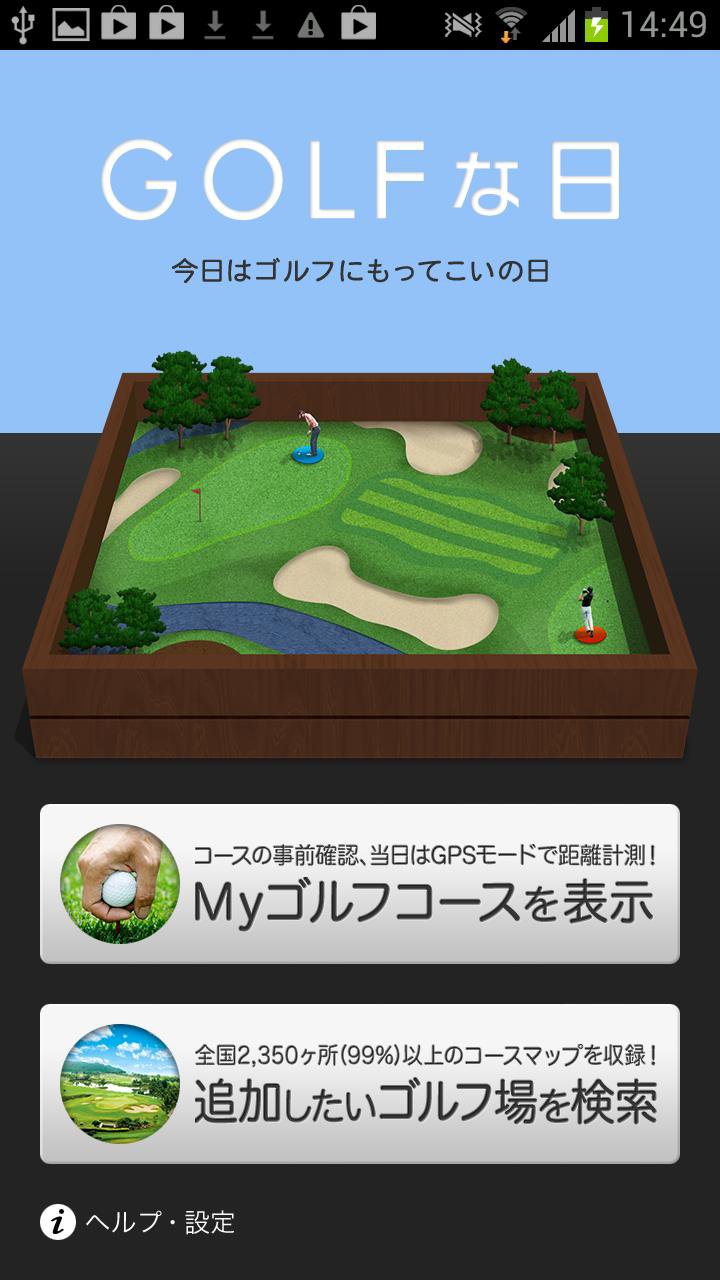
◾️What is Golf na Hi?
Golf na Hi (official name: GOLF na Hi) is a full-fledged GPS golf navigation app that uses course maps from dedicated golf navigation devices (commercially available) to measure tee shot distances and other important information golfers need during a round of golf. Golf na Hi boasts the #1 most downloaded golf navigation app. Golf na Hi will provide powerful support for your golfing journey as you strive to improve your score.
■Price Structure>
・App: Free (includes one free golf course)
■Options
・Hazard Display Option: ¥250 (*)
・Additional golf courses (second and subsequent courses): ¥350 (*)
・Audio Content: ¥350 and up each (*)
*Prices are subject to change without notice.
[NEW Option!!]
We've added a "Voice Assist" mode that tells you the remaining distance by simply holding your smartphone close to your ear.
In this mode, the device automatically detects when you approach a golf course tee and switches holes, eliminating the need for any complicated operation.
We also plan to gradually add voice content, including TV announcers and newscasters, so please feel free to choose your favorite voice.
*Voice assist mode cannot be used on devices without proximity sensors, such as tablets.
~Key Features~
1. Download only the courses you want, anytime
You can download (DL) the course map for one golf course for free the first time.
Subsequent course downloads require additional purchases.
2. Original course maps
The course maps are made by Yupiteru, the company known for the ATLAS series of GPS golf navigation devices.
Original data for over 2,350 golf courses nationwide (99% of Japan's total) is available.
3. No connection required for peace of mind
Course maps are downloaded in advance, so you can play without worrying about signal quality.
➃ Golf Course Information is Free to View
Golf course information is available even before purchasing a course map, making it convenient for checking phone numbers and locations.
⑤ Hazard Distance Display (Optional)
This option displays the distance to the front and rear edges of the green, as well as the remaining distance to hazards such as bunkers and ponds.
This option is purchased only once and can be used on all courses.
⑥ Voice Assist Mode (Add-on)
This mode provides a voice notification of the remaining distance simply by holding the device close to your ear.
This mode can be used on all courses by purchasing the audio content.
[Feature Introduction]
[Planning Mode]
This mode allows you to scout the course in advance.
Use it to determine the club number based on the remaining distance, consider layup positions, etc.
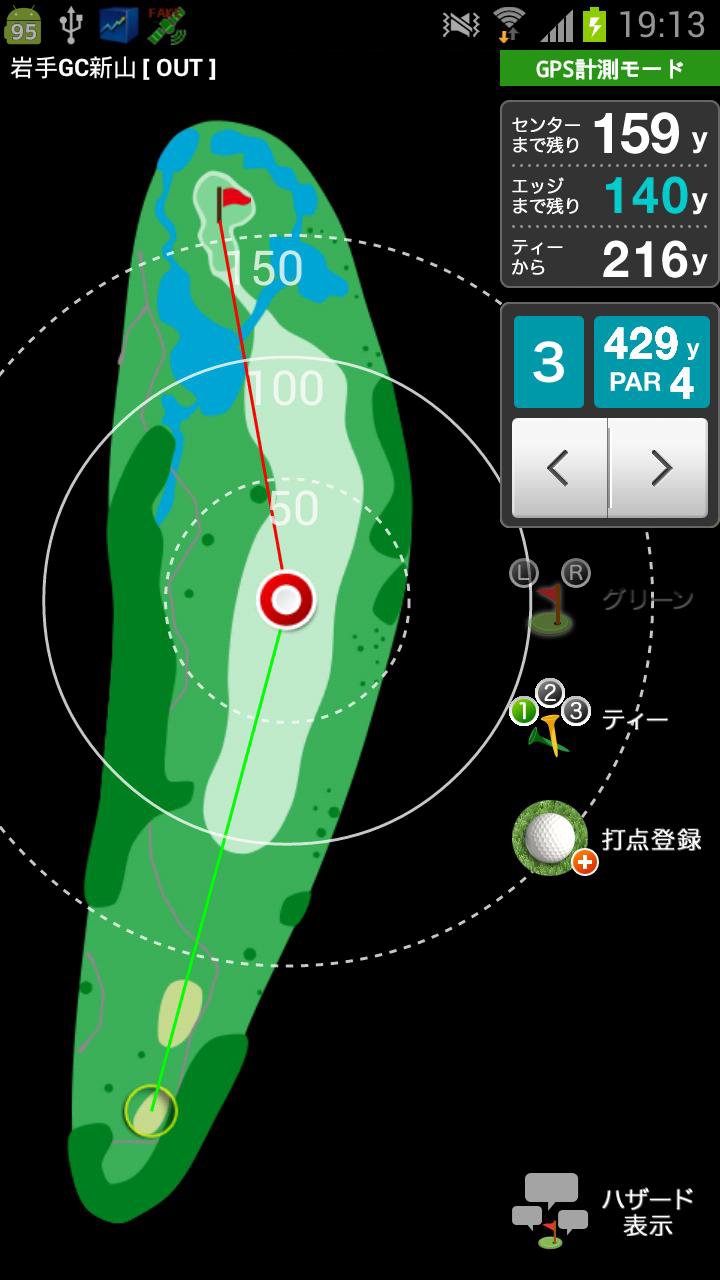
[GPS Measurement Mode]
Check the remaining yardage and other information on the day of play.
・Tee shot distance
・Remaining distance to the green (center & front)
・Concentric circle display
・Impact point registration (for history display)
[Measurement History Mode]
After playing, you can check the results of your impact point registration in GPS measurement mode.
■Supported OS
・This app is compatible with Android OS 12.0 or later.
*Please note that devices other than those listed above are not supported.
・GPS measurement mode cannot be used on devices without GPS.
・Does not work properly on slide-out screen or separate (dual screen) devices.
・Voice assist mode cannot be used on devices without a proximity sensor, such as tablets.
*Some other models may not work.
■Note
・Additional purchases made using a different Google Account ID may cause re-billing issues when restoring the course. Please be sure to use the same account ID.
・Course maps are updated regularly. Please contact us if there are any changes to the course layout. You can check the update status via in-app notifications or on our website.
- Purchased courses and options cannot be transferred between Android and iPhone.
■About GPS Measurement
- Before using the app, be sure to turn on "Location Services (GPS)" in your device's "Settings."
- Weather and obstacles (such as power lines) may result in significant errors.
- GPS measurement consumes a significant amount of battery power. Please turn off Wi-Fi or other power-saving settings while playing.
- If you are out of range or have your network connection turned off, A-GPS will not be available, so it may take several minutes to acquire a GPS satellite.
- GPS performance depends on the device and OS. Please note that we cannot provide compensation or refunds for issues related to GPS performance or other damages caused by this app.
- Additional purchased content can be used as long as the service is available, but we cannot guarantee its continued use.
------
Avance
Etiquetas
deportesInformación
Desarrollador
MAPPLE ON Co., Ltd.
La última versión
1.6.05
Última actualización
2025-09-29
Categoría
deportes
Disponible en
Google Play
Mostrar más
Cómo jugar ゴルフな日 - GPS ゴルフナビ - con GameLoop en PC
1. Descargue GameLoop desde el sitio web oficial, luego ejecute el archivo exe para instalar GameLoop.
2. Abra GameLoop y busque "ゴルフな日 - GPS ゴルフナビ -", busque ゴルフな日 - GPS ゴルフナビ - en los resultados de búsqueda y haga clic en "Instalar".
3. Disfruta jugando ゴルフな日 - GPS ゴルフナビ - en GameLoop.
Minimum requirements
OS
Windows 8.1 64-bit or Windows 10 64-bit
GPU
GTX 1050
CPU
i3-8300
Memory
8GB RAM
Storage
1GB available space
Recommended requirements
OS
Windows 8.1 64-bit or Windows 10 64-bit
GPU
GTX 1050
CPU
i3-9320
Memory
16GB RAM
Storage
1GB available space