Tomodachi Life: Living the Dream para PC
Nintendo
Descarga Tomodachi Life: Living the Dream en PC con GameLoop Emulator
Tomodachi Life: Living the Dream en PC
Tomodachi Life: Living the Dream, proveniente del desarrollador Nintendo, se ejecuta en el sistema Android en el pasado.
Ahora, puedes jugar Tomodachi Life: Living the Dream en PC con GameLoop sin problemas.
Descárgalo en la biblioteca de GameLoop o en los resultados de búsqueda. No más mirar la batería o llamadas frustrantes en el momento equivocado nunca más.
Simplemente disfrute de Tomodachi Life: Living the Dream PC en la pantalla grande de forma gratuita!
Tomodachi Life: Living the Dream Introducción
Tomodachi Life: Living the Dream suits players who enjoy making characters and watching their everyday relationships develop in unexpected ways. The game places Miis based on yourself, friends, family, or original ideas on an island that you can shape over time. As residents settle in, their personalities and interactions create small stories involving friendship, disagreements, romance, and shared living.
Island life and Mii stories
Create residents with their own profiles
Tomodachi Life: Living the Dream lets you build Mii characters from scratch and set up detailed profiles for each resident. You can also answer simple questions to generate a character. This gives each Mii a starting personality before they join the island community.
Follow changing relationships
You can learn what each resident likes, dislikes, and feels as island life continues. Miis may become friends, argue, start dating, or move in together. Their reactions are not always predictable, so checking on residents helps you follow the stories that develop between them.
Give Miis items and decorate their rooms
Tomodachi Life: Living the Dream allows you to care for residents with food, clothes, treasures, room décor, and gifts. Some gifts add quirks or expressions to a Mii’s character. Giving items can raise happiness and help residents level up while also changing how their homes look.
Build the island around your residents
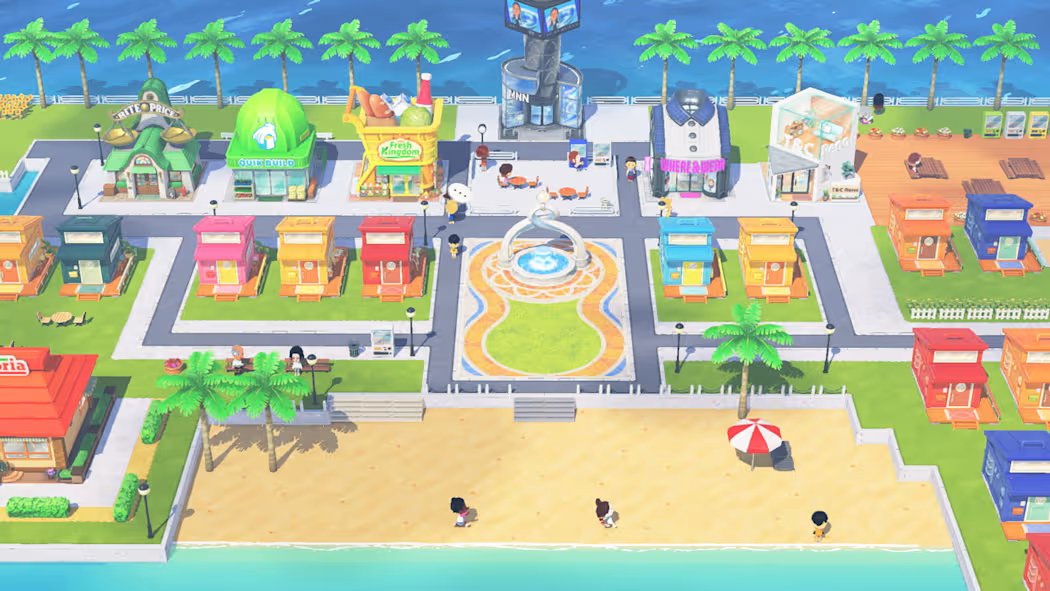
You can place homes, shops, restaurants, and Quick Build amenities to expand the island. The surrounding landscape can also be decorated to suit the community you want to create. As more facilities become available, the island gains more places for Miis to visit and use.
Make custom items in Palette House
Palette House is a creative area where you can draw items for the island and its residents. You can create custom food, clothing, buildings, pets, and other objects. These creations can be used as gifts or placed as part of the island’s decoration.
More activities on the island
Tomodachi Life: Living the Dream includes daily Mii News reports that present events from your residents’ lives. You can also take unusual photos of Miis and unlock additional island facilities through play. In addition, nearby players can exchange Miis and Palette House creations through local wireless.
Get started with Tomodachi Life: Living the Dream
Tomodachi Life: Living the Dream centers on creating residents, arranging an island, and observing their changing social lives.
Avance

Información
Desarrollador
Nintendo
Categoría
Simulación
Mostrar más
Cómo jugar Tomodachi Life: Living the Dream con GameLoop en PC
1. Descargue GameLoop desde el sitio web oficial, luego ejecute el archivo exe para instalar GameLoop.
2. Abra GameLoop y busque "Tomodachi Life: Living the Dream", busque Tomodachi Life: Living the Dream en los resultados de búsqueda y haga clic en "Instalar".
3. Disfruta jugando Tomodachi Life: Living the Dream en GameLoop.
Minimum requirements
OS
Windows 8.1 64-bit or Windows 10 64-bit
GPU
GTX 1050
CPU
i3-8300
Memory
8GB RAM
Storage
1GB available space
Recommended requirements
OS
Windows 8.1 64-bit or Windows 10 64-bit
GPU
GTX 1050
CPU
i3-9320
Memory
16GB RAM
Storage
1GB available space