
Compras.gov.br para PC
Serviços e Informações do Brasil
Descarga Compras.gov.br en PC con GameLoop Emulator
Compras.gov.br en PC
Compras.gov.br, proveniente del desarrollador Serviços e Informações do Brasil, se ejecuta en el sistema Android en el pasado.
Ahora, puedes jugar Compras.gov.br en PC con GameLoop sin problemas.
Descárgalo en la biblioteca de GameLoop o en los resultados de búsqueda. No más mirar la batería o llamadas frustrantes en el momento equivocado nunca más.
Simplemente disfrute de Compras.gov.br PC en la pantalla grande de forma gratuita!
Compras.gov.br Introducción
The Ministry of Management and Innovation in Public Services, in partnership with Sebrae, provides suppliers with the Compras.gov.br application, allowing them to monitor public procurement processes.
With an intuitive layout and modern design, the application offers quick and practical navigation, facilitating the holding of tenders in the system.
Companies that are not yet government suppliers can register directly in the application and, thus, participate in tenders.
It is possible to register proposals and send bids directly through the application for direct contracts through electronic waiver.
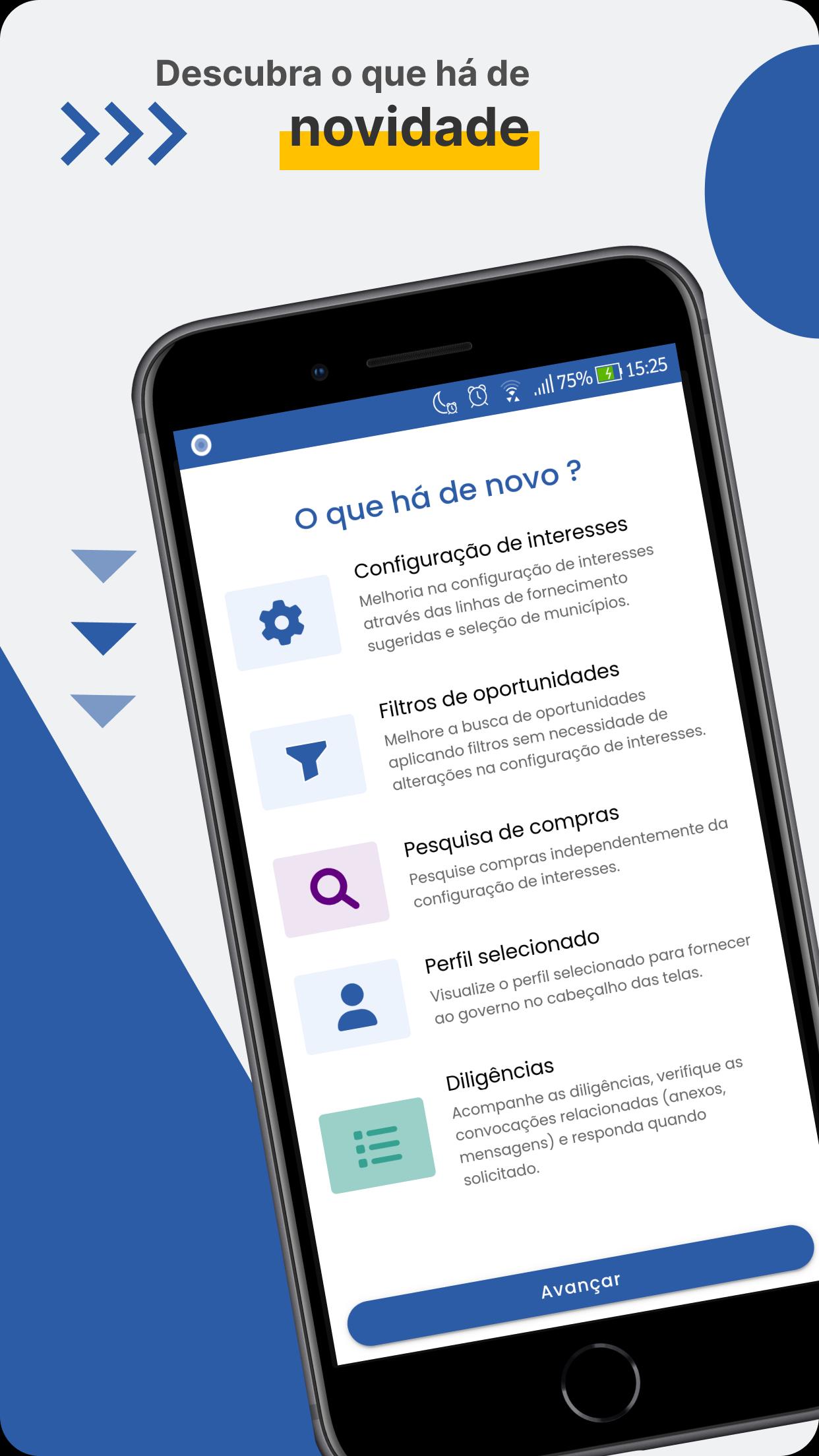
In this new version, new filters have been added, allowing you to filter by municipalities, in addition to searching for old purchases, directly in the application.
Learn about some of the application's features:
- Register my company:
Register your company in the Unified Supplier Registration System (Sicaf), providing your CNPJ/CPF. This way, your company will be eligible to participate in bidding processes.
Important: The company must be registered with the Federal Revenue Service to complete the process.
- Proposal Registration:
Register proposals for electronic waiver directly through the app. Simply choose the waiver with a current registration deadline. The proposals will be available in the app and on the web.
- Submitting Bids:
You can submit bids for purchases made through electronic waiver in the app. Select the procedure with a current bid submission deadline, in dispute, select the desired item and submit your bid.
To submit bids, you must have registered the proposal for that item.
- Supplier Selection:
You can monitor and interact in the judgment and qualification phases for both direct contracts through electronic waiver and electronic bids. Negotiate, respond to chat messages and send attachments (when requested) for electronic waivers and electronic bids.
- Biometric login:
With the use of Biometrics, you continue to have complete security when accessing the site, but without having to enter your credentials again.
- Filters:
Personalize the way you view and receive opportunities for contracting processes and messages. Filter by region, state, city, supply line, among others.
In order to view contracting processes and receive notifications, you must select at least one supply line.
- Opportunities:
View contracting processes that have a deadline for receiving current proposals.
Opportunities are displayed according to the filters you have used.
- Messages:
Receive communications related to contracting processes that you have favorited or sent a proposal to directly in the app, as well as messages with warnings, clarifications, and objections.
- Appointments:
A schedule of appointments where you can view your upcoming appointments.
- Participations:
Allows Suppliers who have submitted proposals to view and monitor electronic contracts.
- Favorites:
When you favorite a process or items in a contract, they will become part of your list of commitments. This way, you will be able to monitor and observe specific events related to the favorited processes or items.
- Help:
Area with instructions on the use and main features of the app.
- Download Notice:
Have quick and easy access to notices.
Follow the latest news about the application at https://www.gov.br/compras/pt-br/sistemas/conheca-o-compras/aplicativo-compras
For more information, visit: https://compras.gov.br
If you have any questions or suggestions:
Customer Service Portal: portaldeservicos.gestao.gov.br
Telephone: 0800-978 9001
Support provided from Monday to Friday, from 8 am to 6 pm.
Avance

Etiquetas
ComprasInformación
Desarrollador
Serviços e Informações do Brasil
La última versión
7.6.5
Última actualización
2025-10-15
Categoría
Compras
Disponible en
Google Play
Mostrar más
Cómo jugar Compras.gov.br con GameLoop en PC
1. Descargue GameLoop desde el sitio web oficial, luego ejecute el archivo exe para instalar GameLoop.
2. Abra GameLoop y busque "Compras.gov.br", busque Compras.gov.br en los resultados de búsqueda y haga clic en "Instalar".
3. Disfruta jugando Compras.gov.br en GameLoop.
Minimum requirements
OS
Windows 8.1 64-bit or Windows 10 64-bit
GPU
GTX 1050
CPU
i3-8300
Memory
8GB RAM
Storage
1GB available space
Recommended requirements
OS
Windows 8.1 64-bit or Windows 10 64-bit
GPU
GTX 1050
CPU
i3-9320
Memory
16GB RAM
Storage
1GB available space