Millimeter - screen ruler app para PC
vistech.projects
Descarga Millimeter - screen ruler app en PC con GameLoop Emulator
Millimeter - screen ruler app en PC
Millimeter - screen ruler app, proveniente del desarrollador vistech.projects, se ejecuta en el sistema Android en el pasado.
Ahora, puedes jugar Millimeter - screen ruler app en PC con GameLoop sin problemas.
Descárgalo en la biblioteca de GameLoop o en los resultados de búsqueda. No más mirar la batería o llamadas frustrantes en el momento equivocado nunca más.
Simplemente disfrute de Millimeter - screen ruler app PC en la pantalla grande de forma gratuita!
Millimeter - screen ruler app Introducción
Millimeter is a simple free screen ruler app. You can measure small objects that fit the device screen with this ruler. There are NO ADs in the app for the best experience and real full-screen measurements (with subscription).
☛ ANY DEVICE can be calibrated for accurate measurements in Calibration Mode, where common standard objects (coins, credit cards, etc) can be used as a reference.
You can also customize your app by purchasing extra features or modes.
📏 What you can do in the free version of the on-screen ruler:
- Calibrate Millimeter with custom or standard objects
- Ruler Mode for the measure in metric units.
💳
You can upgrade your free version to Pro by subscribing and unlocking extra modules and features that add the following functionality:
- Units: millimeter (mm), inch (in).
- Additional vertical ruler for 2D measurements (📐)
- Area measurement for 2D measurements (⬛)
- Calculate W/H ratio of the rectangular objects in 2D
- Spirit / bubble level for checking incline or tilt angle 🔮
- Parts Mode to split length or objects in equal parts
- Thread per inch ( TPI ) measurement pattern (🔩) in Parts mode (https://youtu.be/M1Qrbs2bgCY)
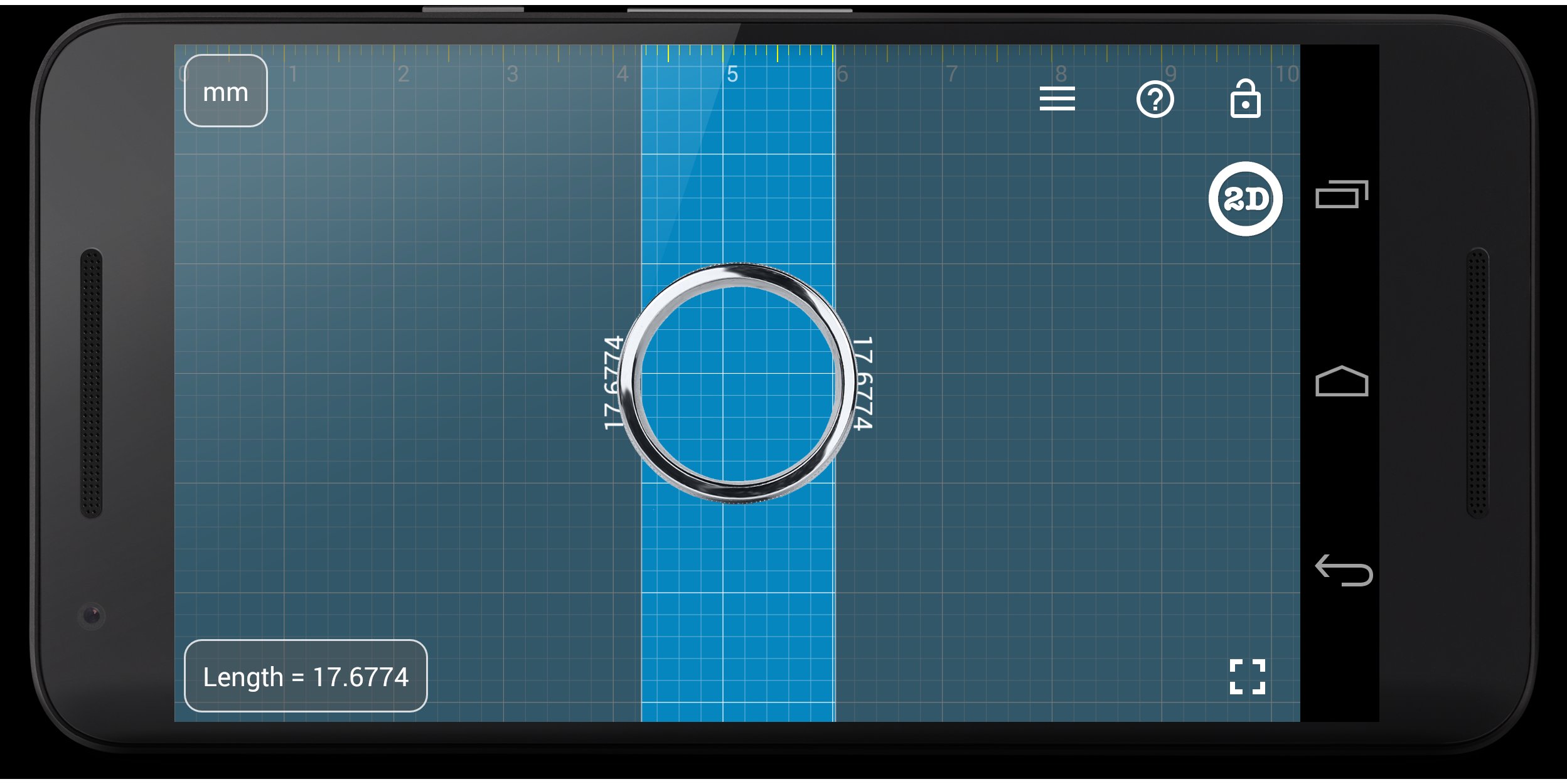
- Circle Mode to measure circular objects (🔴)
- Split circle into equal sector / angle
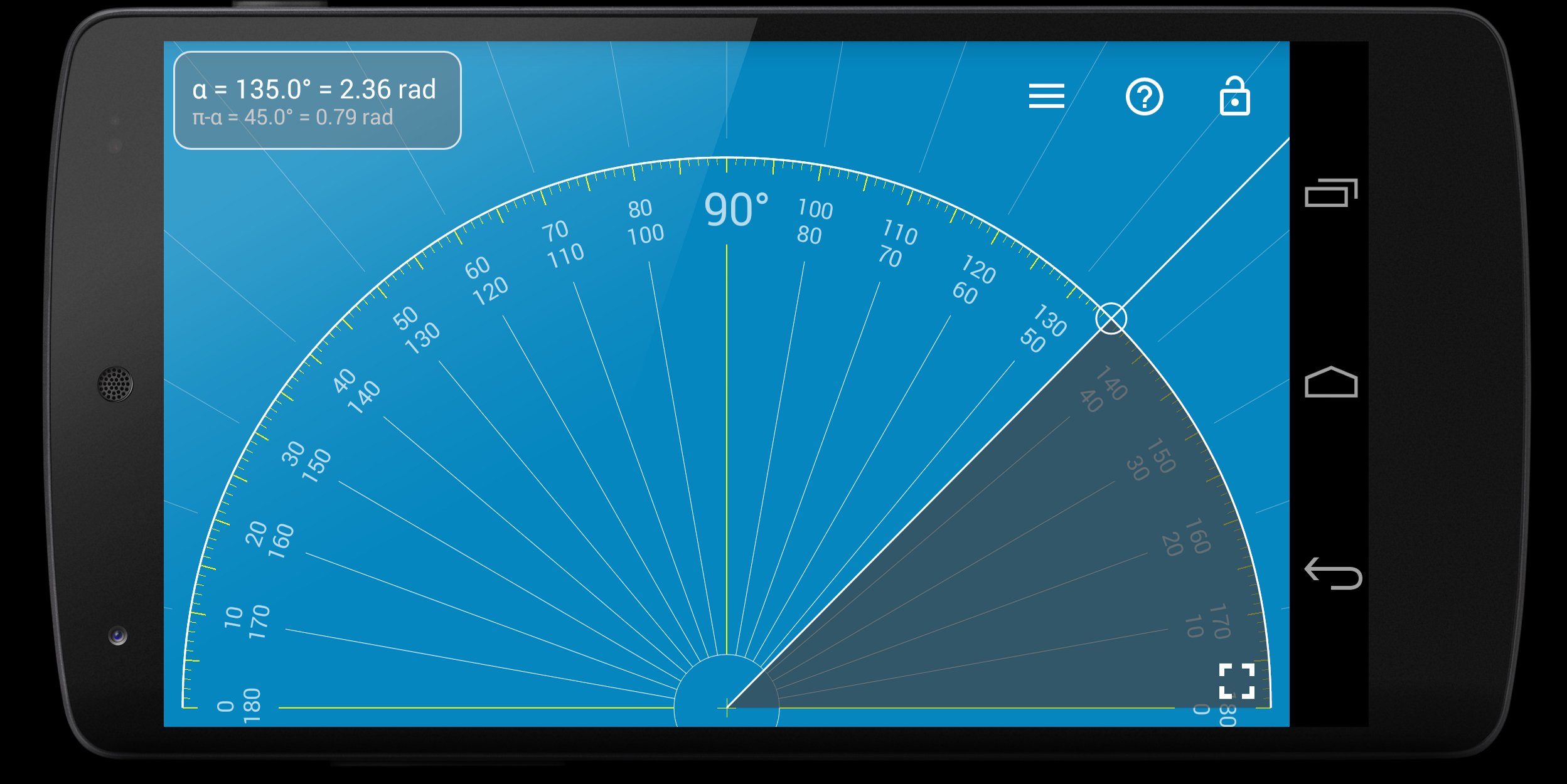
- Protractor / Goniometer Mode - measure angles
- Lock / Unlock rulers in any mode for better usability (🔒)
- Fine grid (1mm for millimeter units) 👍
- Fractions for inch units.
- Snap to fractions when moving sliders
- Decimal scale for inch units
- Variable sliders/rulers speed: top or right side of the screen - fast,
bottom and left - slow.
- Use full-screen mode for better user experience
- Set exact size, length, diameter, number of parts manually with keyboard input (⌨)
- Change background to BW night mode for power saving (🔋) and better visualization (🌓)
Use this screen ruler in different areas to measure small objects that fit your phone or tablet screen: jewelry, jewels, rings 💍 , stones, screws, bolts, buttons diameter, nuts, knitting needles, knitting patterns, washers, insects, mosaic tile, hooks, thread, frame wrap angle, etc.
Supported languages:
- English, German, Russian, Japanese, and French languages.
📖 More about the app: http://goo.gl/304nJB
☎ If you have any problems with the app on your device, please contact support@vistechprojects.com first, and we will help you. Thank you.
VisTech.Projects Team.
Avance
Etiquetas
ProductividadInformación
Desarrollador
vistech.projects
La última versión
2.3.6
Última actualización
2025-10-10
Categoría
Productividad
Disponible en
Google Play
Mostrar más
Cómo jugar Millimeter - screen ruler app con GameLoop en PC
1. Descargue GameLoop desde el sitio web oficial, luego ejecute el archivo exe para instalar GameLoop.
2. Abra GameLoop y busque "Millimeter - screen ruler app", busque Millimeter - screen ruler app en los resultados de búsqueda y haga clic en "Instalar".
3. Disfruta jugando Millimeter - screen ruler app en GameLoop.
Minimum requirements
OS
Windows 8.1 64-bit or Windows 10 64-bit
GPU
GTX 1050
CPU
i3-8300
Memory
8GB RAM
Storage
1GB available space
Recommended requirements
OS
Windows 8.1 64-bit or Windows 10 64-bit
GPU
GTX 1050
CPU
i3-9320
Memory
16GB RAM
Storage
1GB available space