
Mandaean Calendar para PC
Twayesh Projects
Descarga Mandaean Calendar en PC con GameLoop Emulator
Mandaean Calendar en PC
Mandaean Calendar, proveniente del desarrollador Twayesh Projects, se ejecuta en el sistema Android en el pasado.
Ahora, puedes jugar Mandaean Calendar en PC con GameLoop sin problemas.
Descárgalo en la biblioteca de GameLoop o en los resultados de búsqueda. No más mirar la batería o llamadas frustrantes en el momento equivocado nunca más.
Simplemente disfrute de Mandaean Calendar PC en la pantalla grande de forma gratuita!
Mandaean Calendar Introducción
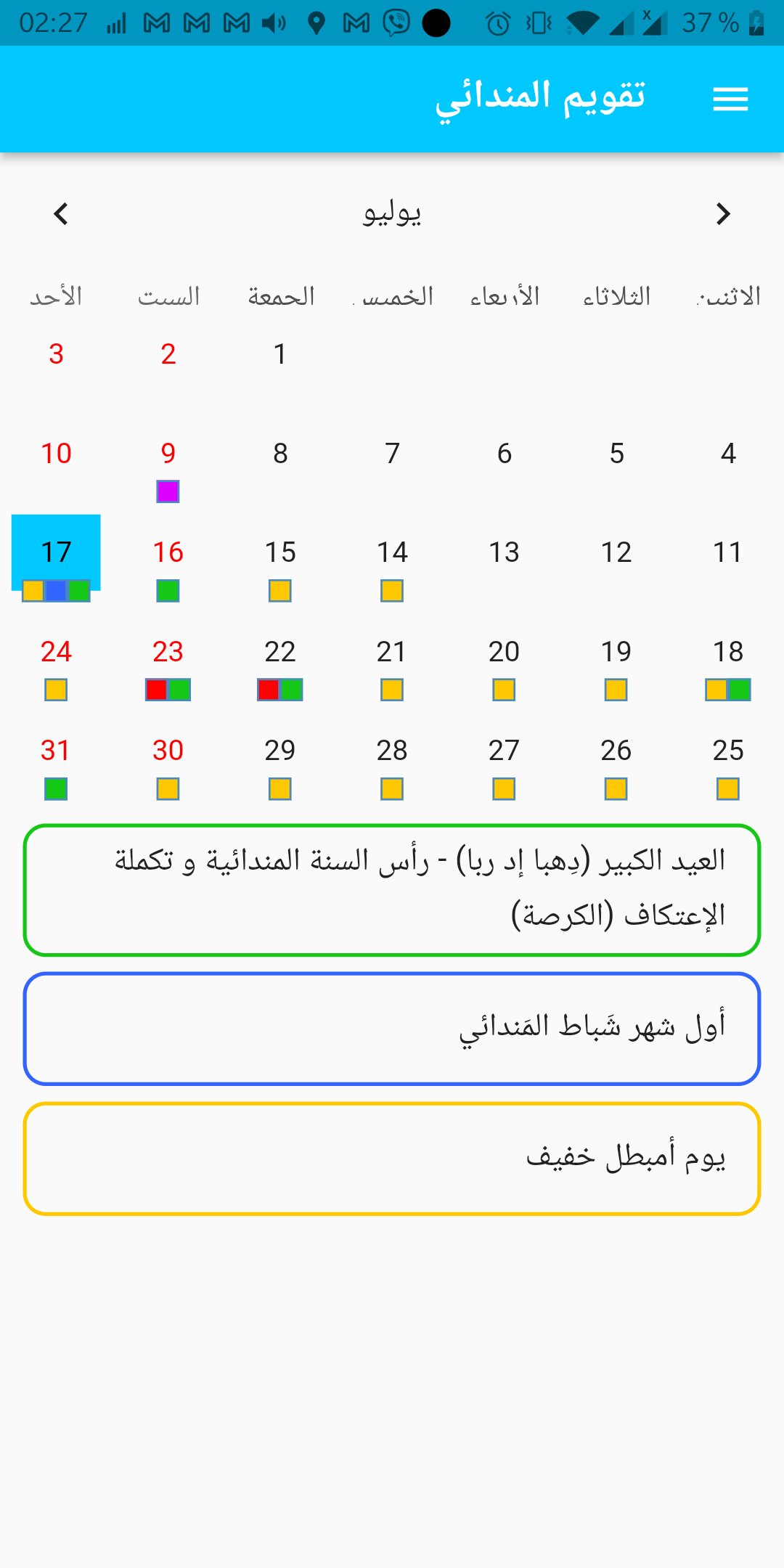
The app shows the special dates and events along with a short description of what a person should do.
The descriptions are translated in several languages including English and Arabic.
This calendar have all occasions for the current year, each with a special color depends on the occasion.
Pressing on a colored date will show extra information about the occasion.
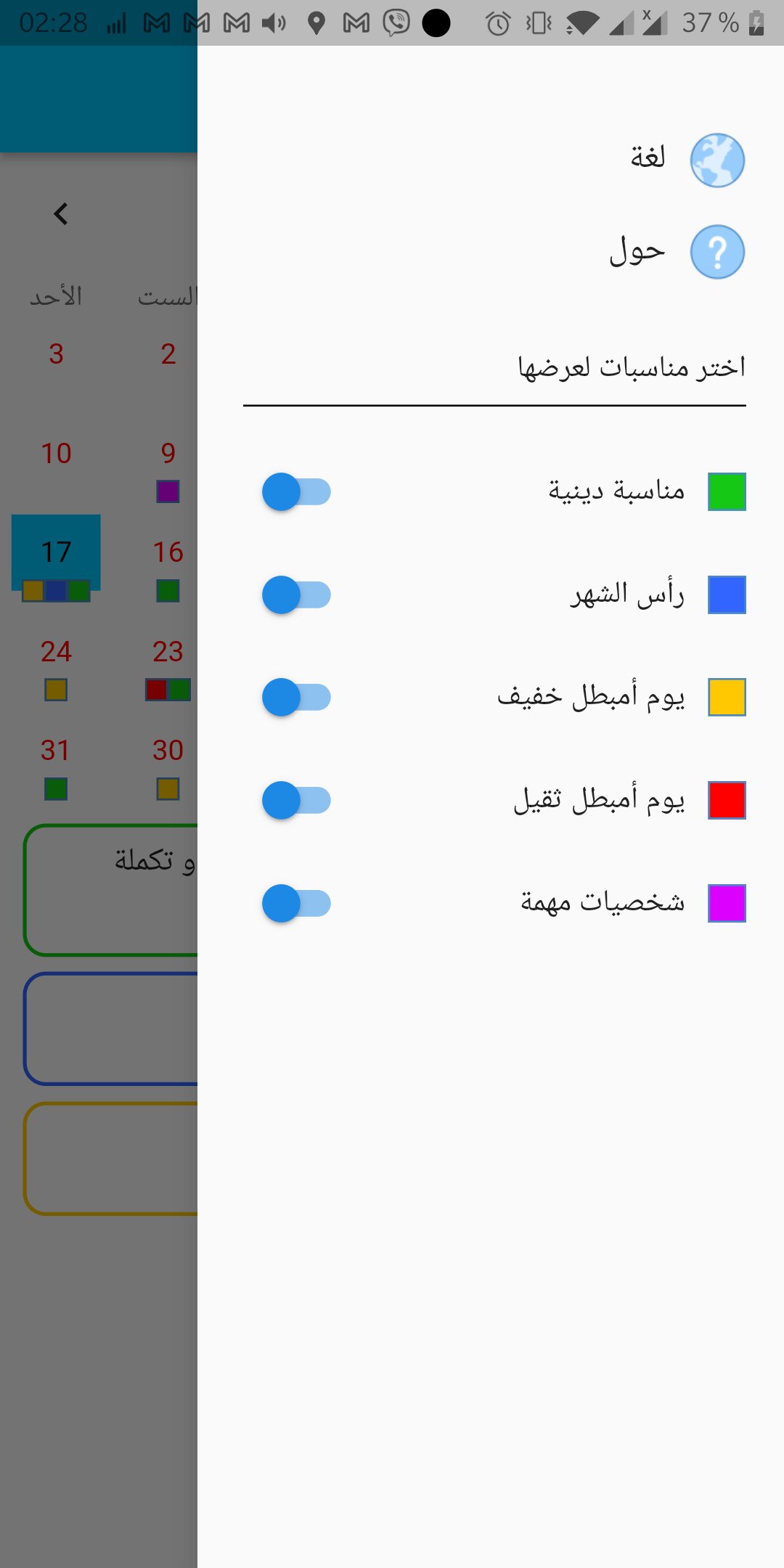
Explanation of the colors:
Green - Religious occasion
Blue - Beginning of the month
Yellow - Light day of fasting
Red - Heavy day of fasting
Purple - Important people
I hope this application will help you, as it is my main goal to achieve.
If you have any questions, suggestions, or anything, don't hesitate to contact me.
Arshad Fendi
arshad.fendi@gmail.com
Avance
Etiquetas
ProductividadInformación
Desarrollador
Twayesh Projects
La última versión
25.0.0
Última actualización
2026-01-04
Categoría
Productividad
Disponible en
Google Play
Mostrar más
Cómo jugar Mandaean Calendar con GameLoop en PC
1. Descargue GameLoop desde el sitio web oficial, luego ejecute el archivo exe para instalar GameLoop.
2. Abra GameLoop y busque "Mandaean Calendar", busque Mandaean Calendar en los resultados de búsqueda y haga clic en "Instalar".
3. Disfruta jugando Mandaean Calendar en GameLoop.
Minimum requirements
OS
Windows 8.1 64-bit or Windows 10 64-bit
GPU
GTX 1050
CPU
i3-8300
Memory
8GB RAM
Storage
1GB available space
Recommended requirements
OS
Windows 8.1 64-bit or Windows 10 64-bit
GPU
GTX 1050
CPU
i3-9320
Memory
16GB RAM
Storage
1GB available space