
Ice Cream Sandwich Keyboard para PC
johntanmi
Descarga Ice Cream Sandwich Keyboard en PC con GameLoop Emulator
Ice Cream Sandwich Keyboard en PC
Ice Cream Sandwich Keyboard, proveniente del desarrollador johntanmi, se ejecuta en el sistema Android en el pasado.
Ahora, puedes jugar Ice Cream Sandwich Keyboard en PC con GameLoop sin problemas.
Descárgalo en la biblioteca de GameLoop o en los resultados de búsqueda. No más mirar la batería o llamadas frustrantes en el momento equivocado nunca más.
Simplemente disfrute de Ice Cream Sandwich Keyboard PC en la pantalla grande de forma gratuita!
Ice Cream Sandwich Keyboard Introducción
instruction for installation
http://bit.ly/tsIB8T
There is also a donation version. Please look in the more apps from the same developer section.
Detailed Specifications:
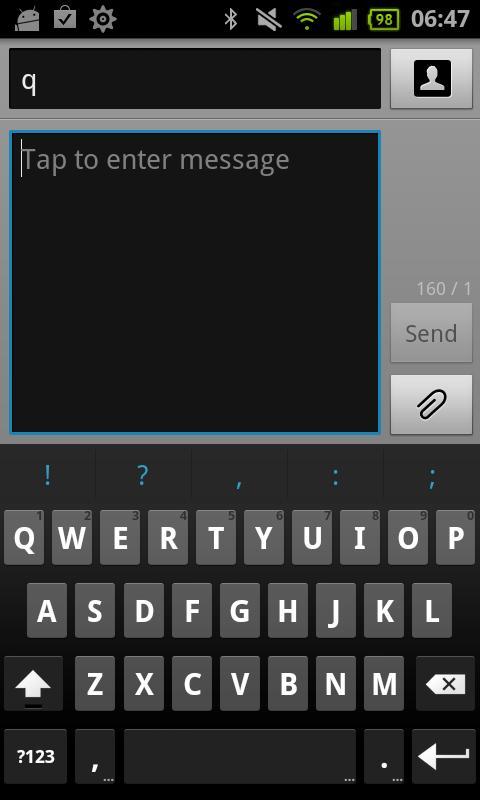
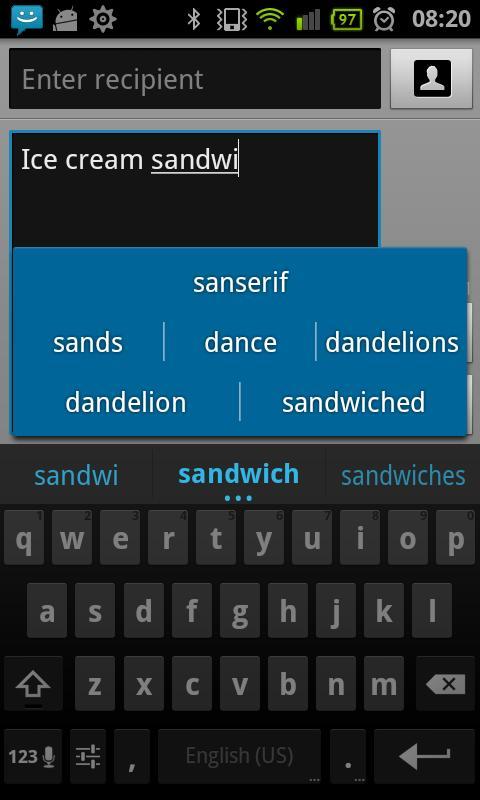
Features in Free Version:
- Multitouch keyboard
- User dictionary, built-in dictionary
- Configurable auto correction
- Redesigned and optimized keyboard layout and style
- Speech to text (select languages only)
- Custom vibration intensity (haptic feedback)
- Long press "Enter" key to bring up smiley alternatives
- Long press on "/" key in URL mode to bring up domains -
Features in paid version
- Internal themes, Gingerbread, Basic, IceCreamSandwich and more.
- Support of Better keyboard themes.
- Custom background image.
- Adjust keyboard height (in portrait).
- Touch to correct words (GB style, this feature doesn't exist in the original ICS keyboard).
- User dictionary editor.
- Auto space after punctuation.
- Suggestions also in search/URL fields.
- Alternative layouts (AZERTY,QWERTZ,Dvorak).
- Gestures.
Tips:
#About "collecting data" warning message:
That warning message is a part of the Android operating system, and it appears whenever a third party keyboard is enabled. You don't have to worry because the keyboard don't have permission to internet access.
Please report your bugs via email . If you report bugs in a Market comment I CAN'T help you.
Supported languages layouts: English, French , Hebrew, Arabic, German, Czech, Bulgarian, Catalan, Spanish, Esperanto, Danish, Italian, Finnish, Georgian, Russian, Ukrainian, Latvian, Swedish,Latin, Dutch, Portuguese, Slovakian, Slovenian, Greek,Serbian, Hungarian,Swiss.
Available dictionaries:
English,French,Italian,German,Spanish,Arabic,Dutch,Russian,Hebrew,Czech,Slovak,Bulgarian.
Avance
Información
Desarrollador
johntanmi
La última versión
1.1.5
Última actualización
2012-01-08
Categoría
Productividad
Disponible en
Google Play
Mostrar más
Cómo jugar Ice Cream Sandwich Keyboard con GameLoop en PC
1. Descargue GameLoop desde el sitio web oficial, luego ejecute el archivo exe para instalar GameLoop.
2. Abra GameLoop y busque "Ice Cream Sandwich Keyboard", busque Ice Cream Sandwich Keyboard en los resultados de búsqueda y haga clic en "Instalar".
3. Disfruta jugando Ice Cream Sandwich Keyboard en GameLoop.
Minimum requirements
OS
Windows 8.1 64-bit or Windows 10 64-bit
GPU
GTX 1050
CPU
i3-8300
Memory
8GB RAM
Storage
1GB available space
Recommended requirements
OS
Windows 8.1 64-bit or Windows 10 64-bit
GPU
GTX 1050
CPU
i3-9320
Memory
16GB RAM
Storage
1GB available space