Thai Keyboard para PC
Color Apps HBN
Descarga Thai Keyboard en PC con GameLoop Emulator
Thai Keyboard en PC
Thai Keyboard, proveniente del desarrollador Color Apps HBN, se ejecuta en el sistema Android en el pasado.
Ahora, puedes jugar Thai Keyboard en PC con GameLoop sin problemas.
Descárgalo en la biblioteca de GameLoop o en los resultados de búsqueda. No más mirar la batería o llamadas frustrantes en el momento equivocado nunca más.
Simplemente disfrute de Thai Keyboard PC en la pantalla grande de forma gratuita!
Thai Keyboard Introducción
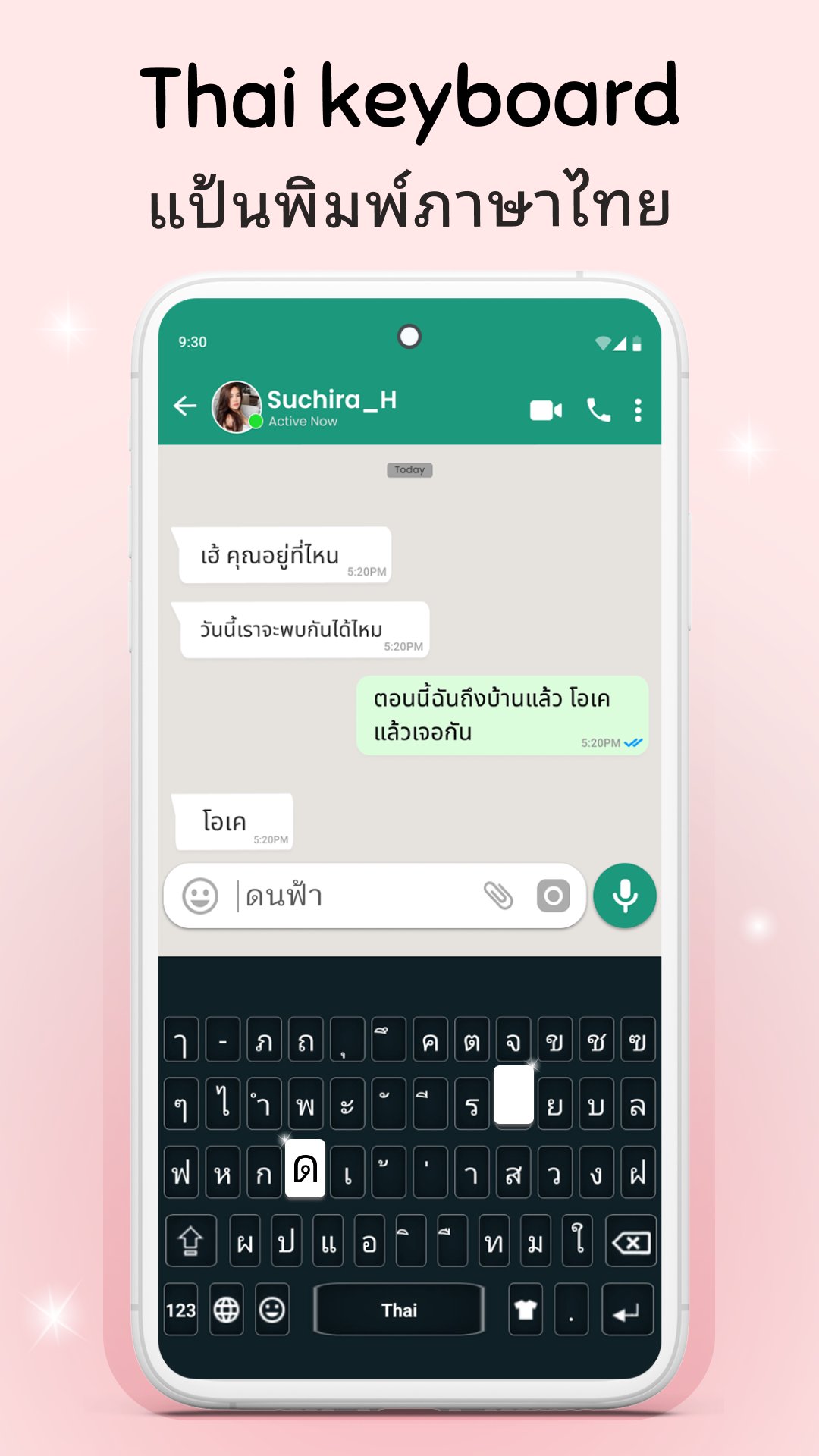
Thai Keyboard is the Thai language keyboard designed for fast, smooth, and accurate typing in the Thai language on your Android device. Thai typing keyboard is ideal for anyone who wants to write Thai text words, chat in Thai, or switch effortlessly between Thai English typing. Whether you're sending messages, posting on social media, or writing professional documents, this is the best mobile keyboard for typing in both Thai letters and English. With a full set of Thai alphabets, elegant Thai fonts, and dual-language functionality, the Thai English keyboard offers a complete and intuitive typing experience. If you're looking for a reliable, easy, and stylish Thai typing app, this smart and responsive Thailand keyboard is your perfect daily companion for easy and fast typing in the Thai language.
This Thai language keyboard offers everything you need for a fast and easy typing experience. It includes a complete set of Thai letters, smart word suggestions, auto-correct, and dual-language support with the powerful Thai English keyboard. Whether you need to switch between Thai and English or use both at the same time, this app makes it simple and intuitive.
📱 Key Features of Thai Keyboard:
• Full-featured Thai keyboard with all Thai alphabets
• Beautiful and modern Thai fonts for clean, stylish typing
• Dual language support: Thai English keyboard
• Fast and accurate typing for all Thai text words
• Smart suggestions and auto-correct for easy typing
• User-friendly interface optimized for mobile devices
• The most reliable and best mobile keyboard for Thai typing
Whether you're a native speaker or just learning, this Thai typing app helps you communicate clearly and confidently in the Thai language. It’s perfect for chatting, emails, social media, and any other communication that requires Thai English typing. The app offers smooth switching between languages, making it a true Thailand keyboard for bilingual users.
📝 Write faster and smarter with this easy and responsive Thai typing keyboard. It’s built to deliver a seamless experience for writing in Thai letters using a sleek and lightweight layout. With stylish Thai fonts, your messages will look not only correct but also beautiful. The app ensures that your Thai text words are always accurate with smart suggestions and auto-corrections built in.
🌐 Whether you're chatting with friends or working on professional tasks, this Thai keyboard app is versatile enough for any use. It's a perfect easy typing keyboard for people of all ages. Designed to support everyday communication in the Thai language, the app is ideal for both personal and business use.
🔄 Easily switch between Thai language keyboard and English input with one tap. No need to install separate apps — the built-in Thai English keyboard handles everything. The Thai typing app has been carefully optimized to work flawlessly across various Android devices, ensuring a consistent and responsive experience every time.
🎨 Customize your typing experience with multiple themes, fonts, and layouts. With this modern Thailand keyboard, you can match your keyboard to your style and enjoy a more engaging typing experience.
📲 Download the Thai Keyboard now and upgrade your typing experience with a reliable, easy-to-use, and beautifully designed Thai language keyboard. Whether you need to write a message, compose an email, or just type in Thai, this app provides the perfect blend of speed, style, and functionality.
Avance
Etiquetas
ProductividadInformación
Desarrollador
Color Apps HBN
La última versión
3.9
Última actualización
2026-05-21
Categoría
Productividad
Disponible en
Google Play
Mostrar más
Cómo jugar Thai Keyboard con GameLoop en PC
1. Descargue GameLoop desde el sitio web oficial, luego ejecute el archivo exe para instalar GameLoop.
2. Abra GameLoop y busque "Thai Keyboard", busque Thai Keyboard en los resultados de búsqueda y haga clic en "Instalar".
3. Disfruta jugando Thai Keyboard en GameLoop.
Minimum requirements
OS
Windows 8.1 64-bit or Windows 10 64-bit
GPU
GTX 1050
CPU
i3-8300
Memory
8GB RAM
Storage
1GB available space
Recommended requirements
OS
Windows 8.1 64-bit or Windows 10 64-bit
GPU
GTX 1050
CPU
i3-9320
Memory
16GB RAM
Storage
1GB available space