Beams Design para PC
Eng.Alyteem
Descarga Beams Design en PC con GameLoop Emulator
Beams Design en PC
Beams Design, proveniente del desarrollador Eng.Alyteem, se ejecuta en el sistema Android en el pasado.
Ahora, puedes jugar Beams Design en PC con GameLoop sin problemas.
Descárgalo en la biblioteca de GameLoop o en los resultados de búsqueda. No más mirar la batería o llamadas frustrantes en el momento equivocado nunca más.
Simplemente disfrute de Beams Design PC en la pantalla grande de forma gratuita!
Beams Design Introducción
RCC ( Beams Design ) application is designed and analyzed on the basis of ACI code standards .
Beams design application is designed and analyzed on the basis of ACI code standards .
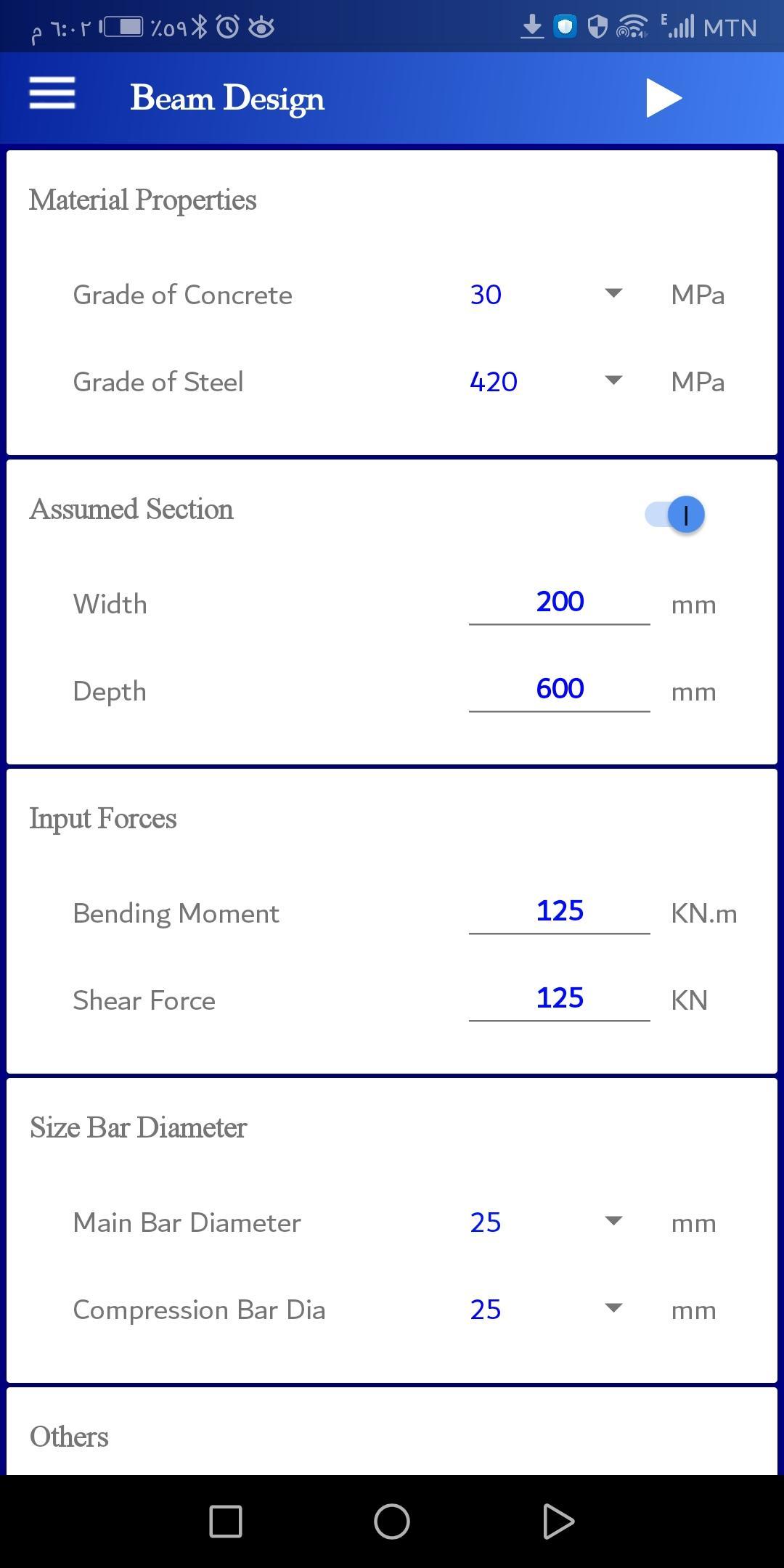
The steps of the computational solution are separated and matched to the manual solution .
Graphical presentation of design results.
- Key features :
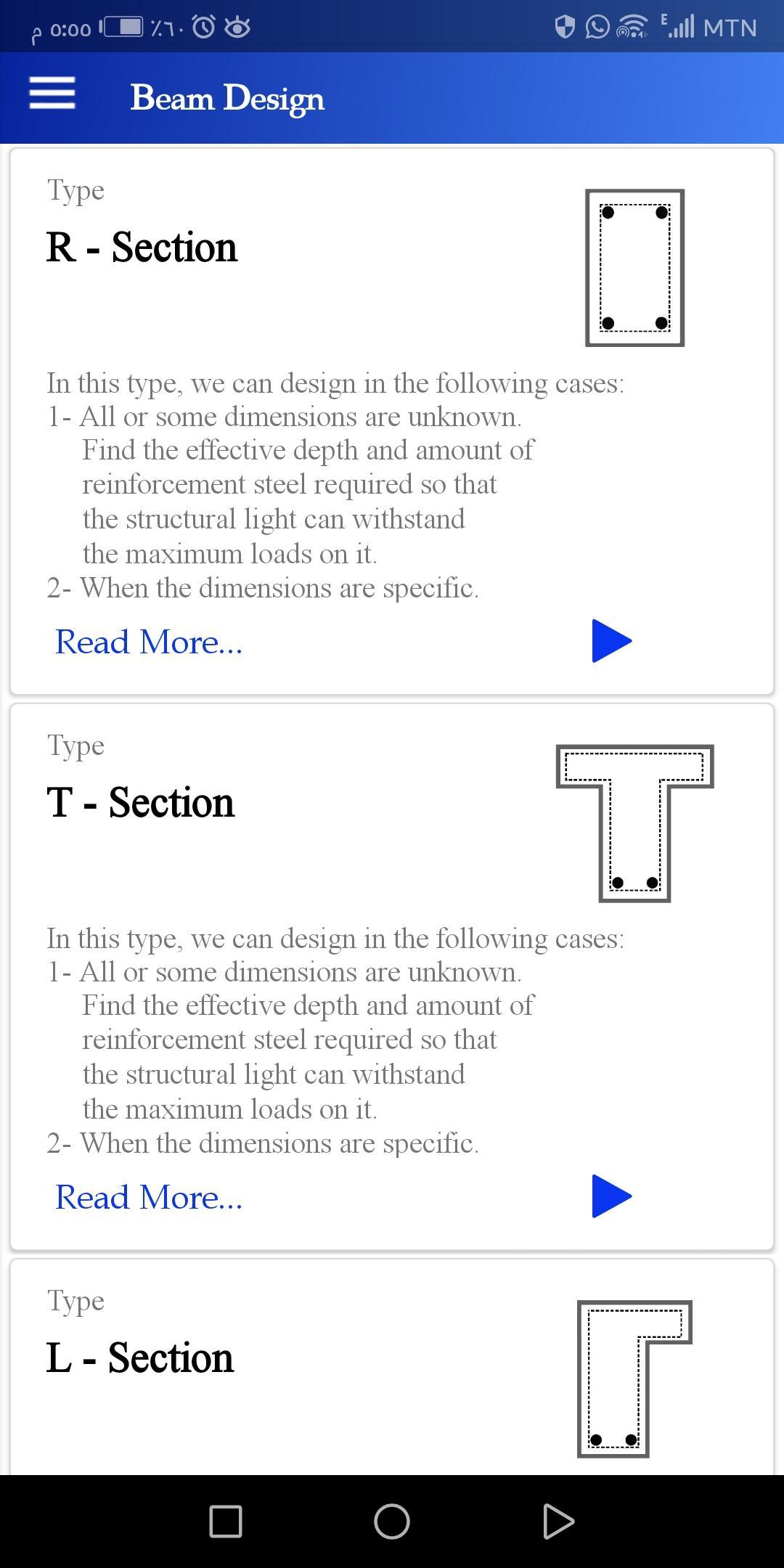
Design most types of Beams ( R-section , T-section , L-section ) and produce the results of the solution in the form of short results as well as display the steps of the solution identical to the manual solution .
Analysis most types of Beams ( R-section , T-section , L-section ) and produce the results of the solution in the form of short results as well as display the steps of the solution identical to the manual solution .
A detailed educational summary consisting of 65 pages of design, analysis and shear design steps .
Convert units between SI and US system.
- Areas of application use :
It is used for scientific, educational and university research purposes as this application can be used in actual projects provided that the properties of the materials are in fact identical to the data entered into the application .
- User powers :
This app lets you design beams for free .
The app contains ads with a reward .
To remove the ads, you only have to pay once.
- Application powers :
The app must be allowed to store .
The internet should be turned on the first time after installation and when you buy only after it does not need internet .
- Disclaimer :
You expressly understand and agree that your use of the application and the data from the application is at your sole risk and that the application is provided 'as is' and 'as available' without warranty of any kind.
Copyright, distribution and intellectual property preserved by ENG/Abdalrub M.H Alyatim .
Using the app illegally may expose you to legal liability.
------------------------------------------------------------------
If you have any feedback, questions, or concerns, please email us at:
Abdalrub@alyteem.com .
beams design was tested under the supervision of specialist experts
and consultants and the results were 100% correct.
This app was created with a personal effort:
Eng/ Abdalrub M.H Al-yatim .
Avance
Etiquetas
ProductividadInformación
Desarrollador
Eng.Alyteem
La última versión
4.0.0
Última actualización
2023-11-05
Categoría
Productividad
Disponible en
Google Play
Mostrar más
Cómo jugar Beams Design con GameLoop en PC
1. Descargue GameLoop desde el sitio web oficial, luego ejecute el archivo exe para instalar GameLoop.
2. Abra GameLoop y busque "Beams Design", busque Beams Design en los resultados de búsqueda y haga clic en "Instalar".
3. Disfruta jugando Beams Design en GameLoop.
Minimum requirements
OS
Windows 8.1 64-bit or Windows 10 64-bit
GPU
GTX 1050
CPU
i3-8300
Memory
8GB RAM
Storage
1GB available space
Recommended requirements
OS
Windows 8.1 64-bit or Windows 10 64-bit
GPU
GTX 1050
CPU
i3-9320
Memory
16GB RAM
Storage
1GB available space