
Photo Extractor para PC
Ramtin Software Solutions, LLC
Descarga Photo Extractor en PC con GameLoop Emulator
Photo Extractor en PC
Photo Extractor, proveniente del desarrollador Ramtin Software Solutions, LLC, se ejecuta en el sistema Android en el pasado.
Ahora, puedes jugar Photo Extractor en PC con GameLoop sin problemas.
Descárgalo en la biblioteca de GameLoop o en los resultados de búsqueda. No más mirar la batería o llamadas frustrantes en el momento equivocado nunca más.
Simplemente disfrute de Photo Extractor PC en la pantalla grande de forma gratuita!
Photo Extractor Introducción
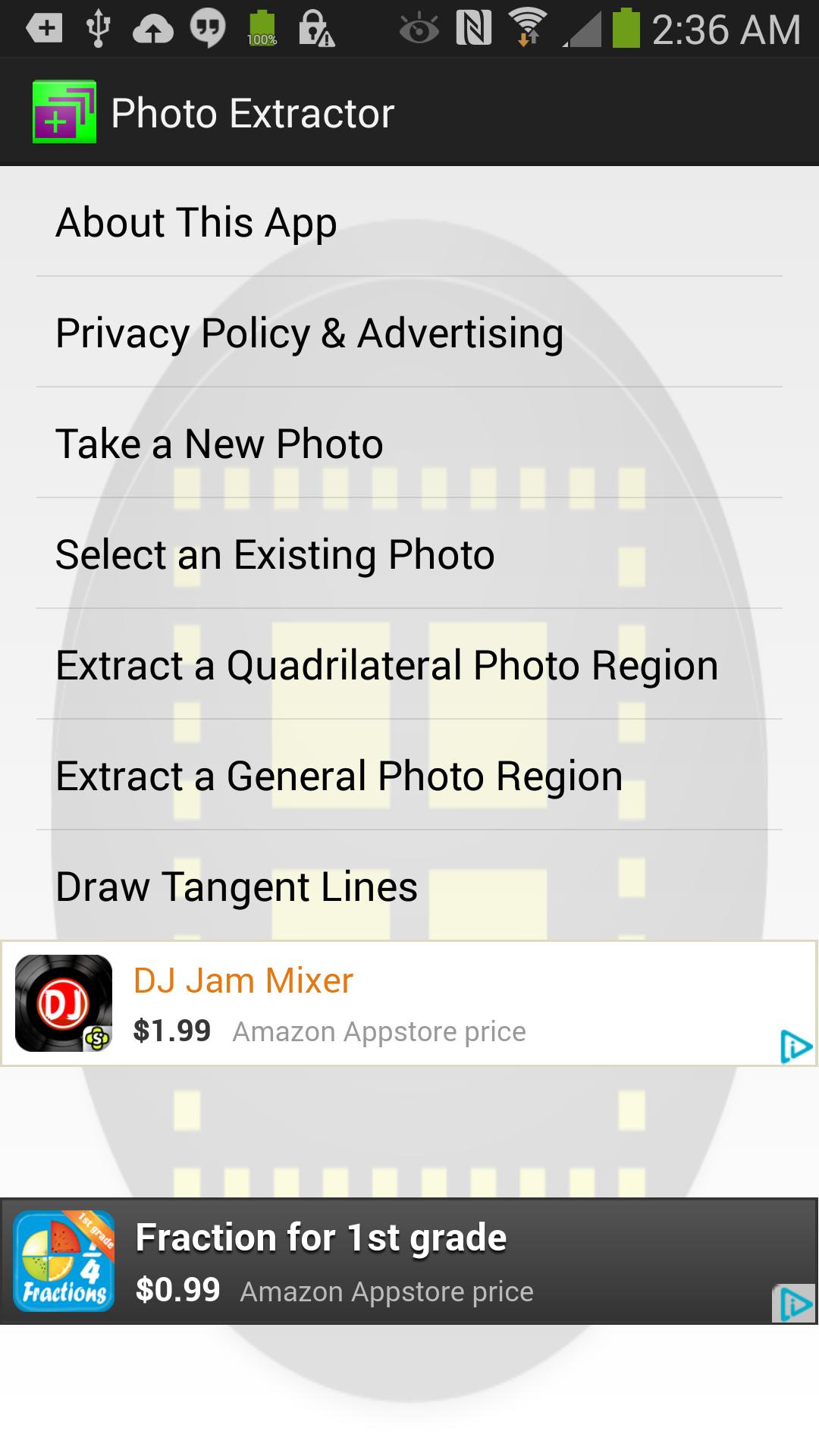
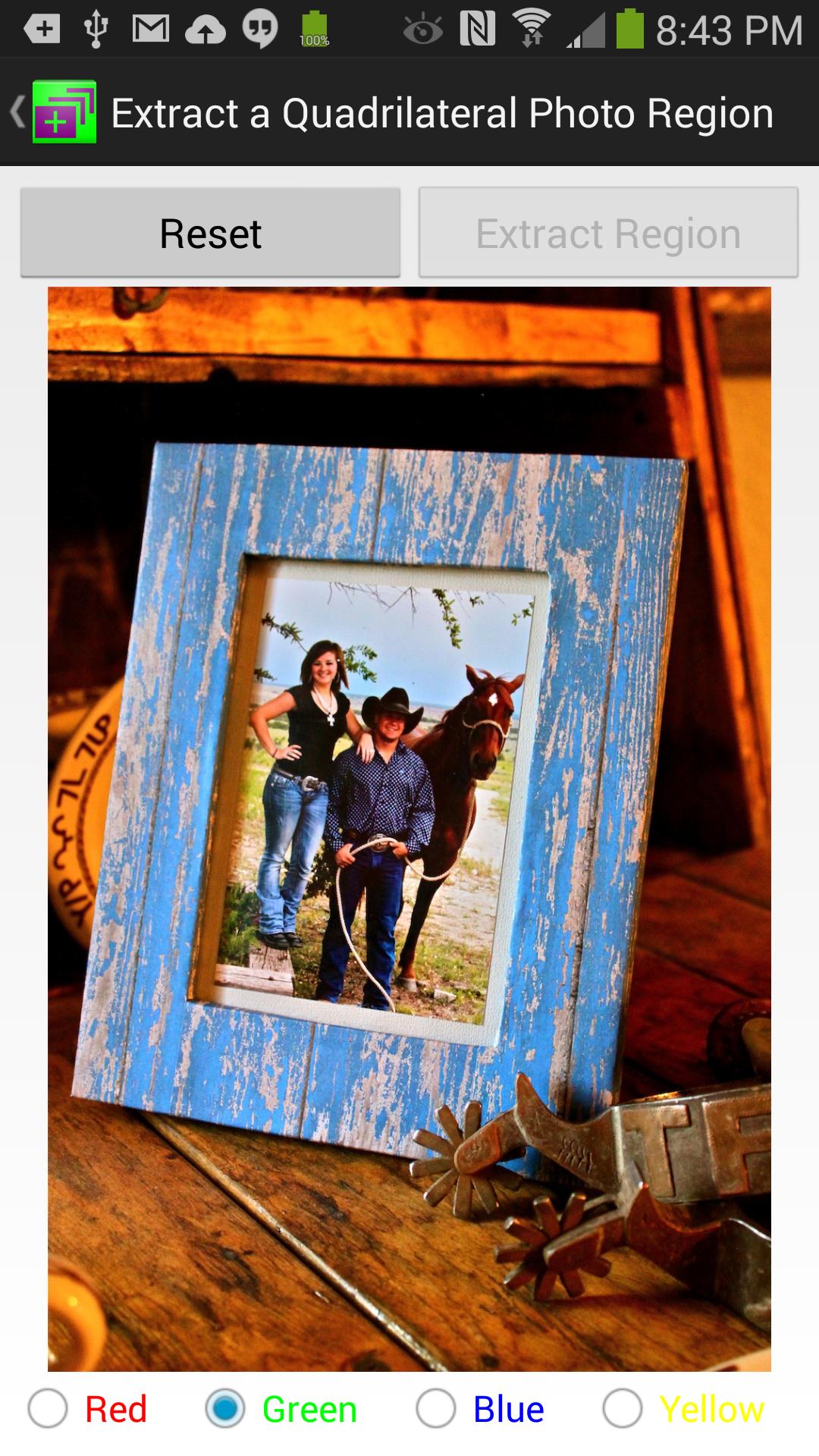
This awesome and useful free app has two purposes: First, you can select a quadrilateral region in a photo and extract a rectangular photo from it. This is particularly useful when you want a rectangular picture of something, but for some reason (e.g. wrong angle of view of the camera) it is not a perfect rectangle and is slanted or when you want to zoom in on a non-rectangular region of your photo. It can also extract (i.e. cut and paste photo) a general region in the photos or blur them (for example when you want to remove a photo bomb from an otherwise great photo!)
Second, it can detect the edges of the objects in photos and draw up to 4 tangent lines with different colors on them. Why would someone want to do this? Imagine you want to see if something is a straight line in a photo and you can't tell that by the naked eye. Or if you just want to have fun drawing tangents on the curves in your photos by simply tapping on them!
Photo Extractor has been featured on Appliv: http://app-liv.com/android/en/2736188
Avance
Etiquetas
FotografíaInformación
Desarrollador
Ramtin Software Solutions, LLC
La última versión
1.49
Última actualización
2023-06-09
Categoría
Fotografía
Disponible en
Google Play
Mostrar más
Cómo jugar Photo Extractor con GameLoop en PC
1. Descargue GameLoop desde el sitio web oficial, luego ejecute el archivo exe para instalar GameLoop.
2. Abra GameLoop y busque "Photo Extractor", busque Photo Extractor en los resultados de búsqueda y haga clic en "Instalar".
3. Disfruta jugando Photo Extractor en GameLoop.
Minimum requirements
OS
Windows 8.1 64-bit or Windows 10 64-bit
GPU
GTX 1050
CPU
i3-8300
Memory
8GB RAM
Storage
1GB available space
Recommended requirements
OS
Windows 8.1 64-bit or Windows 10 64-bit
GPU
GTX 1050
CPU
i3-9320
Memory
16GB RAM
Storage
1GB available space