
Pholder: Gallery & Camera para PC
Doki Devs
Descarga Pholder: Gallery & Camera en PC con GameLoop Emulator
Pholder: Gallery & Camera en PC
Pholder: Gallery & Camera, proveniente del desarrollador Doki Devs, se ejecuta en el sistema Android en el pasado.
Ahora, puedes jugar Pholder: Gallery & Camera en PC con GameLoop sin problemas.
Descárgalo en la biblioteca de GameLoop o en los resultados de búsqueda. No más mirar la batería o llamadas frustrantes en el momento equivocado nunca más.
Simplemente disfrute de Pholder: Gallery & Camera PC en la pantalla grande de forma gratuita!
Pholder: Gallery & Camera Introducción
Ever mistakenly showing the photo of the double cheese burger that you ate last night to your client? It can be annoying when your work / project photos mix up with your private photos!
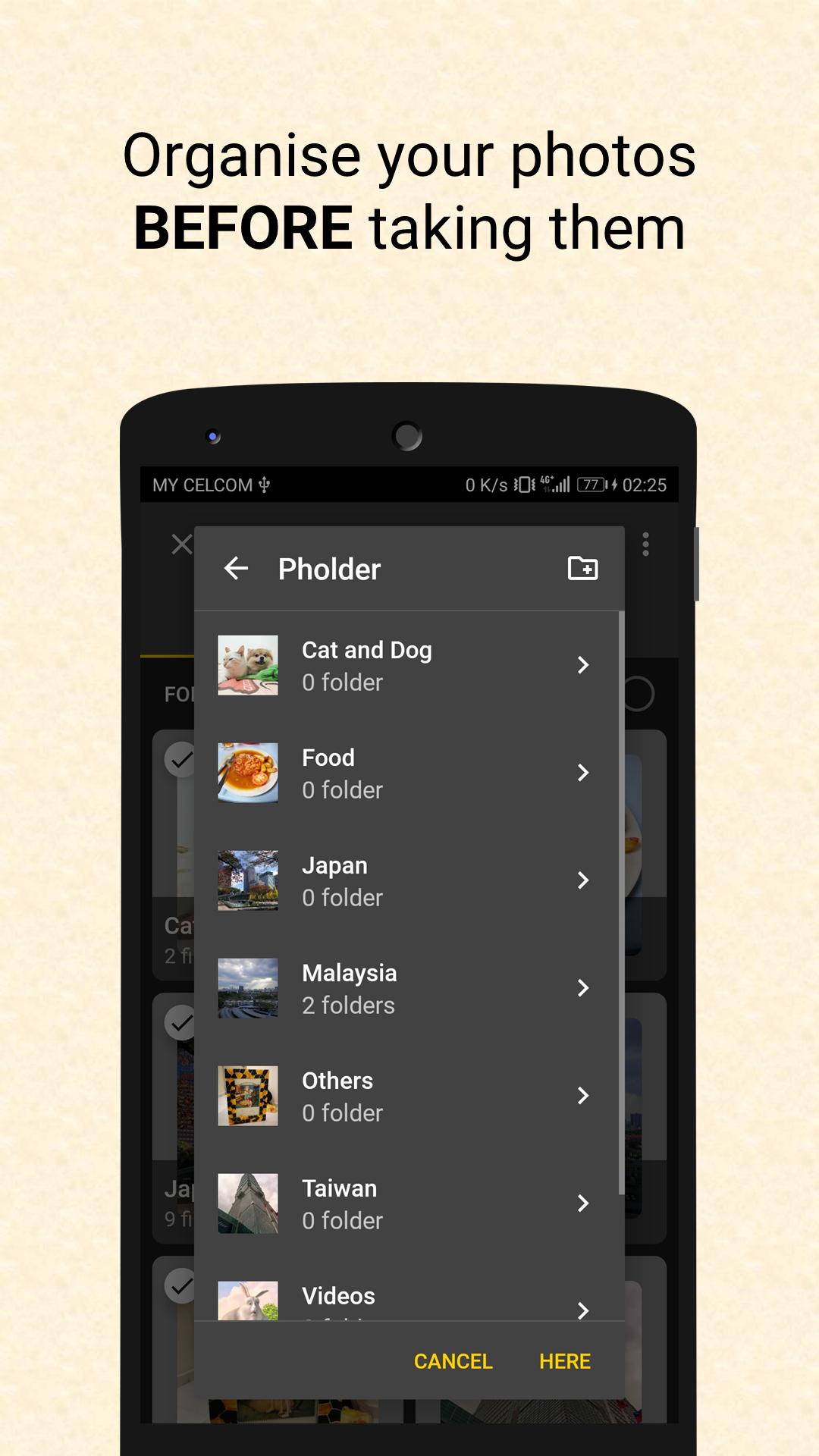
*** Pholder is designed to help you organize your photos and videos *BEFORE* taking them ***
See Pholder in action:
- https://youtu.be/WNMOY6NaZzs
- https://youtu.be/dc7oVxU-cSw
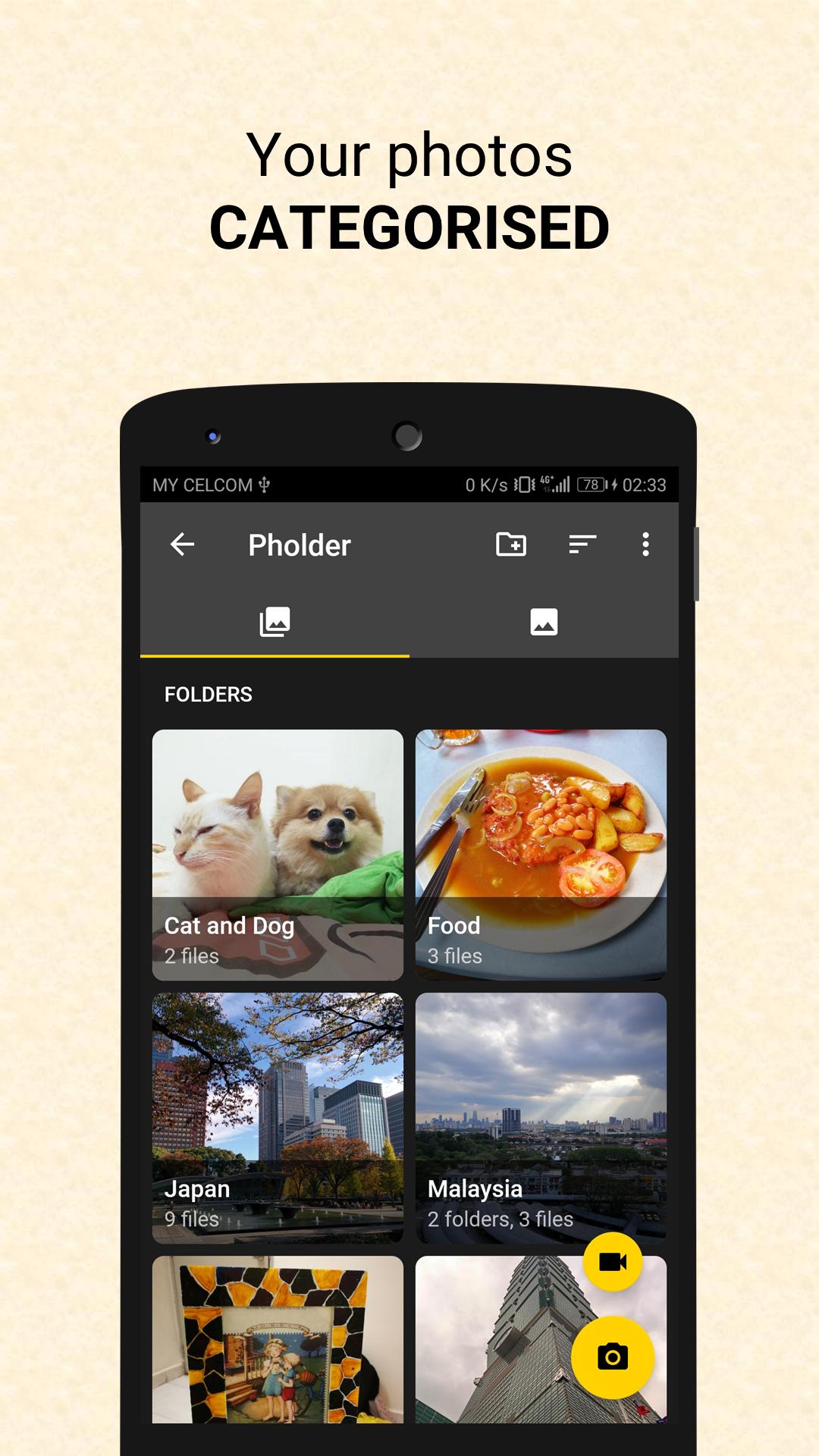
* Keep Photos Organized *
Before taking any photo / video, choose the folder to save your media. Pholder also supports sub-folders, so you can categorise your picture as much as you want! Move your photos from folder to folder easily!
* PC Recognized *
Pholder is designed to reflect your folders exactly as it is when viewed on PC via MTP. You can immediately copy your photos to PC and work on them, already categorised!
* Gallery App *
Or just use Pholder as your daily Gallery App! Pholder has beautiful animation, plays gifs and plays video out of the box! Browsing media is simple and fun!
* Easy Sharing *
Share your photos to any other apps as how you usually do. All photos taken are registered in Media Store, so you can find them from other apps as well!
* Open sourced*
Pholder is open-sourced, meaning anyone can inspect the app code for transparency. You can learn to build you own app as well. Visit https://github.com/tingyik90/Pholder.
** Disclaimer **
By using this app, you agree to the terms and conditions set out by the developers of Pholder. The developers of Pholder are not responsible for any damage due to the use of this app.
** Others **
I'm a one-man developer who enjoys coding after my day-time work as a project engineer. I began the development of this app as a way to help my day-time work which requires me taking a lot of site photos. While I will try my best to solve bugs and fulfil feature request, please understand that it can be slow because I am not from IT background.
Avance
Etiquetas
FotografíaInformación
Desarrollador
Doki Devs
La última versión
2.3.2
Última actualización
2019-02-04
Categoría
Fotografía
Disponible en
Google Play
Mostrar más
Cómo jugar Pholder: Gallery & Camera con GameLoop en PC
1. Descargue GameLoop desde el sitio web oficial, luego ejecute el archivo exe para instalar GameLoop.
2. Abra GameLoop y busque "Pholder: Gallery & Camera", busque Pholder: Gallery & Camera en los resultados de búsqueda y haga clic en "Instalar".
3. Disfruta jugando Pholder: Gallery & Camera en GameLoop.
Minimum requirements
OS
Windows 8.1 64-bit or Windows 10 64-bit
GPU
GTX 1050
CPU
i3-8300
Memory
8GB RAM
Storage
1GB available space
Recommended requirements
OS
Windows 8.1 64-bit or Windows 10 64-bit
GPU
GTX 1050
CPU
i3-9320
Memory
16GB RAM
Storage
1GB available space