Open Camera Remote para PC
Tekla Inc.
Descarga Open Camera Remote en PC con GameLoop Emulator
Open Camera Remote en PC
Open Camera Remote, proveniente del desarrollador Tekla Inc., se ejecuta en el sistema Android en el pasado.
Ahora, puedes jugar Open Camera Remote en PC con GameLoop sin problemas.
Descárgalo en la biblioteca de GameLoop o en los resultados de búsqueda. No más mirar la batería o llamadas frustrantes en el momento equivocado nunca más.
Simplemente disfrute de Open Camera Remote PC en la pantalla grande de forma gratuita!
Open Camera Remote Introducción
Documentation at https://andymodla3dvr.blogspot.com
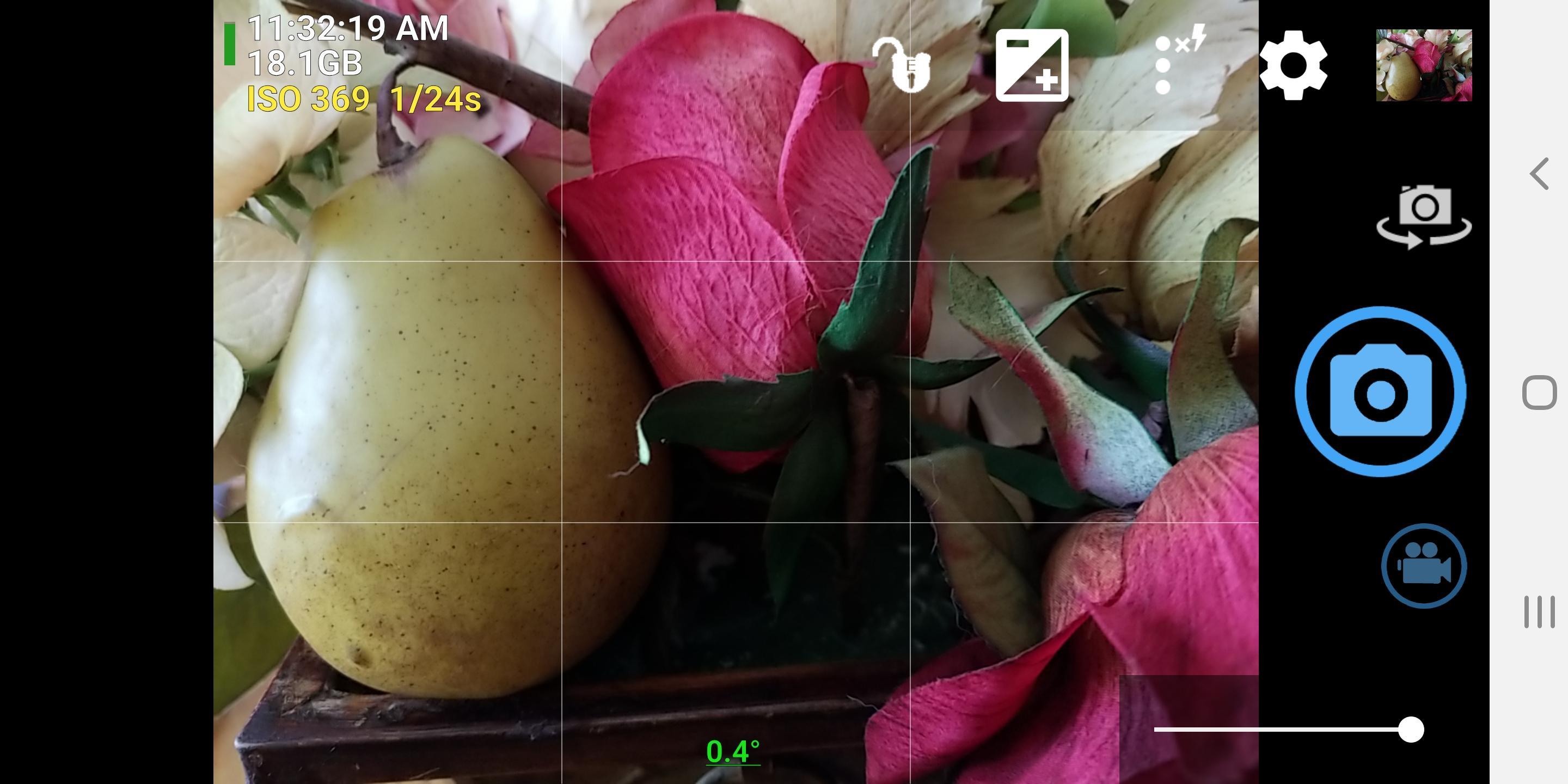
The Open Camera Remote app is a modified version of Open Camera. It gives you focus and shutter trigger control remotely over a local WiFi network. You send this app broadcast control messages to operate focus and shutter release using another app, WiFi Remote Capture, install at
https://play.google.com/store/apps/details?id=com.andymodla.remotecapture&hl=en
You trigger and capture photos and videos nearly simultaneously on local network connected phones running this app. Depending on your local network, the number of phones can range from 253 to 4093 maximum.
For security reasons some WiFi routers will block broadcast messages. You may have to set up your own private router that allows broadcast messaging.
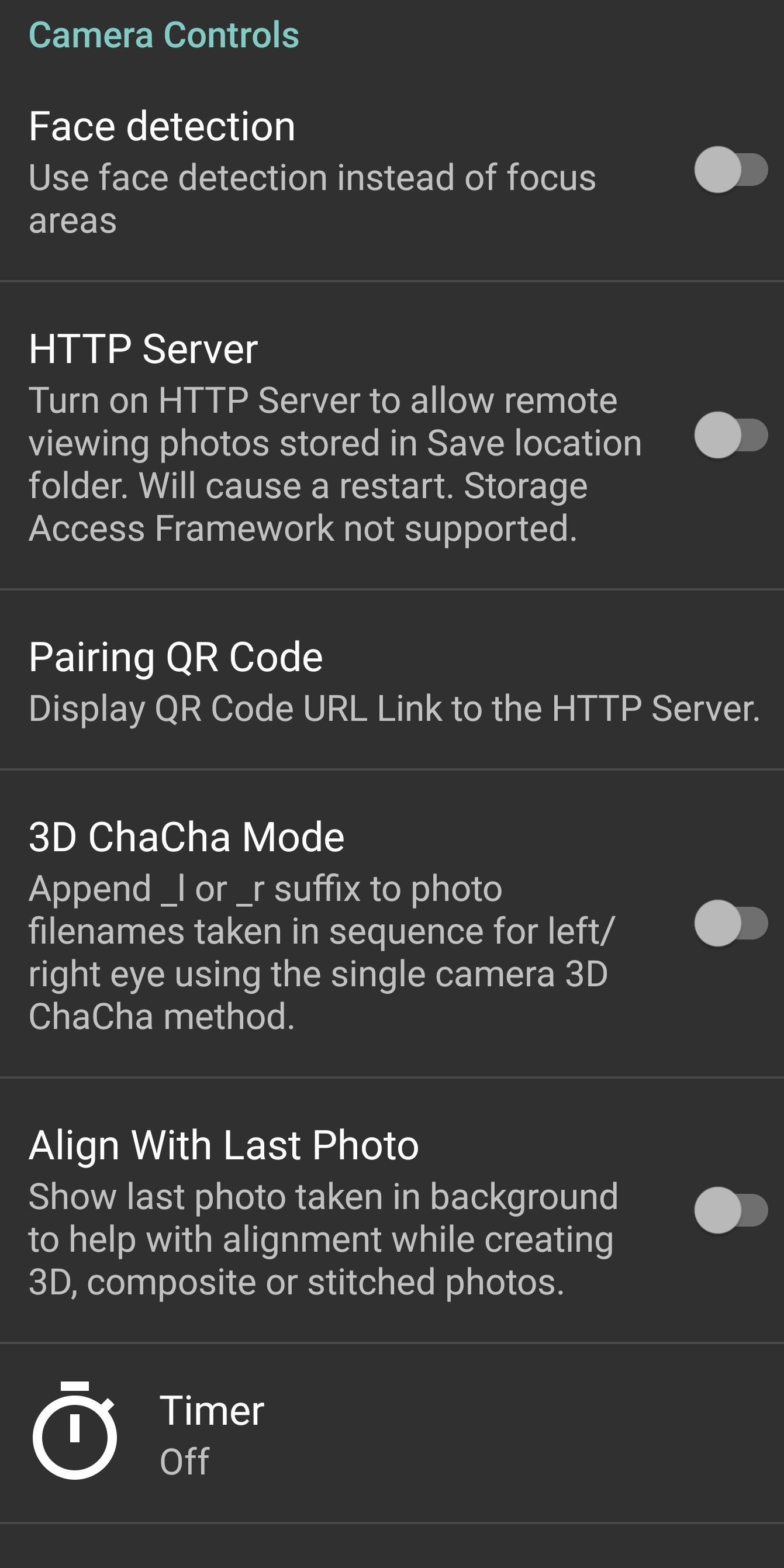
There is a built-in Web HTTP server you can enable for downloading your photos with a Web browser. It only works with your local network while the camera app is running. In Settings there is a option to turn on the HTTP server and to show the URL of the server as a QR code or text.
Information about using the Open Camera app can be found at :
https://play.google.com/store/apps/details?id=net.sourceforge.opencamera&hl=en
The Open Camera Remote app has Settings under More Camera Controls for photo and video filename suffix and Time/Number format for filename with reset. The suffix string appended to the filename helps you determine from which phone camera a photo was shot. This allows you to merge all the photos from multiple cameras into a single folder for editing.
You can capture 3D images by taking sequential left and right eye photos when choosing a Settings option. The filenames will automatically add suffixes _l and _r. View 3D photos by purchasing https://play.google.com/store/apps/details?id=com.andymodla.apps.vrstereophotoviewer&hl=en (not supported by all phones). This app can be launched from preview thumbnail button if you select the 3D/VR Stereo Photo Viewer.
Another feature lets you align the scene you are shooting with your previous photo to help with taking 3D (left/right), composite, or stitched photos when you edit using other apps.
The open source code for Open Camera Remote (modified from version 1.46 Open Camera) is available at
https://sourceforge.net/u/ajavamind/opencamera/ci/master/tree/
Modifications for Open Camera Remote were added by Andy Modla.
Use the HTTP server at your own risk. The Nanohttpd HTTP server is
Copyright (c) 2012-2013 by Paul S. Hawke, 2001,2005-2013 by Jarno Elonen, 2010 by Konstantinos Togias All rights reserved.
Redistribution and use in source and binary forms, with or without modification, are permitted provided that the following conditions are met:
Redistributions of source code must retain the above copyright notice, this list of conditions and the following disclaimer.
Redistributions in binary form must reproduce the above copyright notice, this list of conditions and the following disclaimer in the documentation and/or other materials provided with the distribution.
Neither the name of the NanoHttpd organization nor the names of its contributors may be used to endorse or promote products derived from this software without specific prior written permission.
THIS SOFTWARE IS PROVIDED BY THE COPYRIGHT HOLDERS AND CONTRIBUTORS "AS IS" AND ANY EXPRESS OR IMPLIED WARRANTIES, INCLUDING, BUT NOT LIMITED TO, THE IMPLIED WARRANTIES OF MERCHANTABILITY AND FITNESS FOR A PARTICULAR PURPOSE ARE DISCLAIMED. IN NO EVENT SHALL THE COPYRIGHT HOLDER OR CONTRIBUTORS BE LIABLE FOR ANY DIRECT, INDIRECT, INCIDENTAL, SPECIAL, EXEMPLARY, OR CONSEQUENTIAL DAMAGES (INCLUDING, BUT NOT LIMITED TO, PROCUREMENT OF SUBSTITUTE GOODS OR SERVICES; LOSS OF USE, DATA, OR PROFITS; OR BUSINESS INTERRUPTION) HOWEVER CAUSED AND ON ANY THEORY OF LIABILITY, WHETHER IN CONTRACT, STRICT LIABILITY, OR TORT (INCLUDING NEGLIGENCE OR OTHERWISE) ARISING IN ANY WAY OUT OF THE USE OF THIS SOFTWARE, EVEN IF ADVISED OF THE POSSIBILITY OF SUCH DAMAGE.
Avance
Información
Desarrollador
Tekla Inc.
La última versión
1.46.9
Última actualización
2019-11-12
Categoría
Fotografía
Disponible en
Google Play
Mostrar más
Cómo jugar Open Camera Remote con GameLoop en PC
1. Descargue GameLoop desde el sitio web oficial, luego ejecute el archivo exe para instalar GameLoop.
2. Abra GameLoop y busque "Open Camera Remote", busque Open Camera Remote en los resultados de búsqueda y haga clic en "Instalar".
3. Disfruta jugando Open Camera Remote en GameLoop.
Minimum requirements
OS
Windows 8.1 64-bit or Windows 10 64-bit
GPU
GTX 1050
CPU
i3-8300
Memory
8GB RAM
Storage
1GB available space
Recommended requirements
OS
Windows 8.1 64-bit or Windows 10 64-bit
GPU
GTX 1050
CPU
i3-9320
Memory
16GB RAM
Storage
1GB available space