Photo Collage Video Grid Maker para PC
MyMovie Inc.
Descarga Photo Collage Video Grid Maker en PC con GameLoop Emulator
Photo Collage Video Grid Maker en PC
Photo Collage Video Grid Maker, proveniente del desarrollador MyMovie Inc., se ejecuta en el sistema Android en el pasado.
Ahora, puedes jugar Photo Collage Video Grid Maker en PC con GameLoop sin problemas.
Descárgalo en la biblioteca de GameLoop o en los resultados de búsqueda. No más mirar la batería o llamadas frustrantes en el momento equivocado nunca más.
Simplemente disfrute de Photo Collage Video Grid Maker PC en la pantalla grande de forma gratuita!
Photo Collage Video Grid Maker Introducción
QuickGrid – Your Photo Collage Maker for Celebrating Life's Sweet Moments!
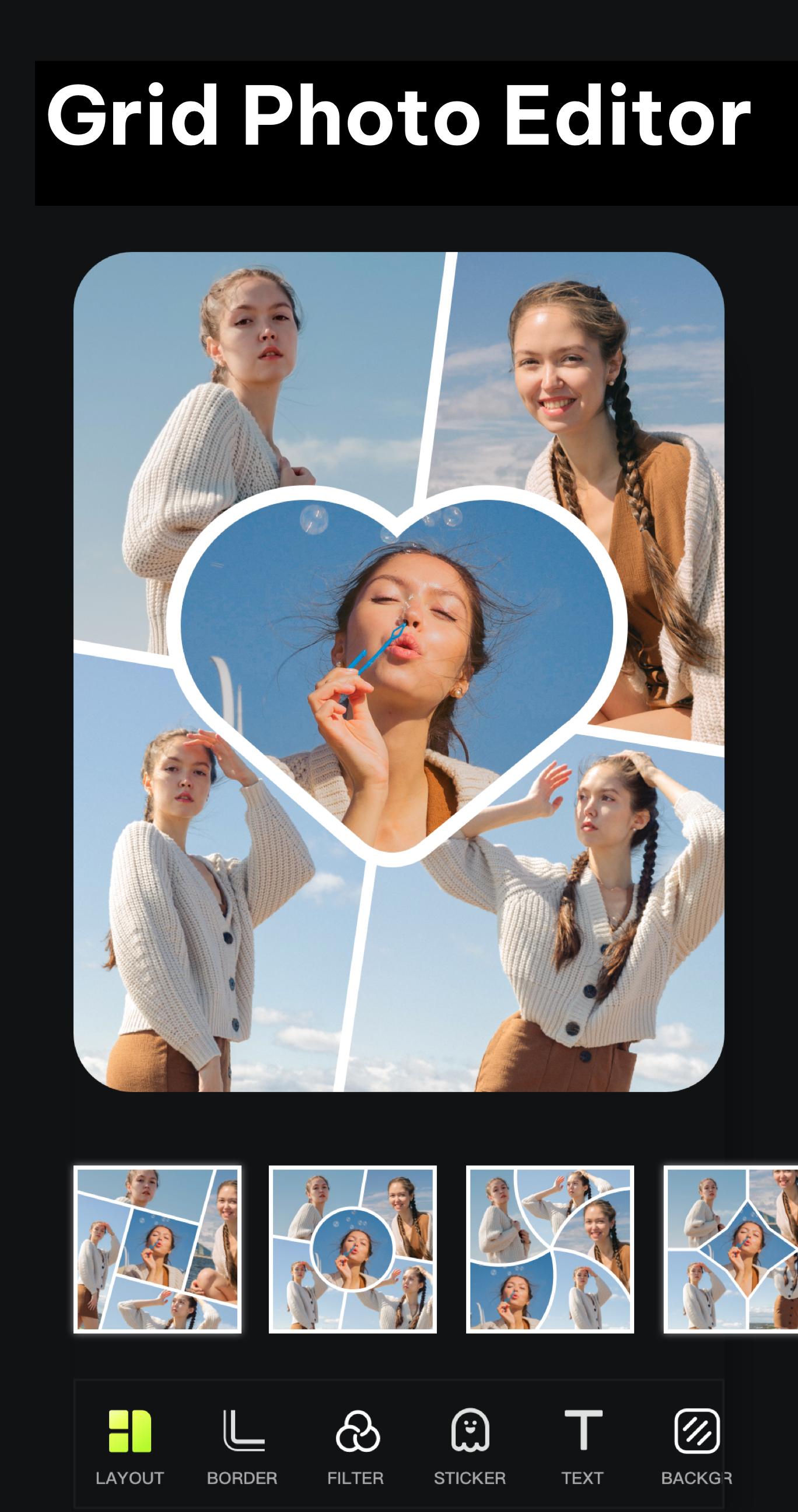
Just select photos or videos from your gallery, and QuickGrid will instantly turn them into stunning collage. Customize with your favorite picture layout, effect, filter, sticker, and text to create a unique photo collage maker up to 100 photos, or make video grid in seconds.
Halloween surprises are here! Create spooky and fun collages with brand new Halloween posters, themed backgrounds, creative frames, and trending Halloween stickers!
Feature Highlights:
◆ Photo collage maker up to 100 photos.
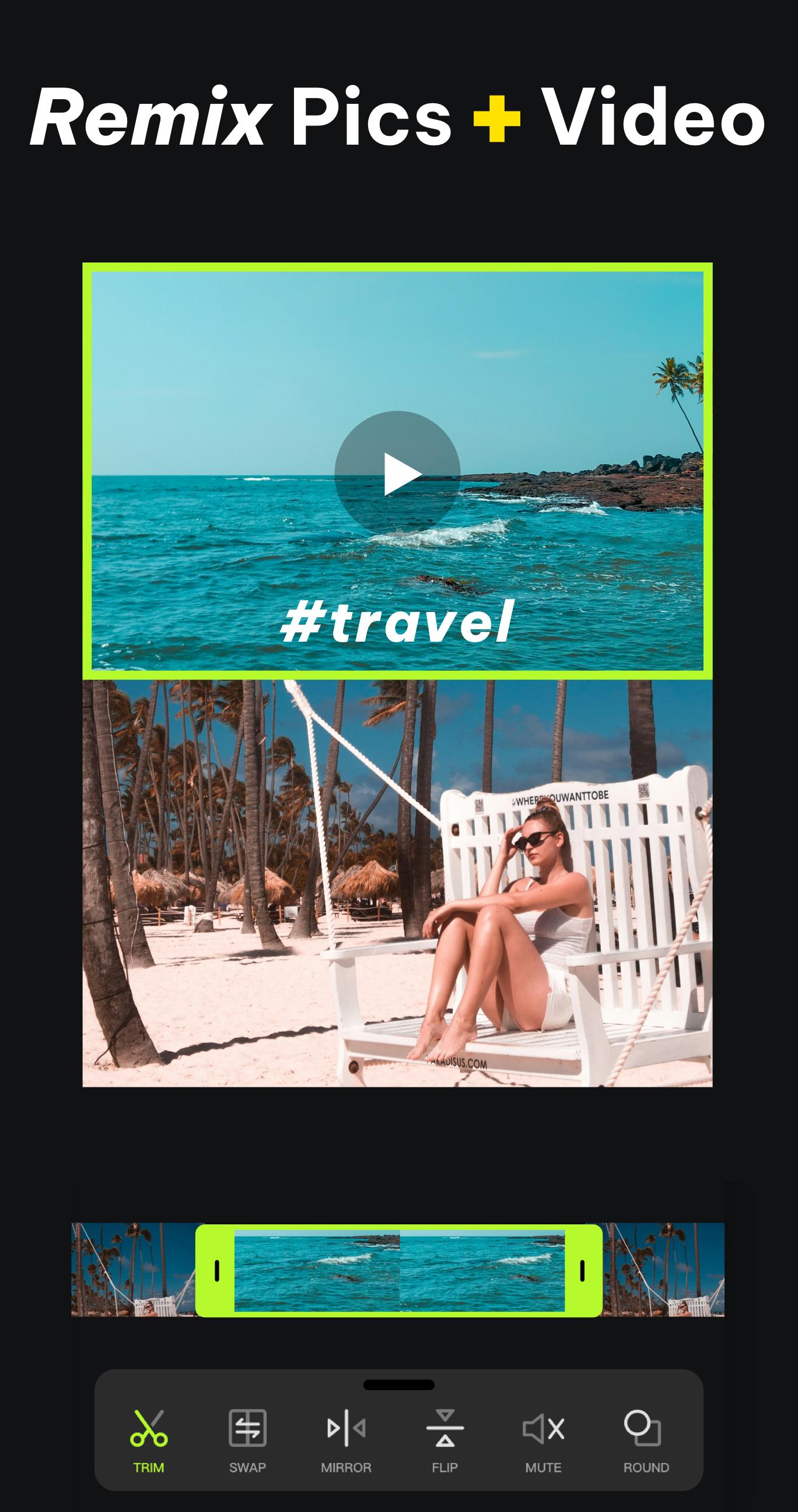
◆ Mix up to 20 videos to create video collage.
◆ Edit multiple photos and videos at once and save with one tap.
◆ Includes over 500 free collage layouts and 50+ effects & filters.
◆ Includes over 100 photo templates.
◆ The collage allows images or the entire layout to be moved, scaled, and rotated.
◆ Supports adding PNG transparent background for making stickers, overlays, and creative collages.
◆ Huge selection of stickers to enhance your edits.
◆ Easily edit photo with beautiful fonts and curved text.
◆ Choose from over 200 free fonts.
◆ Save in Ultra HD quality.
With QuickGrid, you can effortlessly meet all your photo and video editing needs in one app.
🖼 Basic Collage & Grid
Easily adjust photo grid collage margins, effects, and rounded corners, and use touch controls to scale, move, and rotate your images. Customize the grid layout ratio, borders, and backgrounds to create photo and video collage within seconds. And place the photo grid directly in your Instagram feed.
🖼️ Carousel Posts & Mult-Edit
Carousel is specially designed for ins posts, making it perfect for scrl and seamless carousels. Just select your photo or video editing, and scroll to create a scroll carousel. Mult-Edit lets you batch edit multiple photos and videos at once and save them with a single tap. At the same time, you can also preview for Ins feed, easily create Instagram slideshows.
📸 Story Template
100+ stylized templates, including Film, Magazine, Heart Photo Frames, Valentine's Day Themes, and more. Create ins grid, story posts, and edit video with ease.
📸 Photo & Video Editor
The all-in-one photo editor app offers tools like cropping, filters, Giphy stickers, text, and photo frames. Create stunning photo mixes with ease, and take your videos to the next level with versatile video grid editing.Whether you prefer the style photo grid 2025 or classic collage layouts, QuickGrid has everything you need.
📸 Photo Video Maker With Music
Create stunning photo slideshows with music and seamless transitions, effortlessly turning your special moments into videos.
🌟 AI Photo Editor & AI Collage
You can easily remove backgrounds from up to 15 pictures and remix them into beautiful photo collages. The AI tools include Cartoon Enhancer, Art Effect, AI Enhancement, and Low-light Boost to create amazing photo effect.
🎨 Freestyle & Aesthetic Collage
You can freely combine text, stickers, doodles and layouts to carefully create collages in styles like Torn Paper, Newspaper Collage, and Journal Aesthetic, expressing their personal style and aesthetic, and then share their cre ations on Ins or Snapchat Stories.
QuickGrid is a easy-to-use photo collage maker apps. With the free photo collage editing and video grids feature, easily create stylish collages. Come download QuickGrid and turn your moment into amazing posts to share with everyone!
Email: charmernewapps@gmail.com
Avance
Etiquetas
FotografíaInformación
Desarrollador
MyMovie Inc.
La última versión
9.0.0
Última actualización
2025-10-29
Categoría
Fotografía
Disponible en
Google Play
Mostrar más
Cómo jugar Photo Collage Video Grid Maker con GameLoop en PC
1. Descargue GameLoop desde el sitio web oficial, luego ejecute el archivo exe para instalar GameLoop.
2. Abra GameLoop y busque "Photo Collage Video Grid Maker", busque Photo Collage Video Grid Maker en los resultados de búsqueda y haga clic en "Instalar".
3. Disfruta jugando Photo Collage Video Grid Maker en GameLoop.
Minimum requirements
OS
Windows 8.1 64-bit or Windows 10 64-bit
GPU
GTX 1050
CPU
i3-8300
Memory
8GB RAM
Storage
1GB available space
Recommended requirements
OS
Windows 8.1 64-bit or Windows 10 64-bit
GPU
GTX 1050
CPU
i3-9320
Memory
16GB RAM
Storage
1GB available space