Blur Photo Editor Background para PC
LeapZip
Descarga Blur Photo Editor Background en PC con GameLoop Emulator
Blur Photo Editor Background en PC
Blur Photo Editor Background, proveniente del desarrollador LeapZip, se ejecuta en el sistema Android en el pasado.
Ahora, puedes jugar Blur Photo Editor Background en PC con GameLoop sin problemas.
Descárgalo en la biblioteca de GameLoop o en los resultados de búsqueda. No más mirar la batería o llamadas frustrantes en el momento equivocado nunca más.
Simplemente disfrute de Blur Photo Editor Background PC en la pantalla grande de forma gratuita!
Blur Photo Editor Background Introducción
Blur Photo Editor – Auto Blur Background
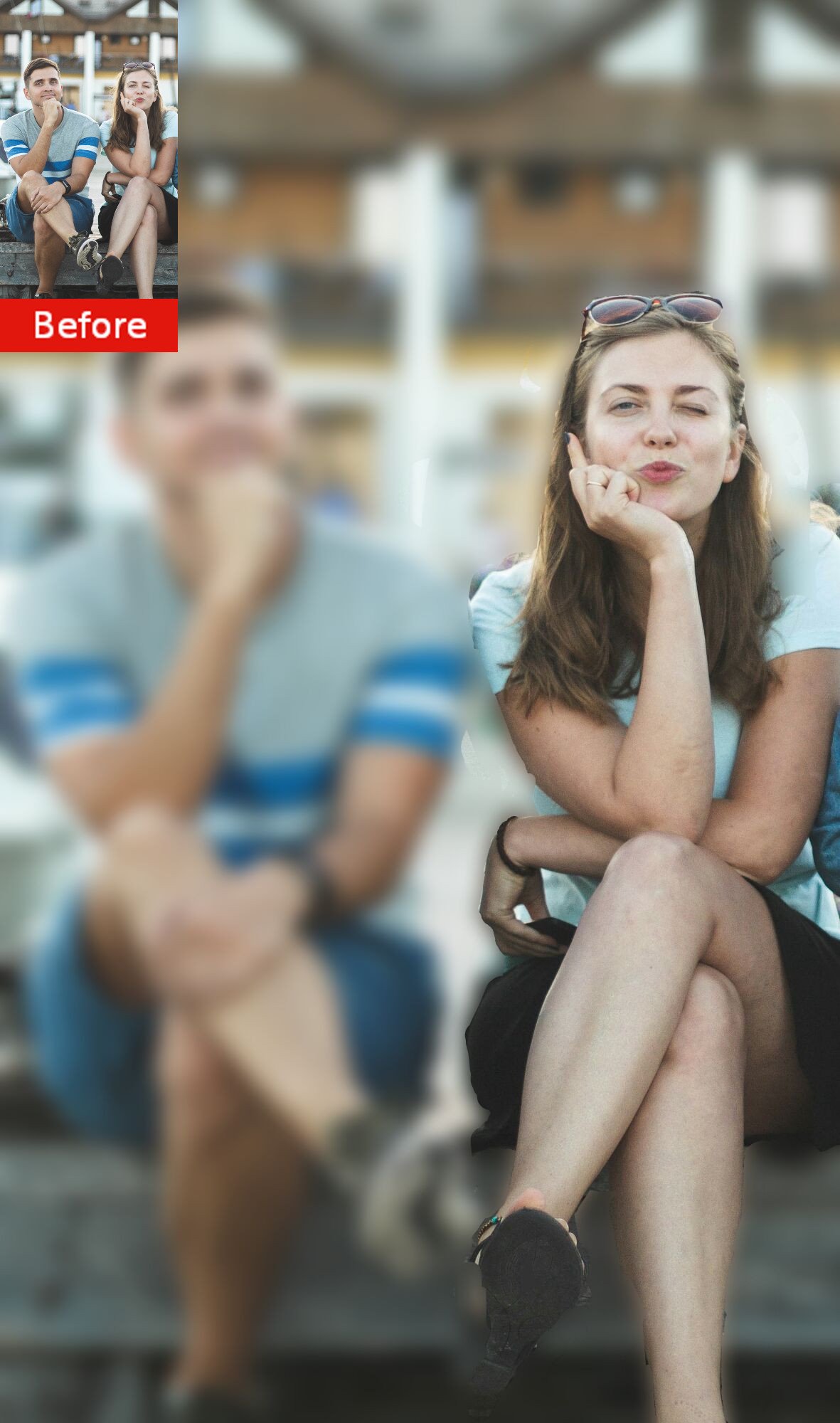
Blur Photo Editor is the easiest way to create beautiful photos with a blurred background. Automatically blur your photo in seconds, then fine-tune the effect using simple editing tools. You can also erase the blur with your finger to keep your subject perfectly sharp.
Whether you want a DSLR-style portrait effect, hide unwanted details, or create eye-catching social media photos, Blur Photo Editor makes it fast and easy.
Key Features
• Automatically blur photo backgrounds
• Manually erase or restore blur with your finger
• Adjust blur intensity with an easy-to-use slider
• Change brush size for precise editing
• Undo and redo your edits instantly
• Invert the selected blur area
• Apply beautiful color filters
• Choose different blur shapes and effects
• Pinch to zoom for accurate editing
• Import photos from your gallery or capture new ones with your camera
• Create square photos without cropping
• Save high-quality images to your device
• Share directly to Instagram, Facebook, Messenger, and other social apps
Easy to Use
1.Select a photo from your gallery or take a new picture.
2.The app automatically blurs the background.
3.Use your finger to remove or add blur exactly where you want it.
4.Adjust the blur strength and brush size.
5.Save and share your masterpiece.
Blur Photo Editor is designed for everyone. Its simple interface makes professional-looking photo editing quick and easy, even for beginners.
Download Blur Photo Editor today and create stunning photos with beautiful blurred backgrounds in just a few taps.
Feedback
If you enjoy using Blur Photo Editor, please consider leaving us a 5-star rating.
If you have any questions, suggestions, or encounter any issues, please contact us by email. We'd love to hear your feedback and continuously improve the app.
Thank you for using Blur Photo Editor!
Avance
Etiquetas
FotografíaInformación
Desarrollador
LeapZip
La última versión
1.6.0
Última actualización
2026-08-11
Categoría
Fotografía
Disponible en
Google Play
Mostrar más
Cómo jugar Blur Photo Editor Background con GameLoop en PC
1. Descargue GameLoop desde el sitio web oficial, luego ejecute el archivo exe para instalar GameLoop.
2. Abra GameLoop y busque "Blur Photo Editor Background", busque Blur Photo Editor Background en los resultados de búsqueda y haga clic en "Instalar".
3. Disfruta jugando Blur Photo Editor Background en GameLoop.
Minimum requirements
OS
Windows 8.1 64-bit or Windows 10 64-bit
GPU
GTX 1050
CPU
i3-8300
Memory
8GB RAM
Storage
1GB available space
Recommended requirements
OS
Windows 8.1 64-bit or Windows 10 64-bit
GPU
GTX 1050
CPU
i3-9320
Memory
16GB RAM
Storage
1GB available space