
Font Resize: Change Font Size para PC
Native Fonts
Descarga Font Resize: Change Font Size en PC con GameLoop Emulator
Font Resize: Change Font Size en PC
Font Resize: Change Font Size, proveniente del desarrollador Native Fonts, se ejecuta en el sistema Android en el pasado.
Ahora, puedes jugar Font Resize: Change Font Size en PC con GameLoop sin problemas.
Descárgalo en la biblioteca de GameLoop o en los resultados de búsqueda. No más mirar la batería o llamadas frustrantes en el momento equivocado nunca más.
Simplemente disfrute de Font Resize: Change Font Size PC en la pantalla grande de forma gratuita!
Font Resize: Change Font Size Introducción
The default font size of Android devices is too large for some people and too small for some other people. So, what about having a font resizer application to easily change font size and apply big fonts or small fonts to make sure the texts are easily readable for you?
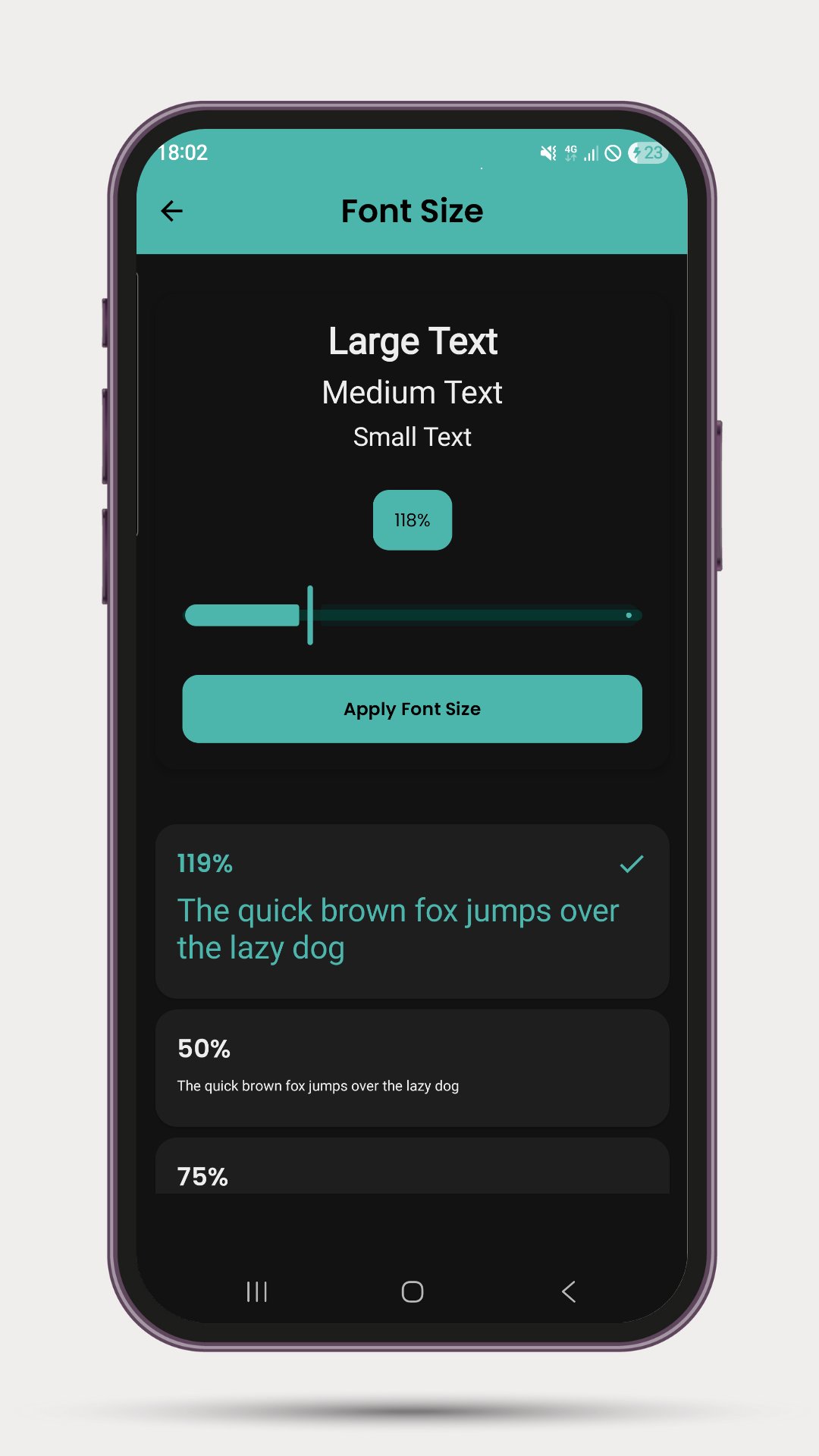
Font Resizer, the free app to change font size, comes with a clean and neat design and the interface is so user-friendly that you’ll get the whole idea after applying different font sizes for your Android device. The font size varies from 0.75x to 3.0x and can be easily toggled by a single touch.
Font Resizer main features at a glance:
• Easily change system font size from 50% to 300%
• See a preview before applying the font size
• Change system fonts with a single click on your desired size
• Its completely free with no in-app purchase items.
** NEW FEATURE SCREEN ANNOUNCE **
Use your screen to show messages in large size. This comes with different styles and beautiful animations.
:: Cool background
:: Font style - Neon, Digital, Electric, LED, monospace
:: Marquee, Typewriter, Pulsate, Wave
:: Slide in/out, Zoom in/out, Bounce, Flip, Explode
:: Multi-color, Glitch, Neon, Shadow movement
:: Swipe to change, Tap burst, shuffle, speech reveal
:: Matrix rain, curtain unveil, Flip clock, fireworks
Get the Font Resizer, the free change font size app, on your Android device, browse through available font sizes, apply from small to big font sizes, and enjoy the perfect font size while reading with your phone or tablet.
The font resizing requires WRITE_SETTINGS permission in order to change the font size. The screen announce option does not require any permission.
※ Note: If the font size doesn't change after applying the new size, you might need to restart your device.
Avance
Etiquetas
PersonalizaciónInformación
Desarrollador
Native Fonts
La última versión
2.0.1
Última actualización
2025-07-12
Categoría
Personalización
Disponible en
Google Play
Mostrar más
Cómo jugar Font Resize: Change Font Size con GameLoop en PC
1. Descargue GameLoop desde el sitio web oficial, luego ejecute el archivo exe para instalar GameLoop.
2. Abra GameLoop y busque "Font Resize: Change Font Size", busque Font Resize: Change Font Size en los resultados de búsqueda y haga clic en "Instalar".
3. Disfruta jugando Font Resize: Change Font Size en GameLoop.
Minimum requirements
OS
Windows 8.1 64-bit or Windows 10 64-bit
GPU
GTX 1050
CPU
i3-8300
Memory
8GB RAM
Storage
1GB available space
Recommended requirements
OS
Windows 8.1 64-bit or Windows 10 64-bit
GPU
GTX 1050
CPU
i3-9320
Memory
16GB RAM
Storage
1GB available space