
Muviz Edge: AOD & Edge Lights para PC
Sparkine Labs
Descarga Muviz Edge: AOD & Edge Lights en PC con GameLoop Emulator
Muviz Edge: AOD & Edge Lights en PC
Muviz Edge: AOD & Edge Lights, proveniente del desarrollador Sparkine Labs, se ejecuta en el sistema Android en el pasado.
Ahora, puedes jugar Muviz Edge: AOD & Edge Lights en PC con GameLoop sin problemas.
Descárgalo en la biblioteca de GameLoop o en los resultados de búsqueda. No más mirar la batería o llamadas frustrantes en el momento equivocado nunca más.
Simplemente disfrute de Muviz Edge: AOD & Edge Lights PC en la pantalla grande de forma gratuita!
Muviz Edge: AOD & Edge Lights Introducción
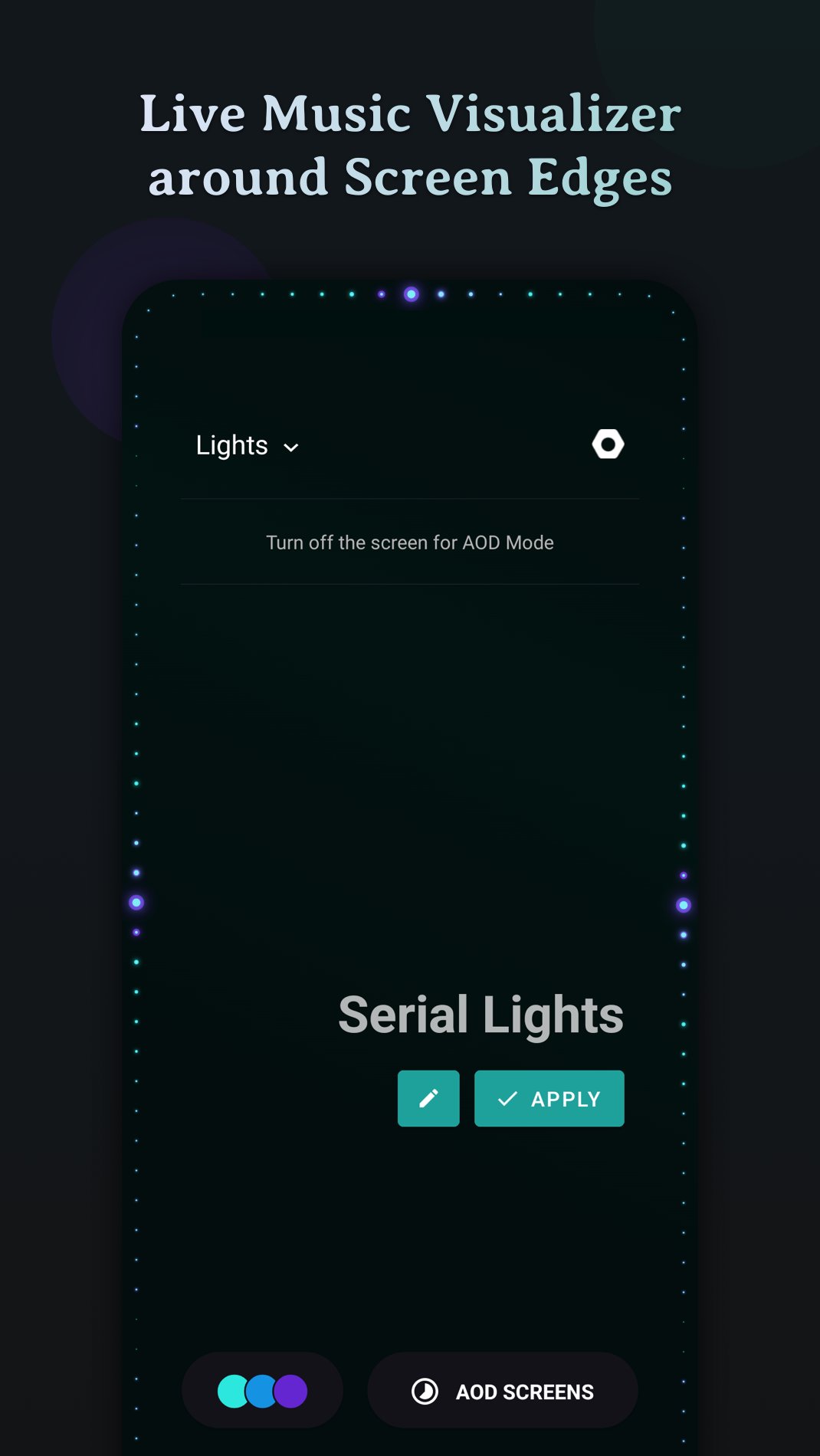
Muviz Edge is a first of its kind app that displays a Live Music Visualizer around the edges of your screen while you are listening to music from your favourite music apps. You can even enjoy edge lighting over our exciting set of Always on Display Screens.
It's a perfect music companion to add edge music lighting to your new age devices with edge to edge rounded screen.
Supports major Music Apps
Enjoy audio visualizer with music from various music apps no matter whether they are offline or streaming.
Always On Display
Continue enjoying edge visualizer even after the screen is turned off with our Always on Display screensaver feature.
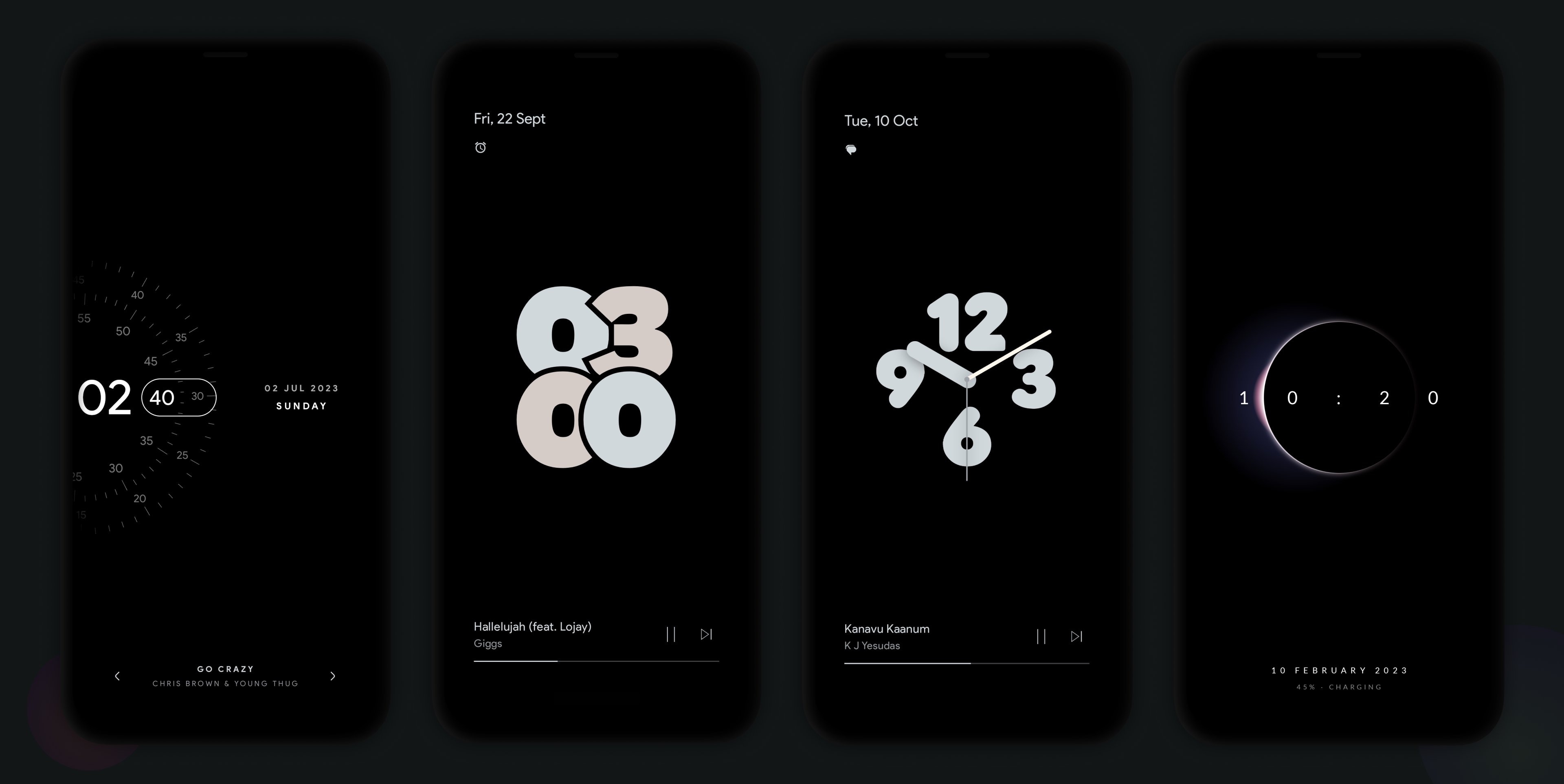
We have growing set of AODs which can be used independently or along with our visualizers. Always on Displays can be extensively customised with our inbuilt editor. Even you can set your own AOD backgrounds.
Some of the AODs are
• HyperOS AOD Screensaver
• Dual Timezone AOD Screensaver
• Nothing(2) AOD Screensaver
• iPhone (or) iOS style AOD Screensaver
• Android 14's AOD Screensaver
• Star field AOD with live Moon phase
• Half Concentric Clock AOD Screensaver
• Pixel Concentric Clock AOD Screensaver
• Google Pixel AOD Screensaver
• Nothing(1) AOD Screensaver
• Solar System Clock AOD Screensaver
• Eclipse Clock AOD Screensaver
• Flip Clock AOD Screensaver
• Android 12 Clock AOD Screensaver
• Text Clock AOD Screensaver
• Nike Watch Face AOD Screensaver
• Blinky Animation AOD Screensaver
• Retro 8-bit Clock AOD Screensaver
and more to come.
Customizable Design Packs
The app contains responsive visualizer design packs crafted specifically for screen edges and can be customized to match your style. Get ready to experience fresh new designs as you go!
Color Palette Galore
The app allows you to customize the visualizer colors in many possible ways.
• Select colors from a set of stock palettes.
• Use colors from album cover / album art / cover art of the currently playing music.
• Automatically apply colors from current album art.
• Add your own custom color palette.
• Save all eye catching color palettes into your palette collection.
Visualizer Control Options
• Option to select music sources for visualization.
• Option to dim the background and keep the screen ON when visualizer is active.
• Option to hide visualizer over fullscreen apps. (while playing games and videos)
• Option to select apps over which visualizer should be displayed.
Burn-in Protection
Improved pixel shifting is built into our AODs to prevent AMOLED screens from burn-in.
Facing issues? don't hesitate to drop us a mail at support@sparkine.com
Avance
Etiquetas
PersonalizaciónInformación
Desarrollador
Sparkine Labs
La última versión
2.0.9.0
Última actualización
2026-02-03
Categoría
Personalización
Disponible en
Google Play
Mostrar más
Cómo jugar Muviz Edge: AOD & Edge Lights con GameLoop en PC
1. Descargue GameLoop desde el sitio web oficial, luego ejecute el archivo exe para instalar GameLoop.
2. Abra GameLoop y busque "Muviz Edge: AOD & Edge Lights", busque Muviz Edge: AOD & Edge Lights en los resultados de búsqueda y haga clic en "Instalar".
3. Disfruta jugando Muviz Edge: AOD & Edge Lights en GameLoop.
Minimum requirements
OS
Windows 8.1 64-bit or Windows 10 64-bit
GPU
GTX 1050
CPU
i3-8300
Memory
8GB RAM
Storage
1GB available space
Recommended requirements
OS
Windows 8.1 64-bit or Windows 10 64-bit
GPU
GTX 1050
CPU
i3-9320
Memory
16GB RAM
Storage
1GB available space