
True Shuffle Player para PC
Vana software
Descarga True Shuffle Player en PC con GameLoop Emulator
True Shuffle Player en PC
True Shuffle Player, proveniente del desarrollador Vana software, se ejecuta en el sistema Android en el pasado.
Ahora, puedes jugar True Shuffle Player en PC con GameLoop sin problemas.
Descárgalo en la biblioteca de GameLoop o en los resultados de búsqueda. No más mirar la batería o llamadas frustrantes en el momento equivocado nunca más.
Simplemente disfrute de True Shuffle Player PC en la pantalla grande de forma gratuita!
True Shuffle Player Introducción
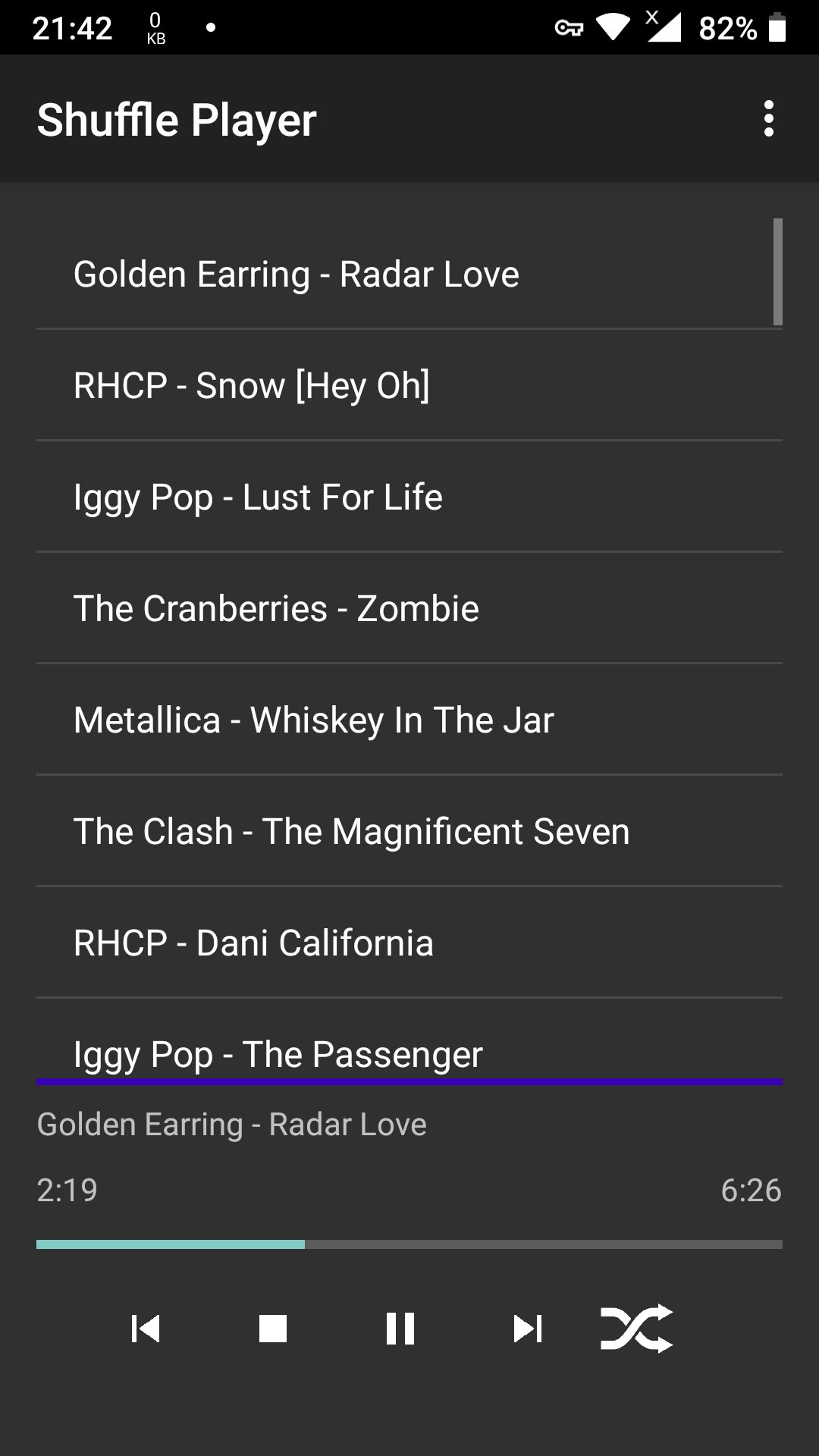
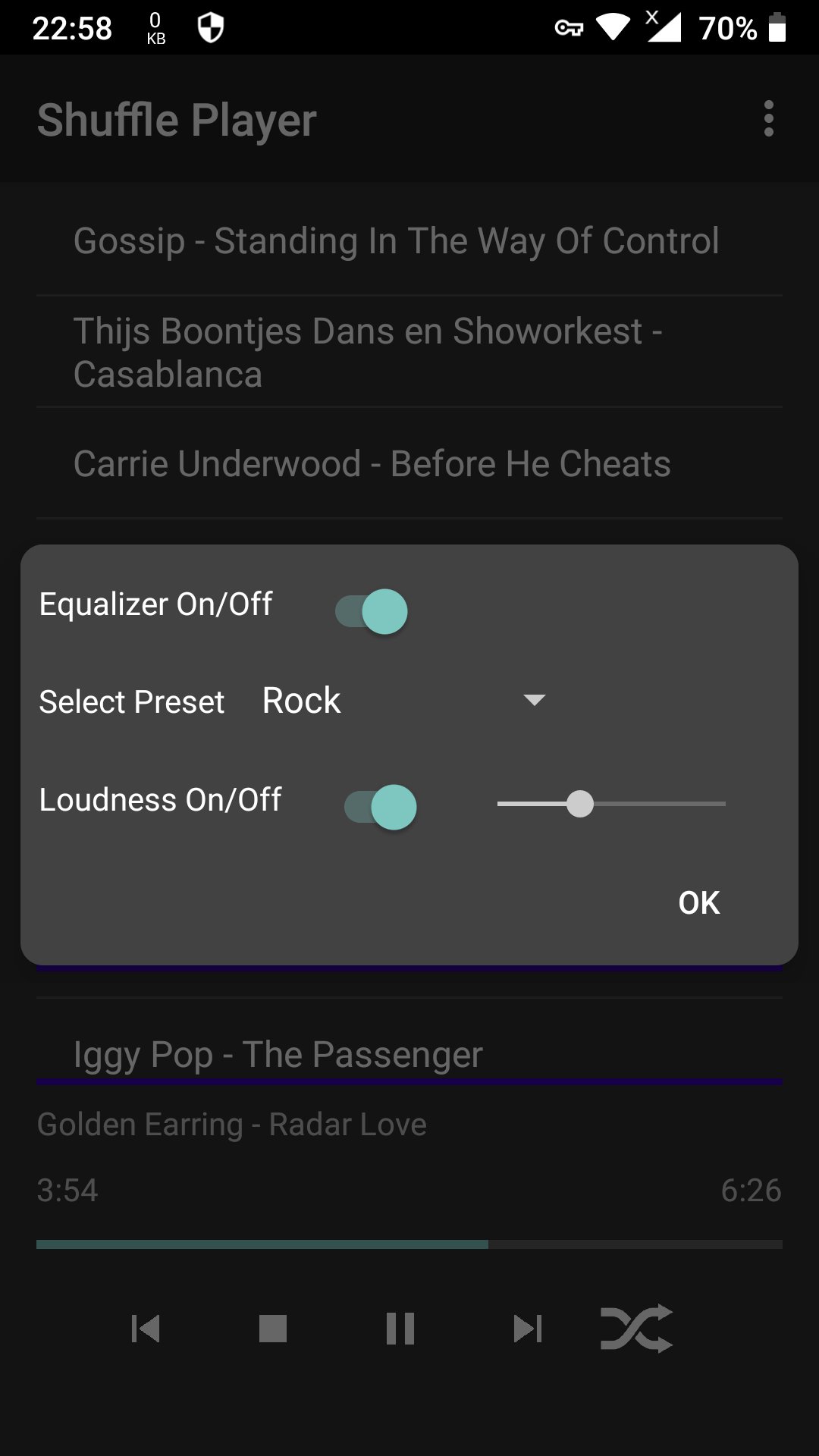
The True Shuffle Player has one design brief: a simplistic design with the highest-quality playback and the ability to be an audio player that does not repeat songs from the playlist until all songs are played, and then plays the list again with a new shuffled playing order.
If you want a music player who functions like a carnival or like a Christmas tree, look elsewhere. This player is for music lovers, not for music watchers.
The app is intended for listening to mp3 files from your phone, without actually using the phone. For a person who enjoys walking, running, or jogging, hiking, exercise, riding a bike (never use headphones when you ride a bike), walking a dog, fishing, gardening, engaging in DIY activities, and so on.
You can also make as many playlists as you want and save them for later use. You can re-play already played songs, etc.
The main app feature is that when in shuffle mode, there is no repetition of songs from the list.
Each song is played once until the list is completed, then a new random order is made, and listening continues without repeating songs from the list in the same order.
Also, unlike some applications, the playlist you save is saved as a text file, basically. This means that the list is not saved by copying all the mp3 files into a separate folder, unnecessarily consuming the phone's memory by filling it with redundant duplicated files.
IMPORTANT: When transferring files onto your phone, due to the Android glitch, please use a USB cable. Sometimes, if mp3 files are transferred using WiFi transfer or similar, the operating system does not put the file's data into the phone's media database, so the app will not add such a file to the playlist.
There is an explanation for this behavior. For security reasons, in recent Android OS versions , when a user select a file to play in some app, permission to access the file is valid only until the user exits the app. When the user exits the app, file access permission is revoked.
However, it is possible for the app to get extended file access permission, but such extended access permission is only valid until the phone is restarted. If user restart the phone, file access permission is revoked permanently.
That is why we have chosen the approach not to save real file location on the phone storage when user create the playlist, but to save the so-called file metadata from the phone media files database.
In this way, even after restarting the phone, it is possible for the app to play the playlist again, by querying for the location of the files in the database of all media files in the phone.
So, if your media files metadata are not saved in the phone media files database, which happens if the files in the phone are not transferred using a USB cable, but using WiFi transfer or similar, such a file can not be opened in the application.
Sorry if this bothers you, but this behavior is not problem in our application, but a kind of a glitch in Android OS.
If this bothers you, please contact the Android OS creators. Perhaps you can send them the note to the fact that Android does not insert all media files in the media files database, but mainly, or only, files transferred using USB cable.
Also, it is preferable to have mp3 tags added to the file.
Best regards and enjoy the music.
NOTE: For the True Shuffle Player to work as requested, you should disable battery optimization in doze mode. In doze mode, the Android OS attempts to preserve battery life by preventing apps from working in the background. Open app settings (Menu -> Settings), then when battery settings finish opening, please tap "All apps" in the upper right corner, find "True Shuffle" Player, select "Do not optimize" and confirm.
Avance
Etiquetas
Music-&Información
Desarrollador
Vana software
La última versión
1.0
Última actualización
2025-07-21
Categoría
Music-audio
Disponible en
Google Play
Mostrar más
Cómo jugar True Shuffle Player con GameLoop en PC
1. Descargue GameLoop desde el sitio web oficial, luego ejecute el archivo exe para instalar GameLoop.
2. Abra GameLoop y busque "True Shuffle Player", busque True Shuffle Player en los resultados de búsqueda y haga clic en "Instalar".
3. Disfruta jugando True Shuffle Player en GameLoop.
Minimum requirements
OS
Windows 8.1 64-bit or Windows 10 64-bit
GPU
GTX 1050
CPU
i3-8300
Memory
8GB RAM
Storage
1GB available space
Recommended requirements
OS
Windows 8.1 64-bit or Windows 10 64-bit
GPU
GTX 1050
CPU
i3-9320
Memory
16GB RAM
Storage
1GB available space