PhonoPaper para PC
Alexander Zolotov
Descarga PhonoPaper en PC con GameLoop Emulator
PhonoPaper en PC
PhonoPaper, proveniente del desarrollador Alexander Zolotov, se ejecuta en el sistema Android en el pasado.
Ahora, puedes jugar PhonoPaper en PC con GameLoop sin problemas.
Descárgalo en la biblioteca de GameLoop o en los resultados de búsqueda. No más mirar la batería o llamadas frustrantes en el momento equivocado nunca más.
Simplemente disfrute de PhonoPaper PC en la pantalla grande de forma gratuita!
PhonoPaper Introducción
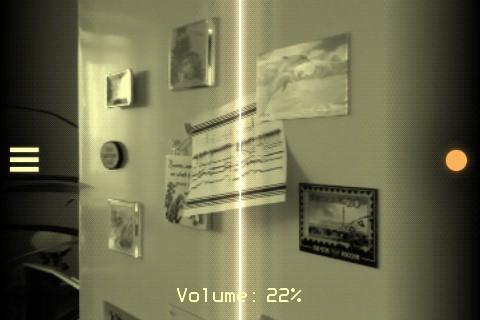
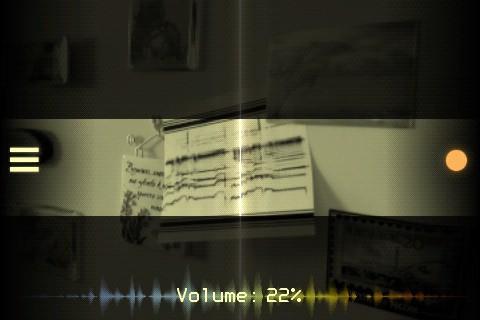
PhonoPaper is a camera app for playing pictures with encoded sound (PhonoPaper-codes).
With this app, you can also create your own codes: 10 seconds of sound can be recorded from a microphone and converted into an image.
[ Key features ]
* PhonoPaper does not require access to the network for decoding;
* PhonoPaper code is analogue, so it is not so sensitive to different types of the image distortion (bad camera, dark picture, wrinkled paper, etc.); at least you will hear the "silhouette" of the original sound;
* code can be played in real-time with hand-controlled speed and direction;
* code can be drawn by hand to get some unusual sounds.
[ Examples of usage ]
* voice messages (or pieces of music) on t-shirts, billboards, posters, postcards, goods;
* audio labels for phonorecords;
* audio examples in books;
* secret messages;
* art-experiments.
[ How to use ]
Launch the app, point the camera at the code (tap on the screen to focus if necessary) and smoothly scan the picture from left to right. The code should be parallel to the frame - try to keep the camera level. The black code markers (top and bottom) should fall entirely into the frame. If the application recognizes code markers, you will hear a sound. If you are unable to play the code smoothly, press the record button on the right side of the screen, this will enable automatic scanning.
Default PhonoPaper code length is 10 seconds. But if the code was generated in Virtual ANS app, its length can be much longer - in this case, the playback speed can be changed manually.
Known solutions for some problems:
http://warmplace.ru/android
Avance
Etiquetas
Music-&Información
Desarrollador
Alexander Zolotov
La última versión
1.6.1b
Última actualización
2023-10-23
Categoría
Music-audio
Disponible en
Google Play
Mostrar más
Cómo jugar PhonoPaper con GameLoop en PC
1. Descargue GameLoop desde el sitio web oficial, luego ejecute el archivo exe para instalar GameLoop.
2. Abra GameLoop y busque "PhonoPaper", busque PhonoPaper en los resultados de búsqueda y haga clic en "Instalar".
3. Disfruta jugando PhonoPaper en GameLoop.
Minimum requirements
OS
Windows 8.1 64-bit or Windows 10 64-bit
GPU
GTX 1050
CPU
i3-8300
Memory
8GB RAM
Storage
1GB available space
Recommended requirements
OS
Windows 8.1 64-bit or Windows 10 64-bit
GPU
GTX 1050
CPU
i3-9320
Memory
16GB RAM
Storage
1GB available space