
Appcompanist para PC
Appcompanist, LLC
Descarga Appcompanist en PC con GameLoop Emulator
Appcompanist en PC
Appcompanist, proveniente del desarrollador Appcompanist, LLC, se ejecuta en el sistema Android en el pasado.
Ahora, puedes jugar Appcompanist en PC con GameLoop sin problemas.
Descárgalo en la biblioteca de GameLoop o en los resultados de búsqueda. No más mirar la batería o llamadas frustrantes en el momento equivocado nunca más.
Simplemente disfrute de Appcompanist PC en la pantalla grande de forma gratuita!
Appcompanist Introducción
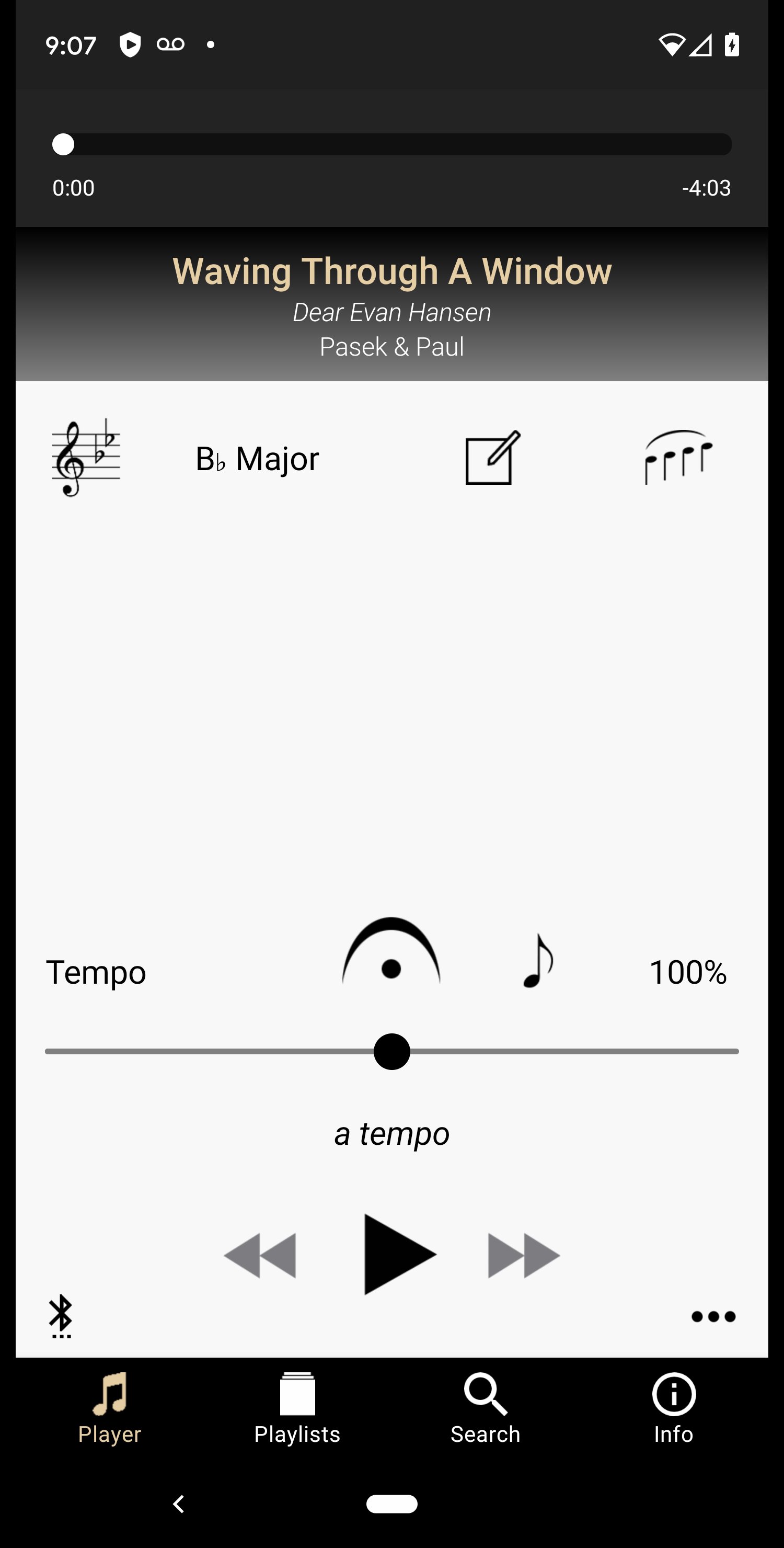
Appcompanist gives classical and musical theater singers and voice teachers full control over the world’s best piano accompaniment recordings, including tempo, key, melody help, fermata and more.
Appcompanist puts a level of control in your hand never before possible with recorded accompaniments. Transpose to any key; set any tempo; blend a melody guide track in and out in various octaves as piece plays; create additional rubato, fermatas of any length, ritardandos and accelerandos; set markers and create cuts and loop sections, all using simple on-screen motions that can be done with one hand while teaching or singing, and all without affecting musical quality. You can even save your tempo changes and fermatti to create custom versions that play exactly the way you want every time, but still respond to any changes you decide to make on the fly!
Appcompanist also includes over 850 Vocal Exercises and Warm-ups as part of the free version, all with full app functionality. Repeating exercises also let you choose direction (up, down, or repeat the same key) prior to each repeat. 10 full-length sample songs are also included so you can explore all of the app’s unique playback features.
Top-level collaborative pianists from around the world are recording high quality, singer-sensitive accompaniments for every aria, art song, and musical theater piece in the vocal repertoire for use in Appcompanist. Thousands of titles are already available in the fastest growing accompaniment library available.
Features:
Transpose instantly up or down 11 half-steps from the originally recorded key with no change in audio quality.
Turn a melody guide track on or off any time during play, adjust the level of melody you hear against the full accompaniment, and choose to hear melody in one of three octaves.
Hold and sustain the accompaniment, then bring it back in with perfect accuracy for musical pauses, cadenzas, recitatives, or other times in which a fermata is indicated. The fermata button can also be used to start playback at any point in the piece precisely when you're ready.
Check next melody pitch when stopped and start in perfect sync with the accompaniment every time.
Adjust tempo during play to suit any interpretation or set a new tempo with the tempo slider.
Add markers, create cuts, and set loop sections anywhere in any piece.
Create Custom Versions that can be controlled just like the original accompaniment.
Set a countdown timer to delay the start of playback from any point in the accompaniment.
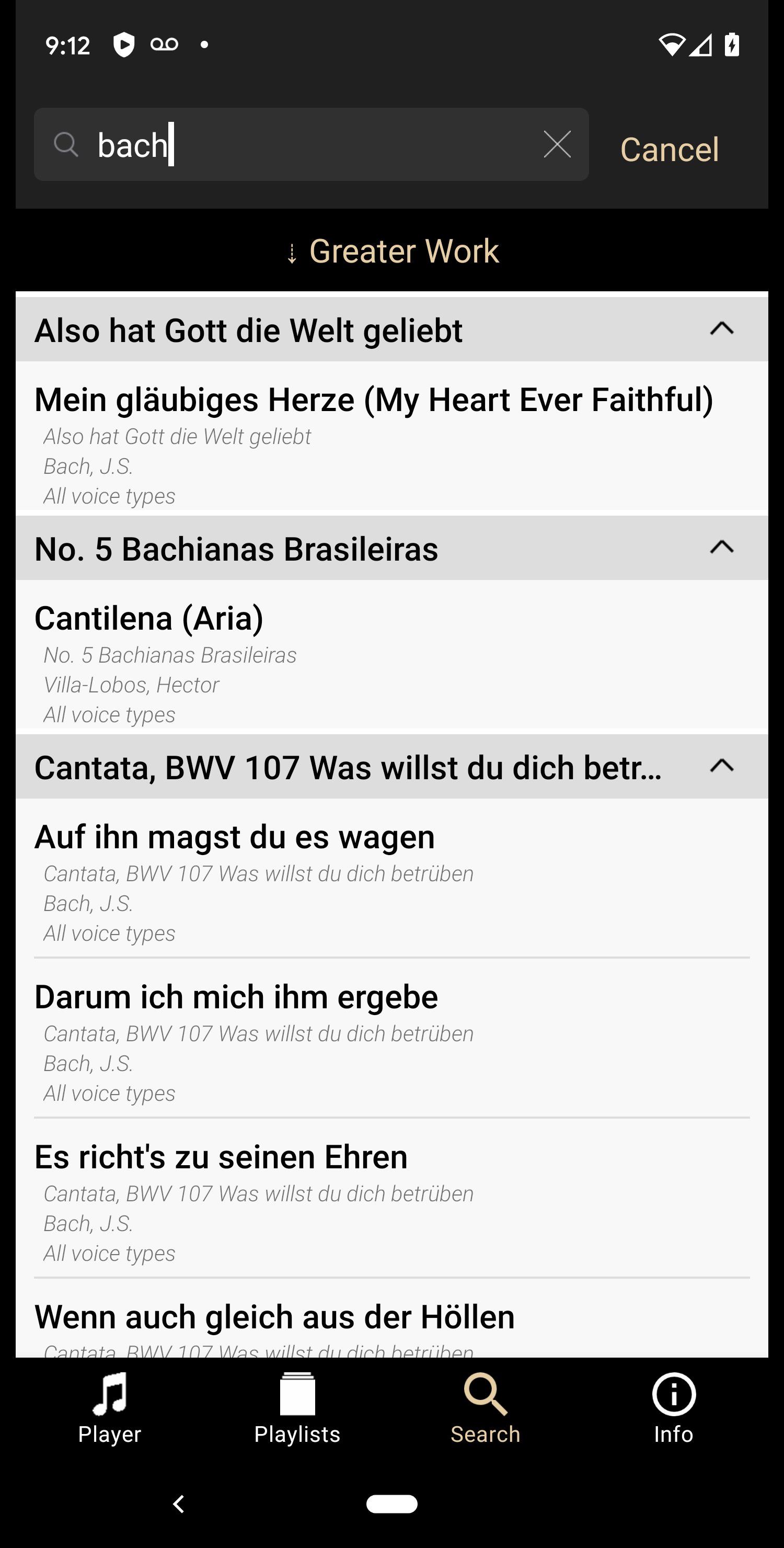
Sort the library list or use keywords to find the perfect piece.
Create and edit playlists and share songs and playlists with other users.
Appcompanist recordings are played by some of the world’s top collaborative pianists and coaches.
Avance
Etiquetas
Music-&Información
Desarrollador
Appcompanist, LLC
La última versión
2.1.21
Última actualización
2026-01-06
Categoría
Music-audio
Disponible en
Google Play
Mostrar más
Cómo jugar Appcompanist con GameLoop en PC
1. Descargue GameLoop desde el sitio web oficial, luego ejecute el archivo exe para instalar GameLoop.
2. Abra GameLoop y busque "Appcompanist", busque Appcompanist en los resultados de búsqueda y haga clic en "Instalar".
3. Disfruta jugando Appcompanist en GameLoop.
Minimum requirements
OS
Windows 8.1 64-bit or Windows 10 64-bit
GPU
GTX 1050
CPU
i3-8300
Memory
8GB RAM
Storage
1GB available space
Recommended requirements
OS
Windows 8.1 64-bit or Windows 10 64-bit
GPU
GTX 1050
CPU
i3-9320
Memory
16GB RAM
Storage
1GB available space