Microphone Amplifier para PC
Ronasoft Media
Descarga Microphone Amplifier en PC con GameLoop Emulator
Microphone Amplifier en PC
Microphone Amplifier, proveniente del desarrollador Ronasoft Media, se ejecuta en el sistema Android en el pasado.
Ahora, puedes jugar Microphone Amplifier en PC con GameLoop sin problemas.
Descárgalo en la biblioteca de GameLoop o en los resultados de búsqueda. No más mirar la batería o llamadas frustrantes en el momento equivocado nunca más.
Simplemente disfrute de Microphone Amplifier PC en la pantalla grande de forma gratuita!
Microphone Amplifier Introducción
Microphone & Sound Amplifier app🎤
This microphone app transforms your device into a powerful microphone booster and voice amplifier. Perfect for everyday use, it’s designed to improve your listening experience and make it clearer and more focused.
Microphone Amplifier
Microphone Amplifier is more than just a simple voice amplifier app. It’s your solution to boost microphone performance, sharpen speech, and capture critical audio moments. Here’s why you’ll love it:
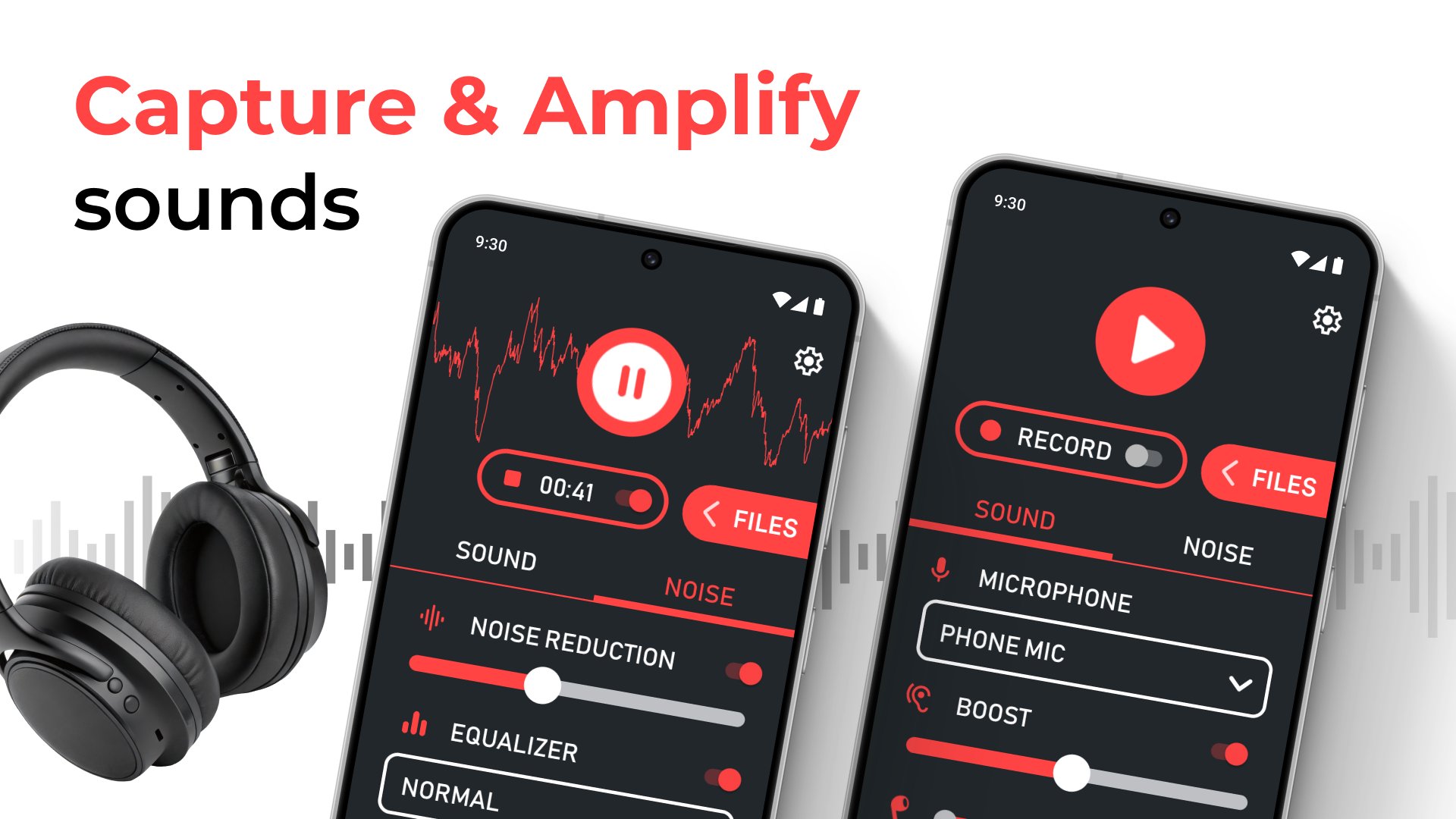
🎤Amplify Speech & Sounds: Use it as a sound enhancer to sharpen speech and other crucial sounds while reducing background noise.
🎤Enjoy Clear TV Audio: Hear your favorite shows clearly without turning the volume up and disturbing others.
🎤Hearing Aid Alternative: Can’t afford a traditional hearing aid? This voice amplifier is a practical solution, helping you catch every word during conversations and meetings.
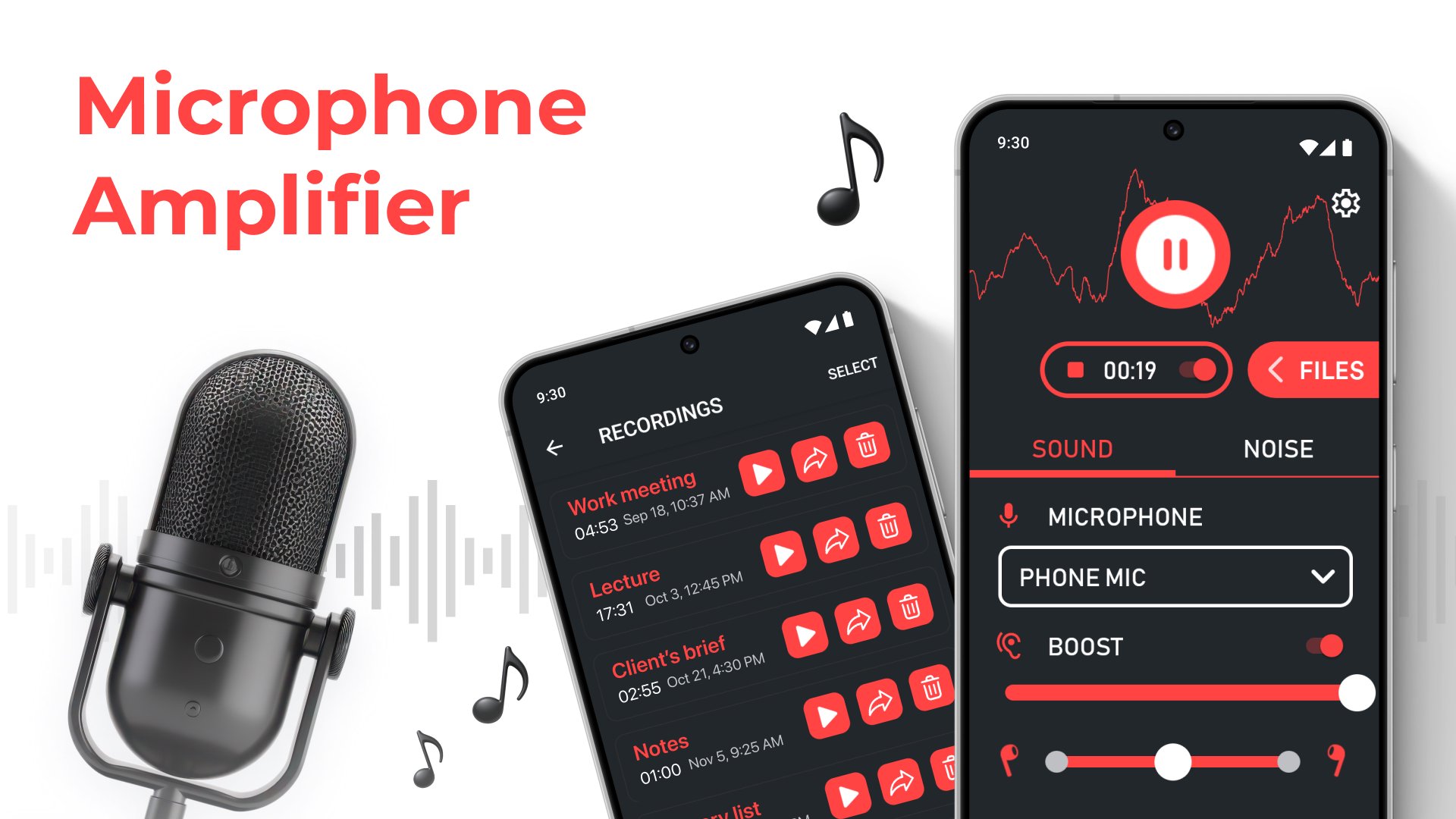
🎤Record & Save:The app doubles as a microphone recorder, allowing you to capture and save important audio.
🎤Custom Settings: Adjust and save settings to suit your environment and preferences perfectly.
How Microphone Amplifier Works
Getting started with Microphone Amplifier is quick and easy. Transform your phone or tablet into a versatile microphone app in just a few steps:
Connect Your Headphones: Use wired or Bluetooth headphones for the best results.
Tap “Listen”: Launch the app to boost mic volume and amplify surrounding sounds.
Fine-Tune Settings: Adjust the microphone booster and sound enhancer levels to suit your needs.
Record Audio: Save the sounds you need using the built-in microphone recorder.
It’s that simple! Whether you’re catching every word in a busy environment or recording critical audio, Microphone Amplifier has you covered.
Microphone Amplifier Benefits
👂People with Hearing Challenges: Use it as a voice amplifier to improve clarity in conversations and reduce the need to ask others to repeat themselves.
👂Students & Professionals: Amplify and easily record lectures, meetings, or presentations using this reliable microphone app.
👂Home Entertainment Enthusiasts: Enjoy clearer audio for TV and music without disrupting others by boosting the sound with a microphone booster.
👂Outdoor Enthusiasts: Stay alert by amplifying important sounds and ensuring you’re always aware of your surroundings.
Top Features That Set Us Apart
Boost Mic Volume: Amplify even the faintest sounds effortlessly.
Microphone Booster: Use your device’s microphone or headphone mic to enhance sound quality.
Sound Enhancer: Customize audio settings to focus on speech, reduce noise, or amplify subtle sounds.
Microphone Recorder: Record and save conversations, lectures, or other sounds directly from the app.
Voice Amplifier: Amplify speech and sounds in real-time for clearer communication.
This microphone app is designed to fit seamlessly into your daily life.
Ready to Hear the World Like Never Before?
Download Microphone Amplifier today to experience the full potential of a microphone booster, voice amplifier, and sound enhancer. With its ability to boost mic volume and enhance your audio environment, this microphone app is your ultimate companion for better hearing and recording.
Take control of your audio experience now—install a Microphone Amplifier and hear everything more clearly!
Disclaimer: Microphone Amplifier is not a certified medical device. Always consult a professional for hearing-related issues.
Avance
Etiquetas
MedicinaInformación
Desarrollador
Ronasoft Media
La última versión
13.1.4
Última actualización
2026-04-10
Categoría
Medicina
Disponible en
Google Play
Mostrar más
Cómo jugar Microphone Amplifier con GameLoop en PC
1. Descargue GameLoop desde el sitio web oficial, luego ejecute el archivo exe para instalar GameLoop.
2. Abra GameLoop y busque "Microphone Amplifier", busque Microphone Amplifier en los resultados de búsqueda y haga clic en "Instalar".
3. Disfruta jugando Microphone Amplifier en GameLoop.
Minimum requirements
OS
Windows 8.1 64-bit or Windows 10 64-bit
GPU
GTX 1050
CPU
i3-8300
Memory
8GB RAM
Storage
1GB available space
Recommended requirements
OS
Windows 8.1 64-bit or Windows 10 64-bit
GPU
GTX 1050
CPU
i3-9320
Memory
16GB RAM
Storage
1GB available space