DriveMate KingKong para PC
CARMATE MFG.CO.,LTD.
Descarga DriveMate KingKong en PC con GameLoop Emulator
DriveMate KingKong en PC
DriveMate KingKong, proveniente del desarrollador CARMATE MFG.CO.,LTD., se ejecuta en el sistema Android en el pasado.
Ahora, puedes jugar DriveMate KingKong en PC con GameLoop sin problemas.
Descárgalo en la biblioteca de GameLoop o en los resultados de búsqueda. No más mirar la batería o llamadas frustrantes en el momento equivocado nunca más.
Simplemente disfrute de DriveMate KingKong PC en la pantalla grande de forma gratuita!
DriveMate KingKong Introducción
DriveMate KingKong is a simple speedometer application software that uses the GPS function. This speedometer software features a retro design and has a warning chime function for over speeding. It sounds an alarm chime* when the vehicle exceeds the set speed limit.
*The application software is named after the "dingdong" alarm sound (sounds like "kin-kon" or "king-kong" when expressed in Japanese).
━━ What is the speed warning chime? ━━
It was mandatory for all Japanese vehicles to be equipped with speed alarms between 1974 and 1986. Reminding you of the chime sounds of those days, this speed alarm is used to make you pay attention to the vehicle’s speed when you exceed a certain limit (ordinary passenger car: approx. 100 km/h, light car: approx. 80km/h).
━━ Target users ━━
★Persons who want to be aware of the moving speed and distance while driving/riding a car, bus, train, or bicycle and jogging or walking.
★Persons who want to control the moving speed.
★Persons who long for the nostalgic “dingdong” speed alarm sounds of the Japanese cars of 1974 to 1986.
━━ Features ━━
★Speedometer
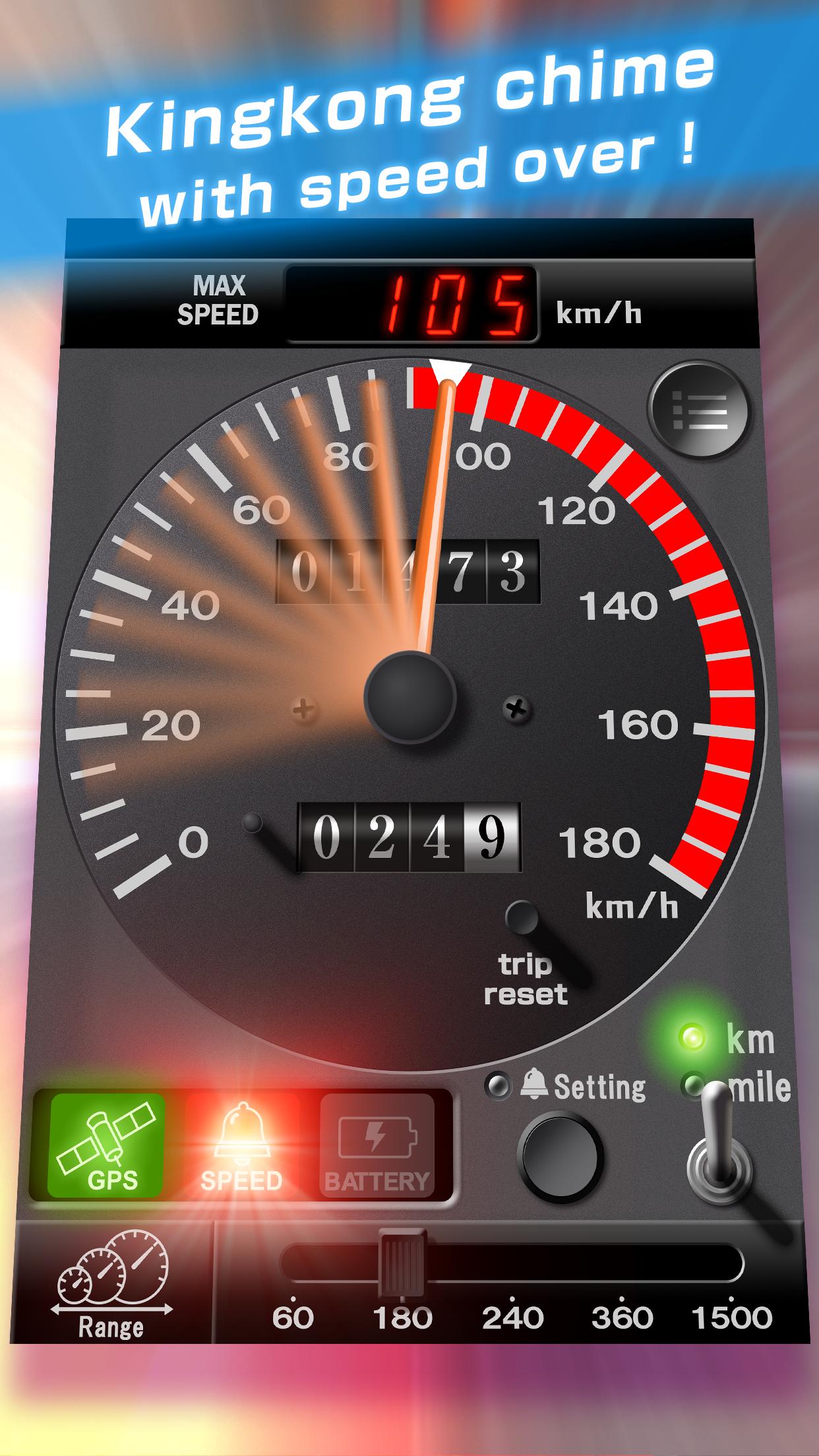
When the Android device receives Global Positioning System (GPS) satellite signals, the speedometer displays your current speed.
You can use the lower right switch to change the display unit between "km/h" and "MPH."
The meter can display speeds between 0 and 180km/h (MPH).
There is an additional function (provided at a charge) that allows you to set the highest speed from four selections (60, 180, 240, 360 and 1500).
The left side indicator (satellite icon) among the indicators under the meter informs you of the receiving status of GPS satellite signals. The indicator lights red when you are in a place such as a building or tunnel that blocks reception of GPS satellite signals. It turns green when GPS satellite signals can be received properly.
★Speed warning chime
When you exceed the set speed limit, the speed warning indicator under the screen lights red and the application sounds a “dingdong” speed warning chime at the same time.
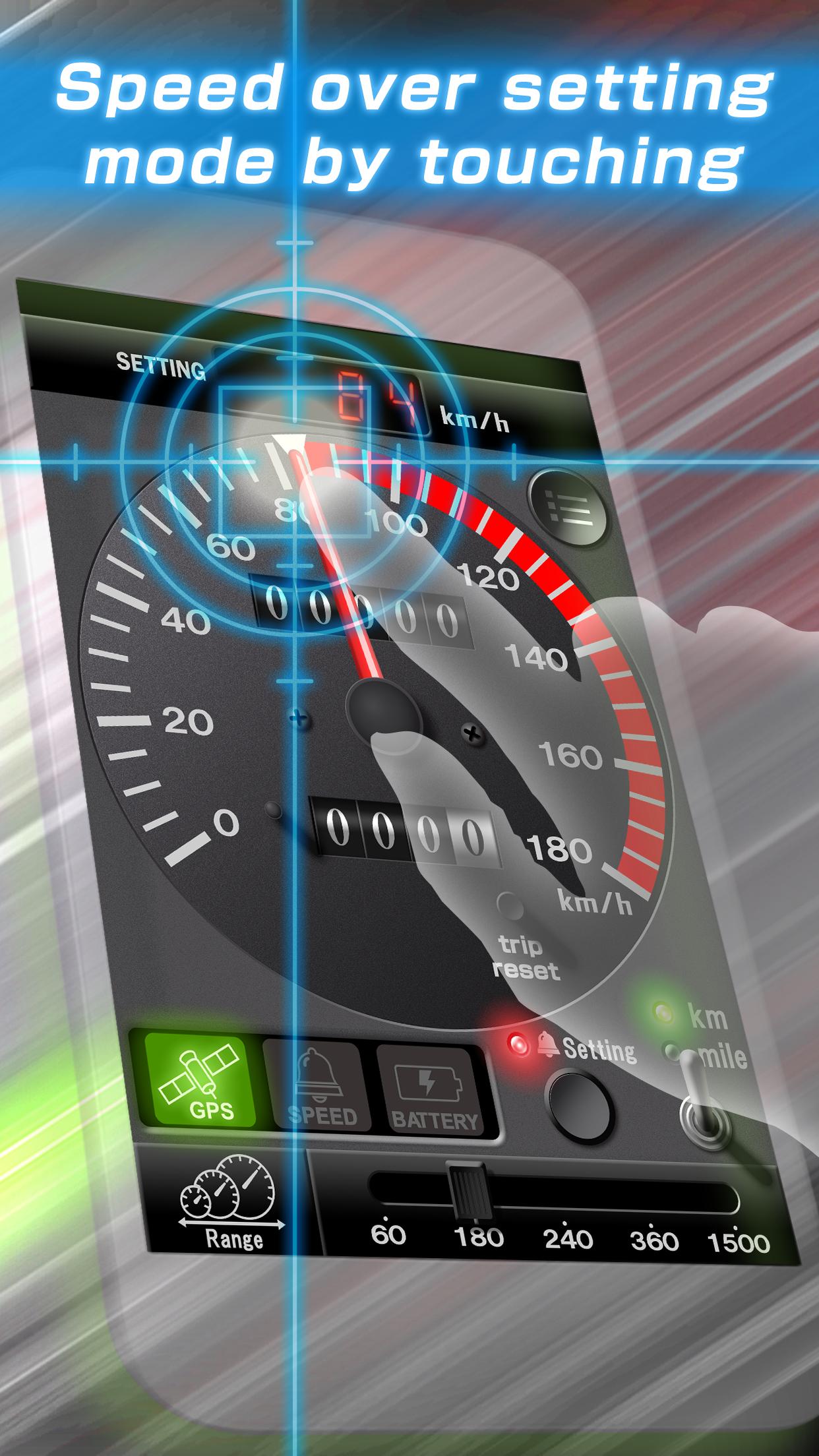
You can change the setting speed by tapping the Setting button and moving the red needle displayed on the screen with your finger.
The speed-warning chime may sound slightly off-tempo sometimes because this speedometer attempts to reproduce the feel of the 70s and 80s chimes. This is not a bug.
This application software does not have a volume adjustment function. Use the volume control on the Android device to adjust the sound.
★Travelling distance
The meter displays the distance that has been traveled while this application software is turned on. The distance is measured in kilometers (or miles).
The upper display shows the odometer. This value cumulates until you uninstall the application software.
The lower display shows the trip meter. This value is reset when you tap the Reset button.
★Warning lamp (rightmost lamp)
When a "certain condition" is met, the rightmost indicator under the meter lights.
【Warning and cautions】
■Never operate this application software while you are driving a car.
■If the alarm chime makes you drowsy, stop using the alarm immediately.
■Be sure to use this application software when you are outside. Otherwise, it may not display the accurate speed and distance.
■This application software uses the Location Service, therefore turn ON the Location Service when you use it.
Avance
Etiquetas
Maps-&Información
Desarrollador
CARMATE MFG.CO.,LTD.
La última versión
3.5.0
Última actualización
2023-12-28
Categoría
Maps-navigation
Disponible en
Google Play
Mostrar más
Cómo jugar DriveMate KingKong con GameLoop en PC
1. Descargue GameLoop desde el sitio web oficial, luego ejecute el archivo exe para instalar GameLoop.
2. Abra GameLoop y busque "DriveMate KingKong", busque DriveMate KingKong en los resultados de búsqueda y haga clic en "Instalar".
3. Disfruta jugando DriveMate KingKong en GameLoop.
Minimum requirements
OS
Windows 8.1 64-bit or Windows 10 64-bit
GPU
GTX 1050
CPU
i3-8300
Memory
8GB RAM
Storage
1GB available space
Recommended requirements
OS
Windows 8.1 64-bit or Windows 10 64-bit
GPU
GTX 1050
CPU
i3-9320
Memory
16GB RAM
Storage
1GB available space