
Love Days Counting- Love Diary para PC
FAVAS Group
Descarga Love Days Counting- Love Diary en PC con GameLoop Emulator
Love Days Counting- Love Diary en PC
Love Days Counting- Love Diary, proveniente del desarrollador FAVAS Group, se ejecuta en el sistema Android en el pasado.
Ahora, puedes jugar Love Days Counting- Love Diary en PC con GameLoop sin problemas.
Descárgalo en la biblioteca de GameLoop o en los resultados de búsqueda. No más mirar la batería o llamadas frustrantes en el momento equivocado nunca más.
Simplemente disfrute de Love Days Counting- Love Diary PC en la pantalla grande de forma gratuita!
Love Days Counting- Love Diary Introducción
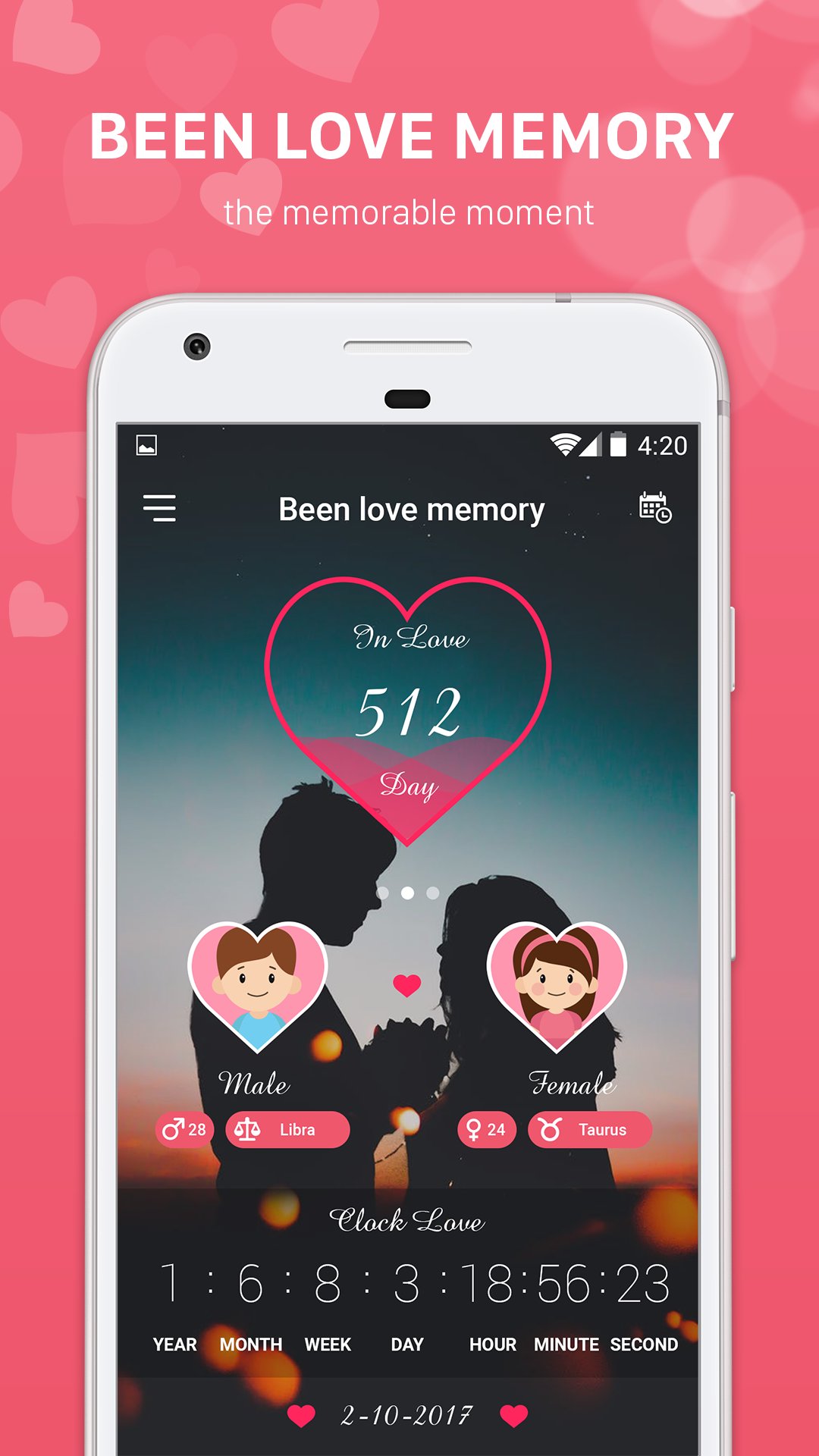
Love Days Counting shows how many days you and your partner have been together, reminds you of every anniversary, and keeps your diary, love letters and photos in one place. Set it up in a minute: add both names, pick the day your relationship began, and watch your love counter fill up day by day.
LOVE DAYS COUNTER
• See your days together inside an animated wave, with a love clock in years, months, days, hours, minutes and seconds
• Choose from more than 30 counter styles: heart, cloud, apple, ripple, sun, puppy and more
• Show your day count and both names in the notification bar
MILESTONES AND COUNTDOWNS
• Track day 100, 500, 1000 and every year together on a relationship timeline
• Count down to birthdays, Valentine's Day, Christmas and your own special dates
• Get anniversary reminders a few days before, so neither of you forgets
PAIR TWO PHONES (NEW)
• Enter one code and you both see the same diary, letters and anniversaries
• Prefer to use it alone? Start solo and pair later
LOVE DIARY
• Save memories with photos, dates, places and how you felt that day
• Every entry shows which day of your relationship it was
• Scroll back through your story month by month
LOVE LETTERS AND MESSAGES
• Write love letters to your partner
• Letters to open later (new): write today and choose the day your partner can open it
• Browse a collection of ready-made love messages and good night texts to copy or send
A QUESTION A DAY (NEW)
• Answer one question about your relationship every day
• You see each other's answer only after you've both replied
THINGS TO DO TOGETHER (NEW)
• Build a shared bucket list of trips, dates and experiences
• Tick off each one as you do it and see how far you've come
ANNIVERSARY CARDS (NEW)
• Turn a special day into an image with your day count and names
• Sizes for posts, stories and square photos, ready to save or share
MAKE IT YOURS
• Pick the counter shape, wave colour, background and font
• More than 100 love wallpapers and more than 30 fonts
• Add photos of you both and choose from heart, hexagon, diamond, apple and cloud frames
• Edit names, nicknames and the text above and below your counter
WIDGETS AND LOCK SCREEN
• Home screen widgets for your day count, both names and upcoming countdowns
• A love lock screen with the time and your counter
• Quick shortcut to see your count without opening the app
• Lite mode for a simpler, faster layout
PRIVATE BY DEFAULT
• Lock the app with a PIN or your fingerprint so your diary and letters stay between the two of you
ALSO INCLUDED
• Zodiac compatibility and daily horoscope for both of you
Whether you've just started dating, are in a long-distance relationship or have been married for years, Love Days Counting helps you remember the days that matter.
Download Love Days Counting and see what day of your love story today is.
Avance

Etiquetas
Estilo de vidaInformación
Desarrollador
FAVAS Group
La última versión
3.61
Última actualización
Yesterday
Categoría
Estilo de vida
Disponible en
Google Play
Mostrar más
Cómo jugar Love Days Counting- Love Diary con GameLoop en PC
1. Descargue GameLoop desde el sitio web oficial, luego ejecute el archivo exe para instalar GameLoop.
2. Abra GameLoop y busque "Love Days Counting- Love Diary", busque Love Days Counting- Love Diary en los resultados de búsqueda y haga clic en "Instalar".
3. Disfruta jugando Love Days Counting- Love Diary en GameLoop.
Minimum requirements
OS
Windows 8.1 64-bit or Windows 10 64-bit
GPU
GTX 1050
CPU
i3-8300
Memory
8GB RAM
Storage
1GB available space
Recommended requirements
OS
Windows 8.1 64-bit or Windows 10 64-bit
GPU
GTX 1050
CPU
i3-9320
Memory
16GB RAM
Storage
1GB available space