
Gamers GLTool with Game Tuner para PC
Trilokia Inc.
Descarga Gamers GLTool with Game Tuner en PC con GameLoop Emulator
Gamers GLTool with Game Tuner en PC
Gamers GLTool with Game Tuner, proveniente del desarrollador Trilokia Inc., se ejecuta en el sistema Android en el pasado.
Ahora, puedes jugar Gamers GLTool with Game Tuner en PC con GameLoop sin problemas.
Descárgalo en la biblioteca de GameLoop o en los resultados de búsqueda. No más mirar la batería o llamadas frustrantes en el momento equivocado nunca más.
Simplemente disfrute de Gamers GLTool with Game Tuner PC en la pantalla grande de forma gratuita!
Gamers GLTool with Game Tuner Introducción
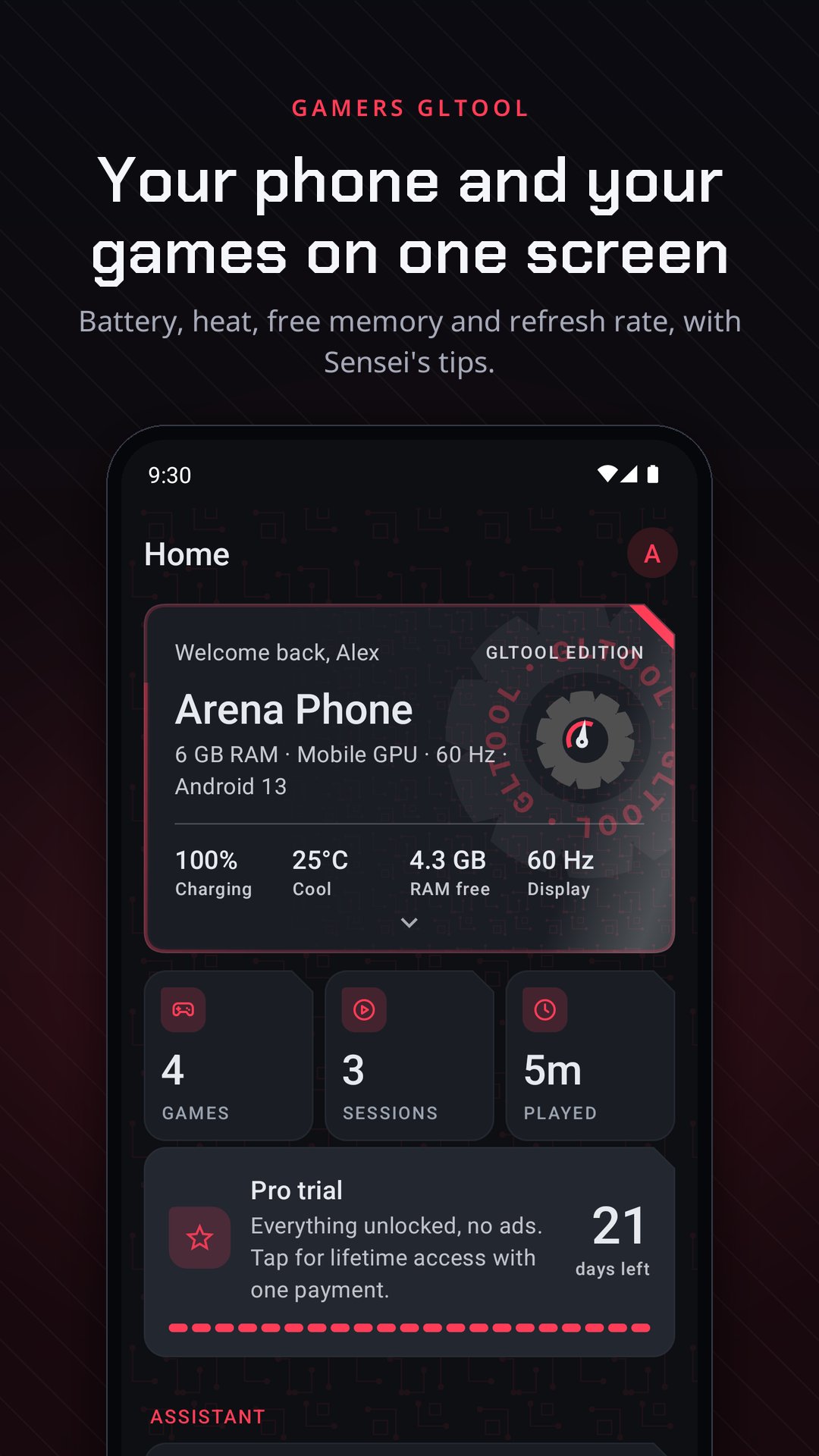
Gamers GLTool is a toolkit for the games you play. Game Mode sets your phone up for each game and puts everything back when you leave. The FPS overlay counts the frames your screen really showed. Every match ends with a report that tells you why it lagged.
No magic buttons: every number in the app is measured on your phone, and nothing in it promises more frames or a lower ping than your phone and your connection can give.
GAME MODE
• A profile per game: do not disturb, the refresh rate held at its highest, a brightness lock, Private DNS and more, switched on when the game starts.
• Everything goes back when you leave, even if the app was closed mid-match. "Revert everything" undoes every change the app ever made.
• A match report after every session: average FPS, 1% lows, a frame time graph, how warm the phone got, battery used and ping, and a plain answer to "why did it lag?".
• A side panel during the game: swipe in from the edge for quick switches, a screenshot, and a memory bar that closes apps running in the background.
GAME TUNER (BUILT IN)
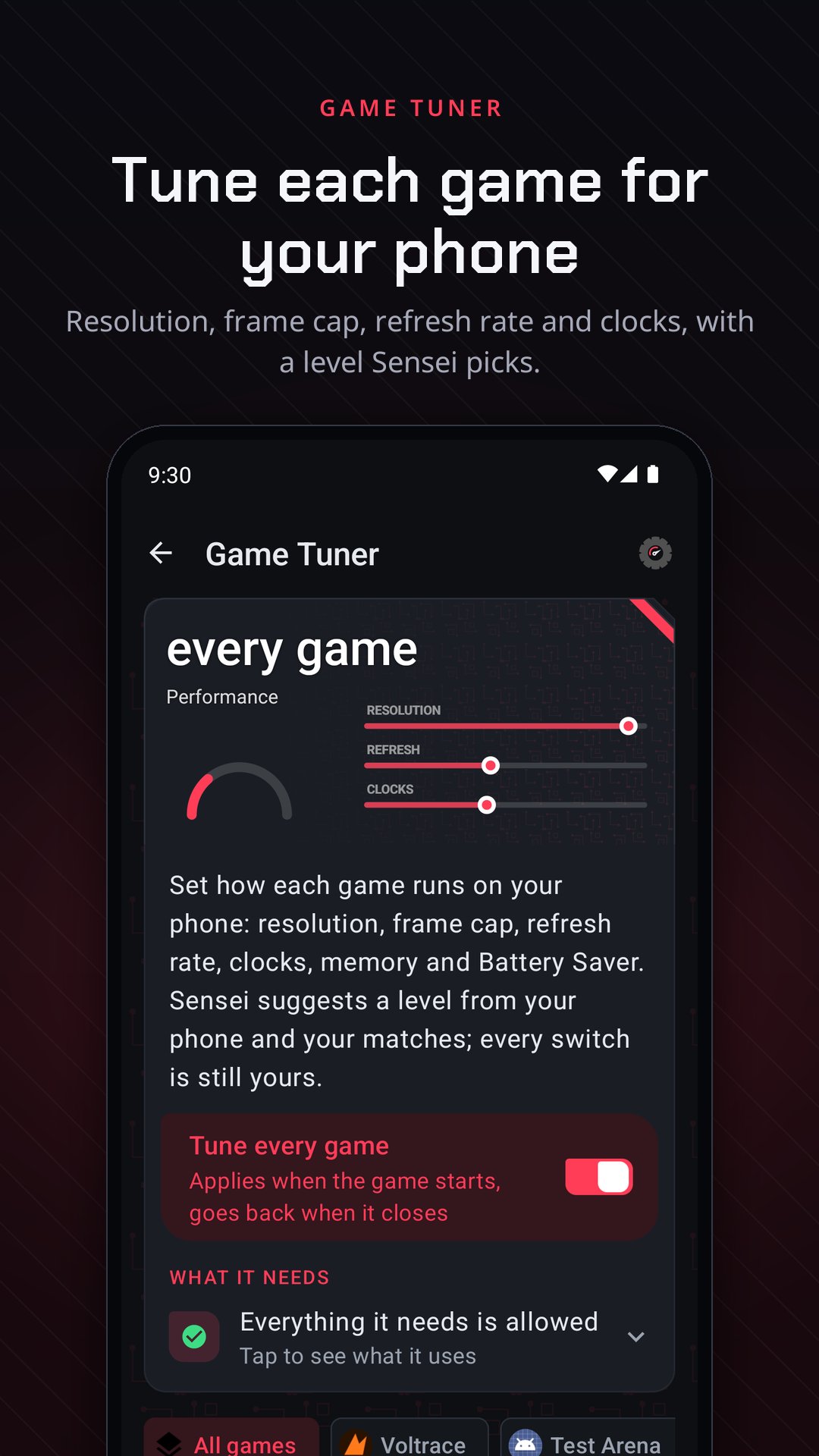
Resolution, frame cap, refresh rate, clocks, memory and Battery Saver for each game. Sensei, the app's assistant, suggests a level from your phone and your matches; every switch stays yours.
EXTENSIONS (downloaded only when you want them, so the app stays small)
• FPS & performance overlay: the real frame rate, with CPU clock, battery power, temperature and ping. Pick the shape, colour, size and corner.
• Benchmark: capture a match and compare it with an earlier one: average FPS, 1% and 0.1% lows, stutters, heat and battery.
• Screen recorder: up to 120 FPS where your phone can encode it, with the game's sound, and your voice and a facecam if you want them. Instant replay saves the last 15, 30 or 60 seconds.
• Best settings: find setups shared from the same phone or chip, with real match numbers behind the Verified ones, and share yours to the cloud, as a file or as a code.
• Controls and sensitivity: sensitivity and layout codes for games that share them as codes, with your own kept alongside. The hand check measures your grip, reach and swipe, and suggests a button layout and a camera sensitivity.
• Game sound: a five-band equaliser on the game's sound while you play, with Footsteps, Voices and Less boom presets. It changes what you hear, nothing in the game.
• Network and ping: ping, jitter and loss to game regions and DNS providers, and what your Wi-Fi band and signal are doing.
• Game settings backup: keeps your setup and your games' settings, and puts them back after a reinstall or on a new phone.
• Color boost: your display's most vivid colour mode during games, put back afterwards.
EDITIONS
17 themes for the whole app, each with its own colour, artwork and start-up sound. Make your own and pass it on as a file.
FREE AND PRO
Free keeps every extension working, with one limit in some of them. Gamers GLTool Pro takes the limits and the ads away. Every new player starts with 21 days of Pro. Unlock Pro in the app with one payment: no ads, no limits, yours for good.
ADVANCED ACCESS (OPTIONAL)
Reading a game's frame rate and changing settings like the refresh rate need more access than an app has. Give it through wireless debugging (built into the app, Android 11 and newer), Shizuku, or root, or don't: everything else works without it.
PRIVACY
No accounts and no analytics of its own; the ads are Google's (see the privacy policy). Profiles, match reports and recordings stay on your phone until you share them yourself. Best settings is the one part that talks to our server: a setup goes up only when you share it, with the nickname you typed and your phone model. The microphone opens only while a recording you started runs with your voice switched on, and the camera only for the facecam.
Gamers GLTool is not affiliated with any game or game publisher.
Avance
Etiquetas
Libraries-&Información
Desarrollador
Trilokia Inc.
La última versión
2.0
Última actualización
2026-11-07
Categoría
Libraries-demo
Disponible en
Google Play
Mostrar más
Cómo jugar Gamers GLTool with Game Tuner con GameLoop en PC
1. Descargue GameLoop desde el sitio web oficial, luego ejecute el archivo exe para instalar GameLoop.
2. Abra GameLoop y busque "Gamers GLTool with Game Tuner", busque Gamers GLTool with Game Tuner en los resultados de búsqueda y haga clic en "Instalar".
3. Disfruta jugando Gamers GLTool with Game Tuner en GameLoop.
Minimum requirements
OS
Windows 8.1 64-bit or Windows 10 64-bit
GPU
GTX 1050
CPU
i3-8300
Memory
8GB RAM
Storage
1GB available space
Recommended requirements
OS
Windows 8.1 64-bit or Windows 10 64-bit
GPU
GTX 1050
CPU
i3-9320
Memory
16GB RAM
Storage
1GB available space