Zeopoxa Push Ups Workout para PC
Zeopoxa
Descarga Zeopoxa Push Ups Workout en PC con GameLoop Emulator
Zeopoxa Push Ups Workout en PC
Zeopoxa Push Ups Workout, proveniente del desarrollador Zeopoxa, se ejecuta en el sistema Android en el pasado.
Ahora, puedes jugar Zeopoxa Push Ups Workout en PC con GameLoop sin problemas.
Descárgalo en la biblioteca de GameLoop o en los resultados de búsqueda. No más mirar la batería o llamadas frustrantes en el momento equivocado nunca más.
Simplemente disfrute de Zeopoxa Push Ups Workout PC en la pantalla grande de forma gratuita!
Zeopoxa Push Ups Workout Introducción
Achieve Your Goals with Our Ultimate Push Ups Workout App!
Transform Your Fitness with Push Ups Training
Ready to take your fitness to the next level? Our Push Ups Workout app is designed to help you train from 0 to 200 push ups with ease and confidence. Whether you're a beginner or an experienced fitness enthusiast, this app is your perfect companion on the journey to mastering push-ups.
Features and Benefits
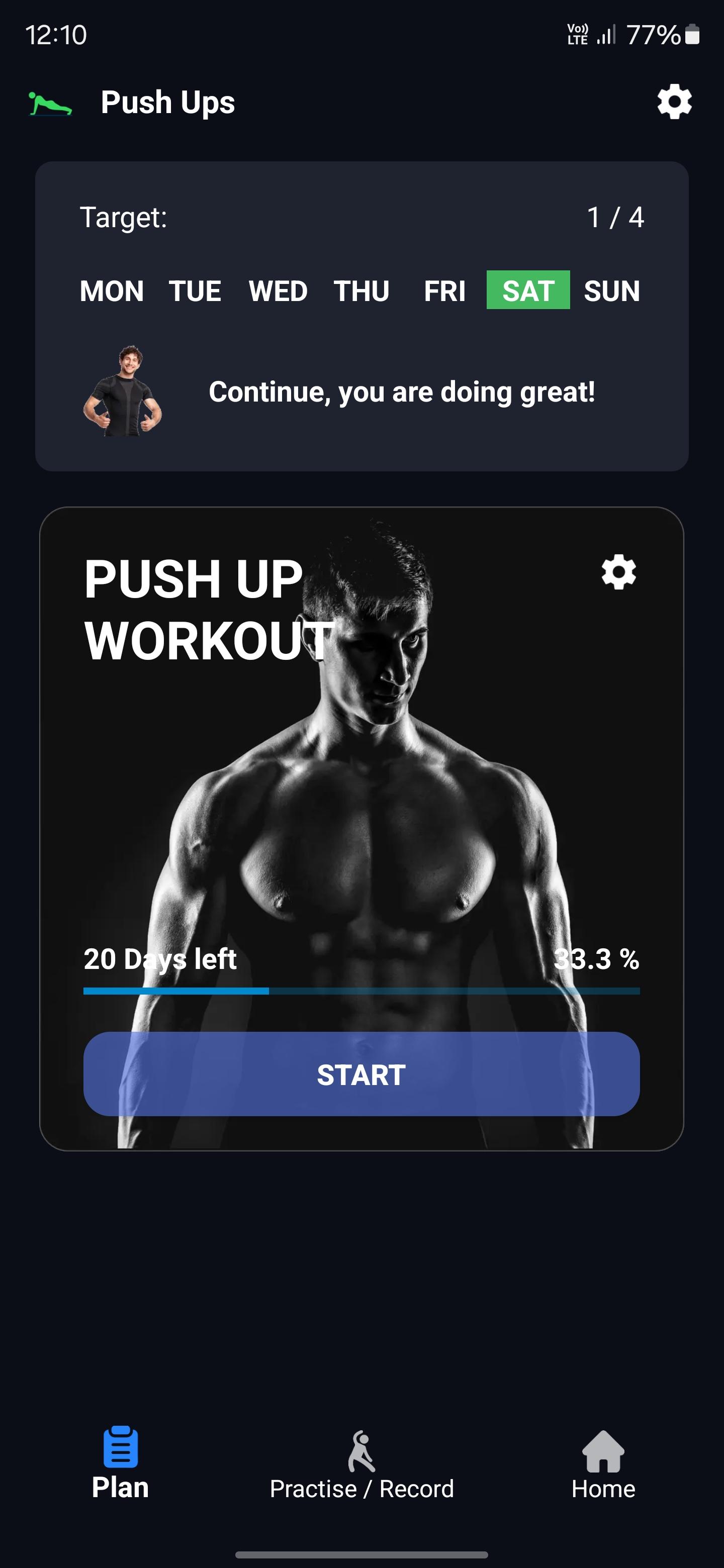
Personalized Push-Up Training Plans Start your push-up journey with customized workout plans tailored to your current fitness level. Our app offers a structured approach to gradually increase your push ups count, ensuring steady progress and minimal risk of injury.
Comprehensive Arm and Chest Workouts Enhance your upper body strength with targeted arm and chest workouts. Our expertly designed routines focus on building muscle and improving endurance, helping you achieve a well-defined and powerful upper body with our Bodyweight Workout app.
Effective Strength Training for All Levels Whether you're just starting out or looking to push your limits, our app provides effective strength training exercises for all fitness levels. Track your progress and stay motivated as you work towards reaching 200 pushups and doing more Arm workouts.
Bodyweight Workouts Anytime, Anywhere No equipment? No problem! Our push-up workout app offers bodyweight exercises that can be performed anytime, anywhere. Perfect for home workouts or when you're on the go, these routines ensure you never miss a training session.
Challenge Yourself with Push Up Challenges Push your limits with exciting push-up challenges. Test your endurance and strength with various challenges designed to keep you motivated and constantly improving. Track your progress and celebrate your achievements.
Why Choose Our Push-Up Workout App?
User-Friendly Interface Our Bodyweight Workout app is designed with a user-friendly interface that makes navigating through workouts and tracking your progress effortless. Easy-to-use and intuitive, it ensures a seamless workout experience.
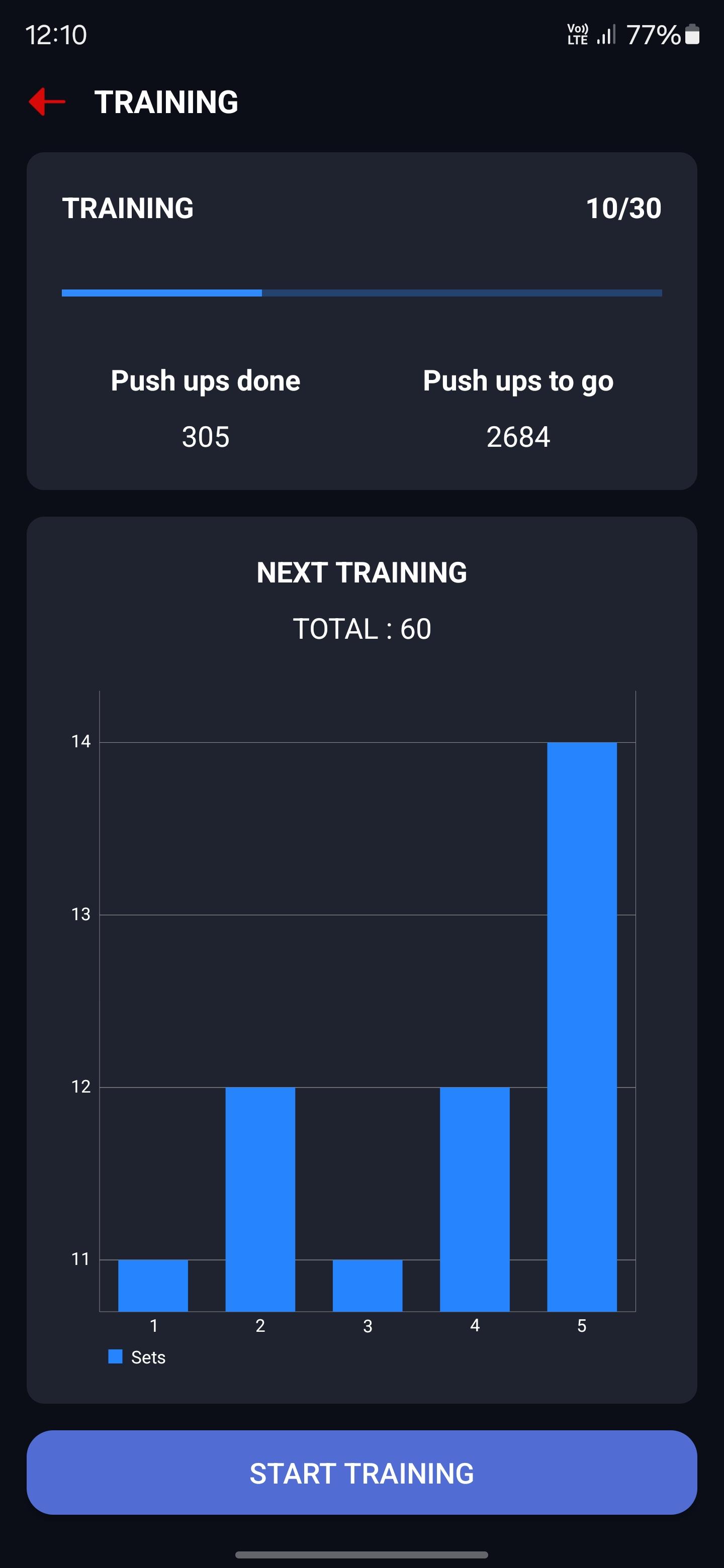
Progress Tracking and Statistics Monitor your progress with detailed statistics and charts. Track the number of push ups completed, duration of workouts, and overall improvement. Stay motivated as you see your hard work pay off.
Customizable Workout Plans Adapt your workout plans to fit your schedule and fitness goals. Whether you want to focus on arm workouts, chest workouts, or a combination of both, our app allows you to customize your routines for optimal results.
Expert Guidance and Support Benefit from expert guidance and support throughout your fitness journey.
Get Started Today!
Don't wait to transform your fitness. Download our Pushups Workout app today and start your journey towards achieving 200 pushups. Whether you're looking to build strength, improve endurance, or enhance your overall fitness, our chest workout app is here to support you every step of the way.
Train hard, stay motivated, and achieve your push-up goals with our ultimate push-up workout, Bodyweight Workout app. Your strongest self is just a download away!
Avance
Etiquetas
Health-&Información
Desarrollador
Zeopoxa
La última versión
1.4.12
Última actualización
2025-06-09
Categoría
Health-fitness
Disponible en
Google Play
Mostrar más
Cómo jugar Zeopoxa Push Ups Workout con GameLoop en PC
1. Descargue GameLoop desde el sitio web oficial, luego ejecute el archivo exe para instalar GameLoop.
2. Abra GameLoop y busque "Zeopoxa Push Ups Workout", busque Zeopoxa Push Ups Workout en los resultados de búsqueda y haga clic en "Instalar".
3. Disfruta jugando Zeopoxa Push Ups Workout en GameLoop.
Minimum requirements
OS
Windows 8.1 64-bit or Windows 10 64-bit
GPU
GTX 1050
CPU
i3-8300
Memory
8GB RAM
Storage
1GB available space
Recommended requirements
OS
Windows 8.1 64-bit or Windows 10 64-bit
GPU
GTX 1050
CPU
i3-9320
Memory
16GB RAM
Storage
1GB available space