
Tinnitus therapy para PC
Microsys Com Ltd.
Descarga Tinnitus therapy en PC con GameLoop Emulator
Tinnitus therapy en PC
Tinnitus therapy, proveniente del desarrollador Microsys Com Ltd., se ejecuta en el sistema Android en el pasado.
Ahora, puedes jugar Tinnitus therapy en PC con GameLoop sin problemas.
Descárgalo en la biblioteca de GameLoop o en los resultados de búsqueda. No más mirar la batería o llamadas frustrantes en el momento equivocado nunca más.
Simplemente disfrute de Tinnitus therapy PC en la pantalla grande de forma gratuita!
Tinnitus therapy Introducción
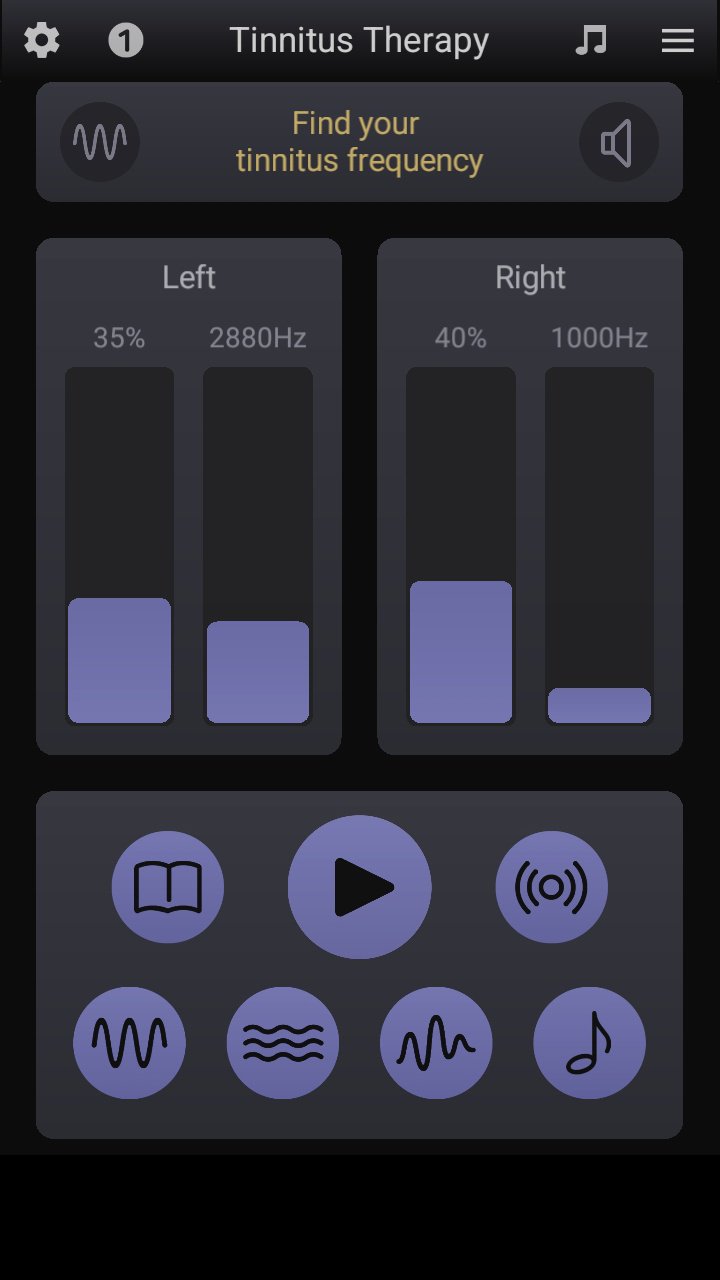
Tinnitus is a rather chronic condition/disorder which is difficult to treat. As many tinnitus treatments combine counseling with sound therapy, we have designed an app named "Tinnitus Therapy" to help with the latter part of a possible healing process. The custom sound stimuli generated by our app can help decrease the volume of your tinnitus over weeks. There are three main sections: the first one helps users detect their tinnitus frequency, while the other two sections consist of several tone generators whose volume and frequency can be tuned to match the patient's specific data.
How to determine your tinnitus frequency
To find out the exact frequency of your pure-tone tinnitus, simply follow these easy steps:
- connect and wear your headphones properly (check the R and L labels)
- move to a quiet area, stop any other sound or music apps
- set a sufficient phone's media volume, a medium level may be enough for now
- set the Stereo option from Settings if you hear your tinnitus differently on the left and right ear
- tap the big Play button (the bottom region of the screen) to start the tone generator
- gently swipe up and down the volume controls of the generator to match the respective volume of your tinnitus
- gently swipe up and down the frequency controls of the generator to match the respective frequency of your tinnitus
- tap the big Stop button when you finish all the adjustments
- re-detect your tinnitus frequency from time to time
How to use the four tone generators
There are four signal generators that can help you get relief from tinnitus by emitting a random succession of lower and higher tones.
- if the Automatic option is set, their frequency is automatically computed as of two lower and respective higher musical notes around the previously determined frequency of your tinnitus
- if the Manual option is set, the frequencies of the four generators can be adjusted by swiping up and down their respective controls.
- the Reset button can be used to re-initialize the timer
- start with 1 or 2 minutes long sessions and slowly increase the therapy duration over time, up to one hour per day
How to use the noise generators
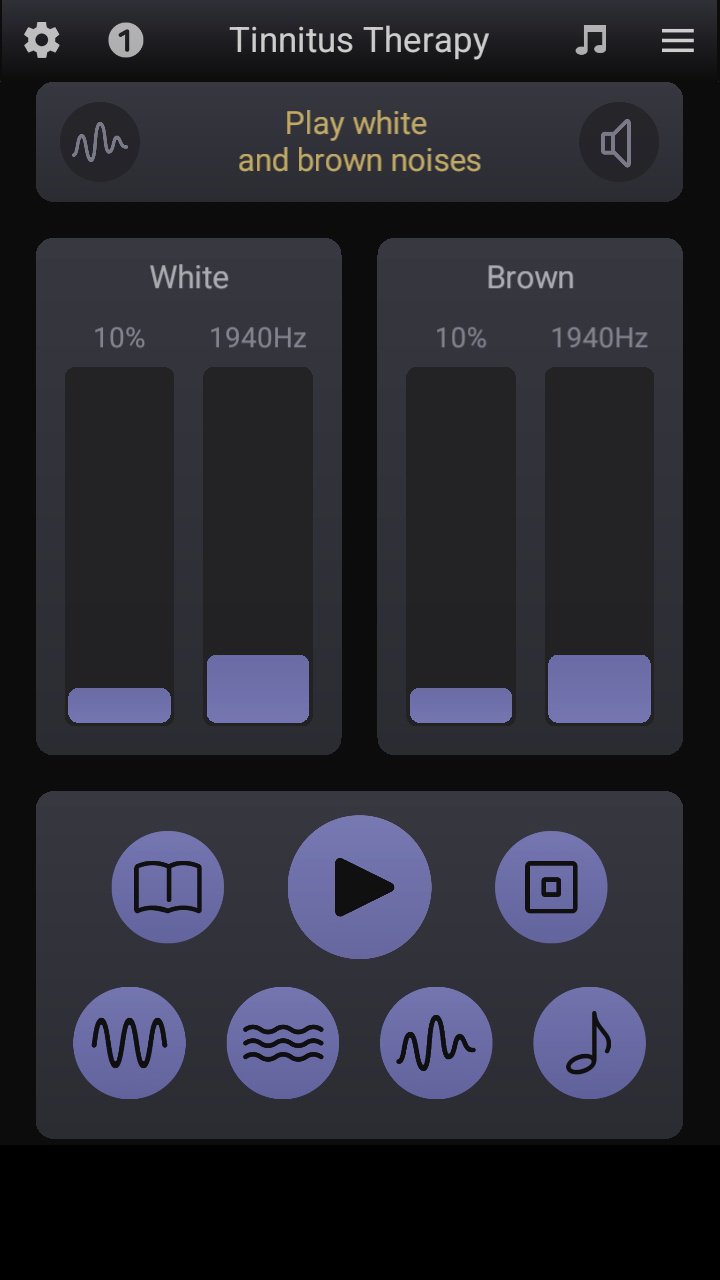
There are two additional generators that are emitting filtered white and pink noises. The frequency of your tinnitus is removed from these wide-spectrum signals of audible frequencies.
- if the Automatic option is set, your tinnitus frequency is automatically removed from the white and pink noises; however, the volume controls of the generators are still available
- if the Manual option is set, the rejected frequencies can now be adjusted by swiping up and down their respective controls.
- the Reset button can be used to re-initialize the timer
- start with 1 or 2 minutes long sessions and slowly increase the therapy duration over time, up to one hour per day
How to use the relief music
There are three special filtered sounds that may help you mask the tinnitus frequency and get better results with the therapy. The frequency spectrum of these special, high fidelity sounds does not contain the two audible tones whose values are displayed over the bars; consequently, you are advised to select and listen mostly the sound that has these tones closest to your tinnitus.
- select the optimum volume level, so your tinnitus becomes barely audible during the play.
- tap the Next button to change the tune.
- start with 5 or 10 minutes long sessions of music therapy and slowly increase the duration over time, up to one hour per day.
Disclaimer
Please note that our app is by no means a substitute for a professional medical diagnosis and treatment of your tinnitus. We assume no liability for the accuracy and results.
Global features
-- a user-friendly, intuitive interface
-- large fonts and simple controls
-- small, no intrusive ads
-- no need for permissions
-- this app keeps the phone's screen on
Avance
Etiquetas
Health-&Información
Desarrollador
Microsys Com Ltd.
La última versión
10.5.0
Última actualización
2026-03-31
Categoría
Health-fitness
Disponible en
Google Play
Mostrar más
Cómo jugar Tinnitus therapy con GameLoop en PC
1. Descargue GameLoop desde el sitio web oficial, luego ejecute el archivo exe para instalar GameLoop.
2. Abra GameLoop y busque "Tinnitus therapy", busque Tinnitus therapy en los resultados de búsqueda y haga clic en "Instalar".
3. Disfruta jugando Tinnitus therapy en GameLoop.
Minimum requirements
OS
Windows 8.1 64-bit or Windows 10 64-bit
GPU
GTX 1050
CPU
i3-8300
Memory
8GB RAM
Storage
1GB available space
Recommended requirements
OS
Windows 8.1 64-bit or Windows 10 64-bit
GPU
GTX 1050
CPU
i3-9320
Memory
16GB RAM
Storage
1GB available space