Tile Map Editor para PC
SINÉO
Descarga Tile Map Editor en PC con GameLoop Emulator
Tile Map Editor en PC
Tile Map Editor, proveniente del desarrollador SINÉO, se ejecuta en el sistema Android en el pasado.
Ahora, puedes jugar Tile Map Editor en PC con GameLoop sin problemas.
Descárgalo en la biblioteca de GameLoop o en los resultados de búsqueda. No más mirar la batería o llamadas frustrantes en el momento equivocado nunca más.
Simplemente disfrute de Tile Map Editor PC en la pantalla grande de forma gratuita!
Tile Map Editor Introducción
Are you an RPG, board-game or Strategy Battle Game addict?
Do you hate when you're not at home and you suddenly have that "this-is-it!" idea for a new map in your party's everlasting adventure, but you don't know how to put it down… and then something else fills your mind?
Don't worry anymore: this is the app you were waiting for.
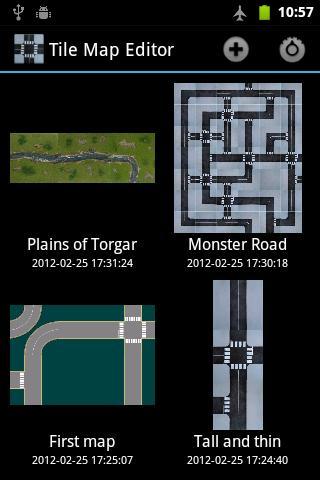
* Select the size of your map, from 1x1 up to 20x20 tiles,
* Select tiles from internal sets (outdoor roads, city roads, outdoor fields),
* ... or from tiles in your own sdcard/internal memory!
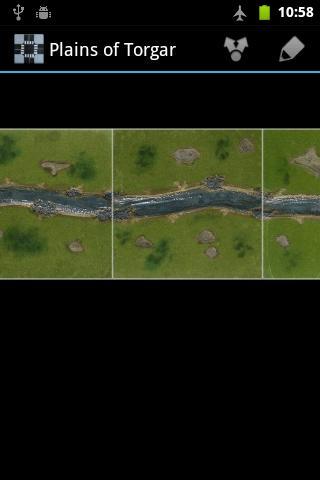
* Use multitouch to zoom and pan your map
* Save it and share it with your friends!
Bonus features:
* Instead of selecting a tile, choose the random "?" tile to get a new and unexpected map!
* Maps do not need to be square, you can prepare a 5x2 dungeon or a 3x7 "Montecarlo circuit"!
* New sets will be added over time!
Avance
Información
Desarrollador
SINÉO
La última versión
1.3
Última actualización
2014-02-21
Categoría
Entretenimiento
Disponible en
Google Play
Mostrar más
Cómo jugar Tile Map Editor con GameLoop en PC
1. Descargue GameLoop desde el sitio web oficial, luego ejecute el archivo exe para instalar GameLoop.
2. Abra GameLoop y busque "Tile Map Editor", busque Tile Map Editor en los resultados de búsqueda y haga clic en "Instalar".
3. Disfruta jugando Tile Map Editor en GameLoop.
Minimum requirements
OS
Windows 8.1 64-bit or Windows 10 64-bit
GPU
GTX 1050
CPU
i3-8300
Memory
8GB RAM
Storage
1GB available space
Recommended requirements
OS
Windows 8.1 64-bit or Windows 10 64-bit
GPU
GTX 1050
CPU
i3-9320
Memory
16GB RAM
Storage
1GB available space