Scrolling Text Display para PC
James Gilbert
Descarga Scrolling Text Display en PC con GameLoop Emulator
Scrolling Text Display en PC
Scrolling Text Display, proveniente del desarrollador James Gilbert, se ejecuta en el sistema Android en el pasado.
Ahora, puedes jugar Scrolling Text Display en PC con GameLoop sin problemas.
Descárgalo en la biblioteca de GameLoop o en los resultados de búsqueda. No más mirar la batería o llamadas frustrantes en el momento equivocado nunca más.
Simplemente disfrute de Scrolling Text Display PC en la pantalla grande de forma gratuita!
Scrolling Text Display Introducción
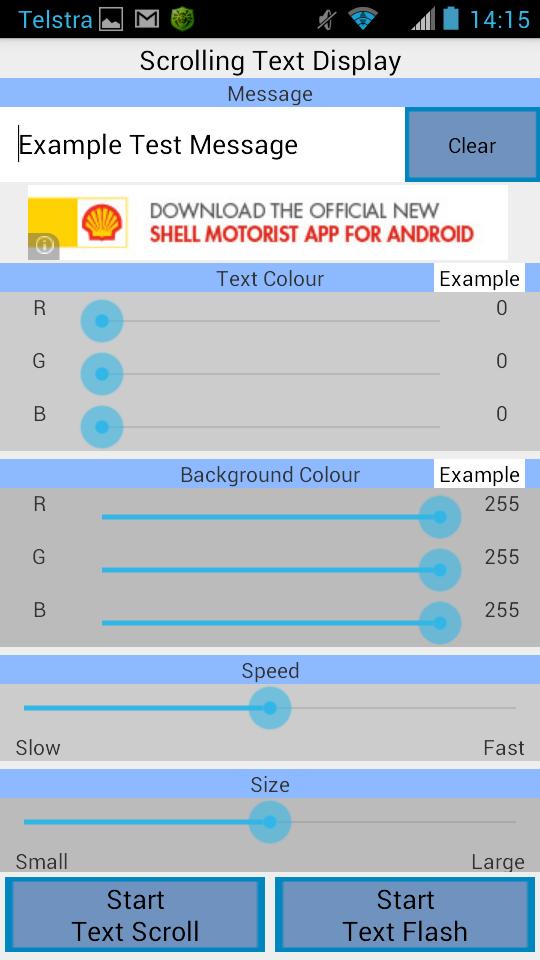
This application can be used to display a message in large block letters on the screen. The message can be scrolled across the screen (marquee), or it can be displayed one word at a time.
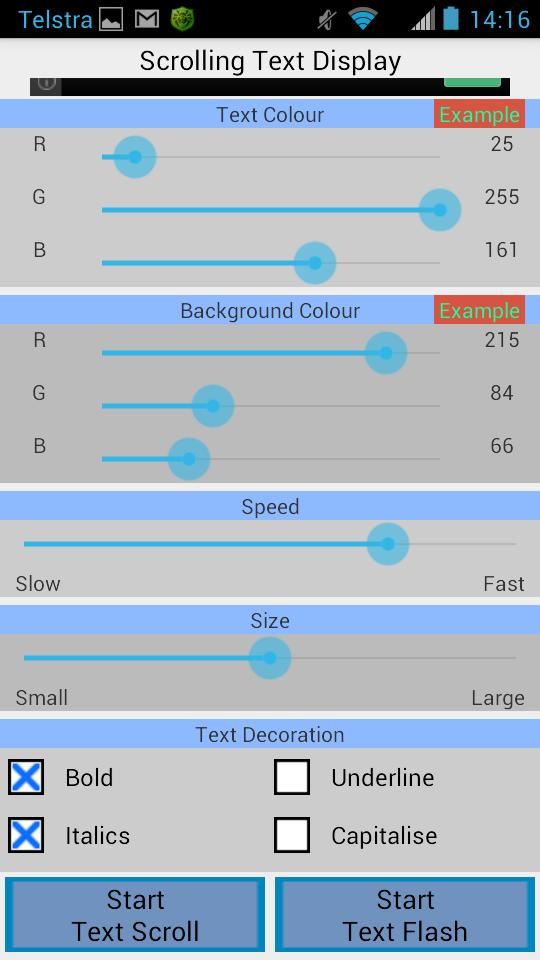
You can also customise the colours of the displayed text and the background. When you change the colours a preview of the message will be displayed to show you what your selection will look like, this helps you to choose colours that look good together without having to guess.
The size and speed of the text can be easily changed. You can have text sizes ranging from quite small to very large (which takes up most of the screen). The large text is ideal to use when you want to show the message to someone who is far away. Also the text can be scrolled / displayed very slowly or very quickly.
You also have the choice of using different styling on the message. These include making the text bold, italicised, underlined, and making every letter a capital letter.
Press the 'Start Text Scroll' button to start scrolling your text across the screen. Press the 'Start Text Flash' button to show your message one word at a time.
Avance
Etiquetas
EntretenimientoInformación
Desarrollador
James Gilbert
La última versión
1.0
Última actualización
2014-07-02
Categoría
Entretenimiento
Disponible en
Google Play
Mostrar más
Cómo jugar Scrolling Text Display con GameLoop en PC
1. Descargue GameLoop desde el sitio web oficial, luego ejecute el archivo exe para instalar GameLoop.
2. Abra GameLoop y busque "Scrolling Text Display", busque Scrolling Text Display en los resultados de búsqueda y haga clic en "Instalar".
3. Disfruta jugando Scrolling Text Display en GameLoop.
Minimum requirements
OS
Windows 8.1 64-bit or Windows 10 64-bit
GPU
GTX 1050
CPU
i3-8300
Memory
8GB RAM
Storage
1GB available space
Recommended requirements
OS
Windows 8.1 64-bit or Windows 10 64-bit
GPU
GTX 1050
CPU
i3-9320
Memory
16GB RAM
Storage
1GB available space