TracFone My Account para PC
TracFone Wireless, Inc.
Descarga TracFone My Account en PC con GameLoop Emulator
TracFone My Account en PC
TracFone My Account, proveniente del desarrollador TracFone Wireless, Inc., se ejecuta en el sistema Android en el pasado.
Ahora, puedes jugar TracFone My Account en PC con GameLoop sin problemas.
Descárgalo en la biblioteca de GameLoop o en los resultados de búsqueda. No más mirar la batería o llamadas frustrantes en el momento equivocado nunca más.
Simplemente disfrute de TracFone My Account PC en la pantalla grande de forma gratuita!
TracFone My Account Introducción
Manage your Tracfone Wireless service anywhere, at any time. Download the Tracfone My Account app today and never worry about how to refill again.
This app also measures the network quality during calls in your service area based on your location. This allows Tracfone to continually work towards improving your call reception and network quality.
Additional Features:
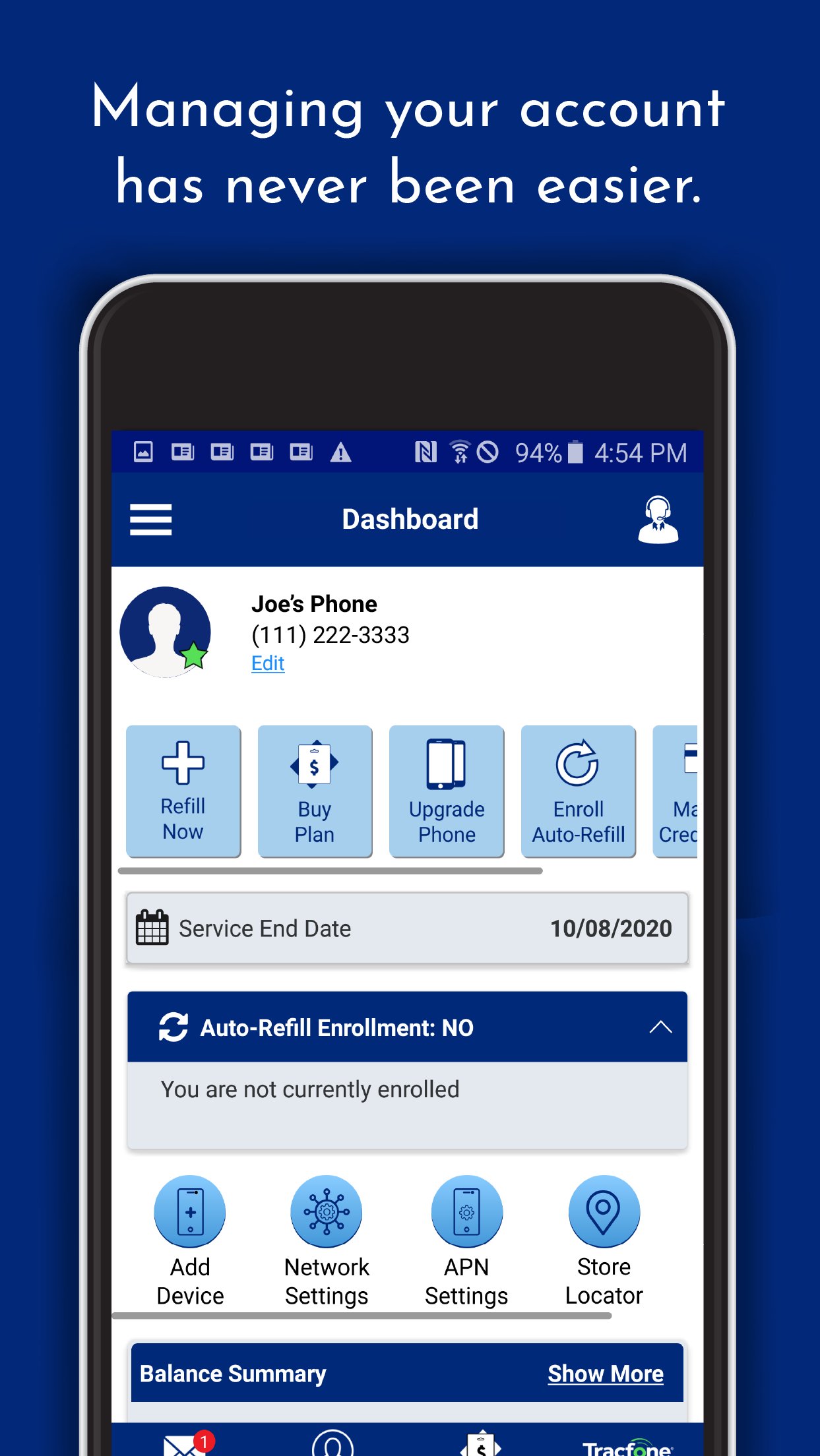
• Purchase Airtime
• Add Airtime with a PIN Card
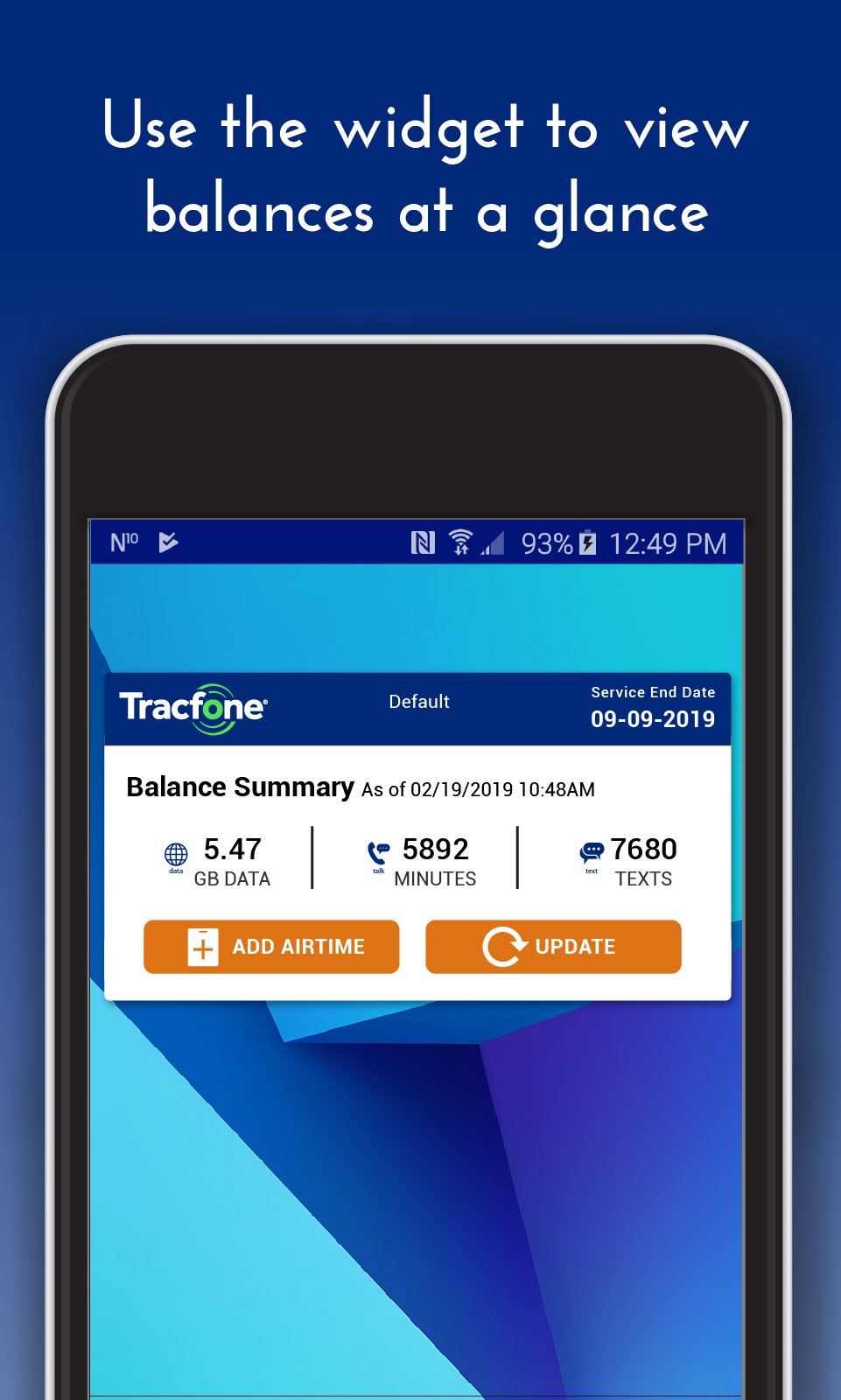
• View Service End Date
• Enroll in Auto-Refill
• Use a Widget to track your Balance
• Chat with Customer Support
• Create an Account and log in
• Edit your Profile
• View Transaction history
• Manage credit cards, PayPal and Venmo
• Find nearby Retailer locations based on your current location or zip code
• Enroll in Rewards, and get rewarded for every transaction.
Not a Tracfone customer?
Join today! Visit www.tracfone.com to learn more.
Tracfone from TracFone Wireless, a Verizon Company
Avance
Etiquetas
ComunicacionesInformación
Desarrollador
TracFone Wireless, Inc.
La última versión
R26.16.0
Última actualización
2025-11-14
Categoría
Comunicaciones
Disponible en
Google Play
Mostrar más
Cómo jugar TracFone My Account con GameLoop en PC
1. Descargue GameLoop desde el sitio web oficial, luego ejecute el archivo exe para instalar GameLoop.
2. Abra GameLoop y busque "TracFone My Account", busque TracFone My Account en los resultados de búsqueda y haga clic en "Instalar".
3. Disfruta jugando TracFone My Account en GameLoop.
Minimum requirements
OS
Windows 8.1 64-bit or Windows 10 64-bit
GPU
GTX 1050
CPU
i3-8300
Memory
8GB RAM
Storage
1GB available space
Recommended requirements
OS
Windows 8.1 64-bit or Windows 10 64-bit
GPU
GTX 1050
CPU
i3-9320
Memory
16GB RAM
Storage
1GB available space