
NEC UNIVERGE BLUE SMART ACCESS para PC
NEC Corporation of America
Descarga NEC UNIVERGE BLUE SMART ACCESS en PC con GameLoop Emulator
NEC UNIVERGE BLUE SMART ACCESS en PC
NEC UNIVERGE BLUE SMART ACCESS, proveniente del desarrollador NEC Corporation of America, se ejecuta en el sistema Android en el pasado.
Ahora, puedes jugar NEC UNIVERGE BLUE SMART ACCESS en PC con GameLoop sin problemas.
Descárgalo en la biblioteca de GameLoop o en los resultados de búsqueda. No más mirar la batería o llamadas frustrantes en el momento equivocado nunca más.
Simplemente disfrute de NEC UNIVERGE BLUE SMART ACCESS PC en la pantalla grande de forma gratuita!
NEC UNIVERGE BLUE SMART ACCESS Introducción
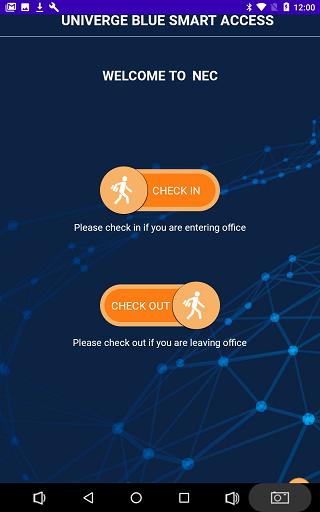
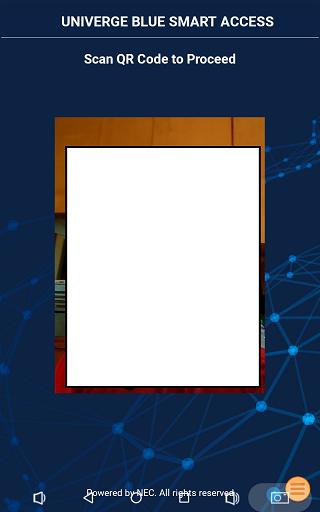
UNIVERGE BLUE SMART ACCESS provides an easy-to-use, automated, private and touch-free self-service that guides employees, visitor or guests through the check in/check out process normally provided at a reception desk.
A person’s identity is verified, reservation information is retrieved and an entry badge and information supporting a person’s stay are automatically issued. Hosts are automatically informed their guests have arrived.
UNIVERGE BLUE SMART ACCESS not only transforms the visitor experience and enhances staff and employee efficiency, it also reduces waiting times and boosts safety and security.
Avance
Etiquetas
ComunicacionesInformación
Desarrollador
NEC Corporation of America
La última versión
3.2.0
Última actualización
2023-05-30
Categoría
Comunicaciones
Disponible en
Google Play
Mostrar más
Cómo jugar NEC UNIVERGE BLUE SMART ACCESS con GameLoop en PC
1. Descargue GameLoop desde el sitio web oficial, luego ejecute el archivo exe para instalar GameLoop.
2. Abra GameLoop y busque "NEC UNIVERGE BLUE SMART ACCESS", busque NEC UNIVERGE BLUE SMART ACCESS en los resultados de búsqueda y haga clic en "Instalar".
3. Disfruta jugando NEC UNIVERGE BLUE SMART ACCESS en GameLoop.
Minimum requirements
OS
Windows 8.1 64-bit or Windows 10 64-bit
GPU
GTX 1050
CPU
i3-8300
Memory
8GB RAM
Storage
1GB available space
Recommended requirements
OS
Windows 8.1 64-bit or Windows 10 64-bit
GPU
GTX 1050
CPU
i3-9320
Memory
16GB RAM
Storage
1GB available space