Swoopy para PC
Late Duck
Descarga Swoopy en PC con GameLoop Emulator
Swoopy en PC
Swoopy, proveniente del desarrollador Late Duck, se ejecuta en el sistema Android en el pasado.
Ahora, puedes jugar Swoopy en PC con GameLoop sin problemas.
Descárgalo en la biblioteca de GameLoop o en los resultados de búsqueda. No más mirar la batería o llamadas frustrantes en el momento equivocado nunca más.
Simplemente disfrute de Swoopy PC en la pantalla grande de forma gratuita!
Swoopy Introducción
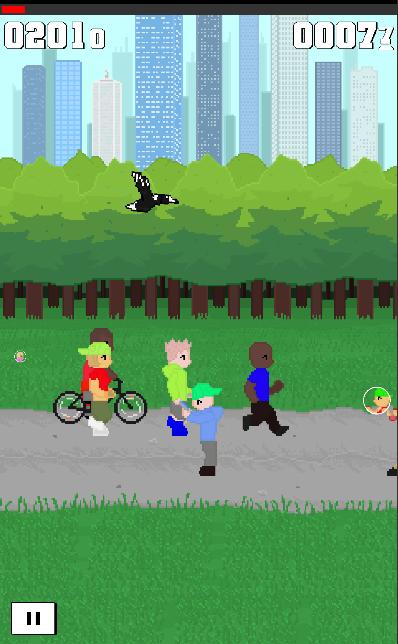
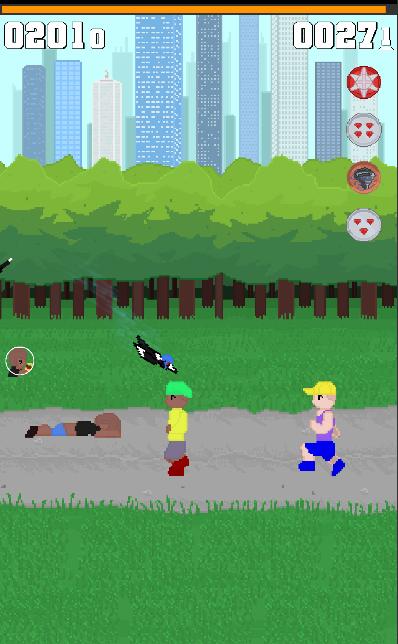
Its a beautiful day and the sun is shinning but there is one problem, too many people out! Defend your home and swoop the humans to show them who is boss.
Play as the iconic Australian Magpie and feel the adrenaline rush as you swoop your way through the park, pinching hats, snacks and more. Do you have what it takes to go the distance?
Don't let the easy controls fool you, you're going to need speed, accuracy and timing to survive in this game.
Swoopy is free to download with no subscription or monthly fees.
- Easy to learn, fun to play but hard to master.
- Over 70 medals to unlock and collect.
- Special characters to find and swoop.
- A wide variety of unique hats and items to collect.
- Capture your high score to share
- See how far you can travel, then try break that record.
What are you waiting for? Time to get your swoop on.
Avance
Etiquetas
CasualInformación
Desarrollador
Late Duck
La última versión
1.2
Última actualización
2023-08-21
Categoría
Casual
Disponible en
Google Play
Mostrar más
Cómo jugar Swoopy con GameLoop en PC
1. Descargue GameLoop desde el sitio web oficial, luego ejecute el archivo exe para instalar GameLoop.
2. Abra GameLoop y busque "Swoopy", busque Swoopy en los resultados de búsqueda y haga clic en "Instalar".
3. Disfruta jugando Swoopy en GameLoop.
Minimum requirements
OS
Windows 8.1 64-bit or Windows 10 64-bit
GPU
GTX 1050
CPU
i3-8300
Memory
8GB RAM
Storage
1GB available space
Recommended requirements
OS
Windows 8.1 64-bit or Windows 10 64-bit
GPU
GTX 1050
CPU
i3-9320
Memory
16GB RAM
Storage
1GB available space