
Telesto: Inventory Management para PC
RedTracker LLC
Descarga Telesto: Inventory Management en PC con GameLoop Emulator
Telesto: Inventory Management en PC
Telesto: Inventory Management, proveniente del desarrollador RedTracker LLC, se ejecuta en el sistema Android en el pasado.
Ahora, puedes jugar Telesto: Inventory Management en PC con GameLoop sin problemas.
Descárgalo en la biblioteca de GameLoop o en los resultados de búsqueda. No más mirar la batería o llamadas frustrantes en el momento equivocado nunca más.
Simplemente disfrute de Telesto: Inventory Management PC en la pantalla grande de forma gratuita!
Telesto: Inventory Management Introducción
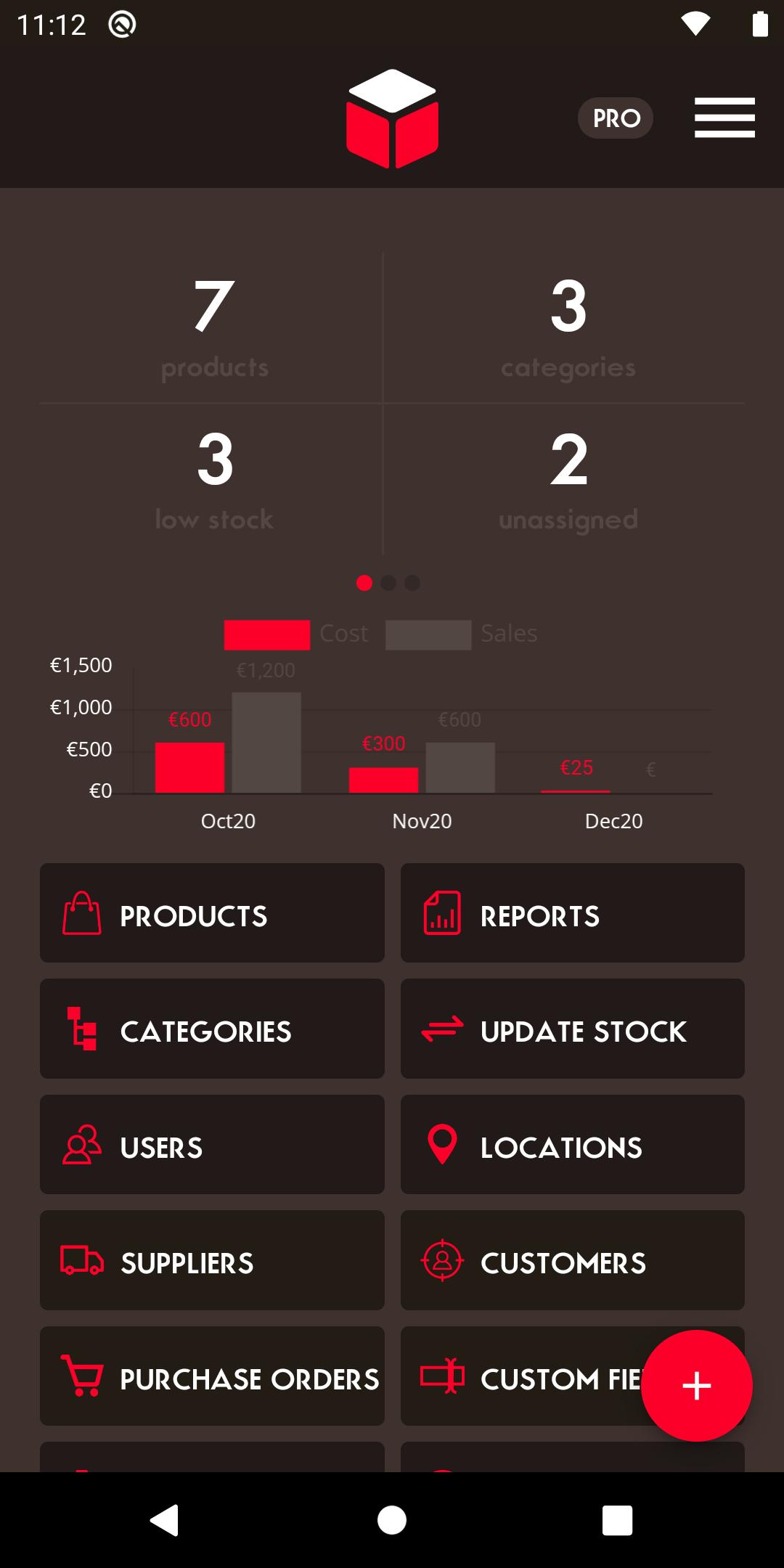
Telesto is a user-friendly, all-in-one inventory management system built to help small and midsize businesses manage inventory more efficiently and stay organized. With real-time synchronization across devices and platforms, Telesto lets multiple users and warehouses work on the same inventory at the same time.
CORE FEATURES
=============
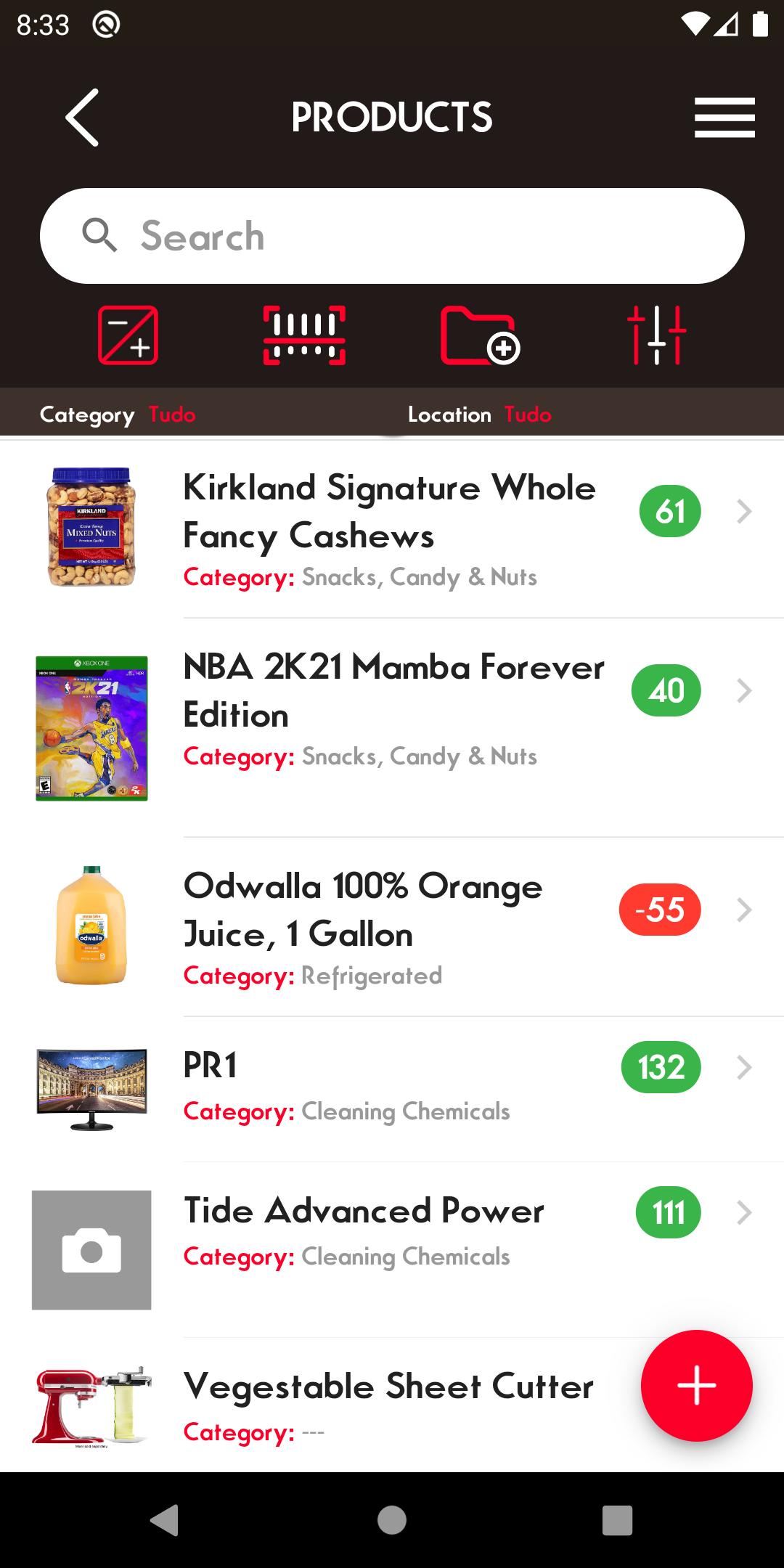
PRODUCTS
- Detailed product and asset management
- Support for product variants and custom attributes
- Grid and list view options
- Built-in barcode scanner and generator
- Batch expiration tracking for perishable items
- Serial number and tag support
- Custom field configuration
- Create MRP products with nested components
- Mark products as for sale, purchase, or obsolete
- Notifications for product obsolescence
- Bulk import and manual backup tools
- Mass delete and category reassignment options
- Advanced category and sub-category management
WAREHOUSES
- Multi-warehouse management with sub-locations
- Option to exclude selected warehouses from totals
- Custom prefix settings for invoices and purchase orders
USERS
- Role-based user access and permissions
- Customizable user interface
- Assign users to specific warehouses
ORDERS
- Manage suppliers and customers
- Create invoices and purchase orders
- Generate PDFs for invoices and pick lists
- Add company logos to documents
- Set customer-specific languages
- Manage reserved stock
STOCK CONTROL
- Real-time stock tracking and history
- Batch-based item transfers between locations
- Link batches to transactions
- Generate DDT (Document of Transport)
REPORTS
- View transaction and activity history
- Access over 40 built-in reports
* Low-stock, inventory balance, market value, and more
- Export reports to PDF, XLS, and CSV formats
INTEGRATIONS
- REST API access
- Sync with Shopify and WooCommerce
ALERTS
- Daily low-stock email reports
- Push notifications for critical stock alerts
SPECIAL MODULES
- Keg tracking
- Perishable goods handling
- Donations mode
- Barcode label printing
- Basic project management
MULTI-PLATFORM
- Access from desktop and mobile versions
SUPPORT CENTER
- Integrated support ticket system
- Options for custom setups and feature requests
Learn more at: www.telesto.app
Avance
Etiquetas
EmpresaInformación
Desarrollador
RedTracker LLC
La última versión
6.3.0
Última actualización
2025-06-04
Categoría
Empresa
Disponible en
Google Play
Mostrar más
Cómo jugar Telesto: Inventory Management con GameLoop en PC
1. Descargue GameLoop desde el sitio web oficial, luego ejecute el archivo exe para instalar GameLoop.
2. Abra GameLoop y busque "Telesto: Inventory Management", busque Telesto: Inventory Management en los resultados de búsqueda y haga clic en "Instalar".
3. Disfruta jugando Telesto: Inventory Management en GameLoop.
Minimum requirements
OS
Windows 8.1 64-bit or Windows 10 64-bit
GPU
GTX 1050
CPU
i3-8300
Memory
8GB RAM
Storage
1GB available space
Recommended requirements
OS
Windows 8.1 64-bit or Windows 10 64-bit
GPU
GTX 1050
CPU
i3-9320
Memory
16GB RAM
Storage
1GB available space