
Orderry Dashboard para PC
Orderry LLC
Descarga Orderry Dashboard en PC con GameLoop Emulator
Orderry Dashboard en PC
Orderry Dashboard, proveniente del desarrollador Orderry LLC, se ejecuta en el sistema Android en el pasado.
Ahora, puedes jugar Orderry Dashboard en PC con GameLoop sin problemas.
Descárgalo en la biblioteca de GameLoop o en los resultados de búsqueda. No más mirar la batería o llamadas frustrantes en el momento equivocado nunca más.
Simplemente disfrute de Orderry Dashboard PC en la pantalla grande de forma gratuita!
Orderry Dashboard Introducción
Orderry Dashboard app is designed for business owners and executives who use web application Orderry, the all-in-one solution for service business. The app helps to stay on the same page with daily analytics, view data for any period in real time, and manage business processes better.
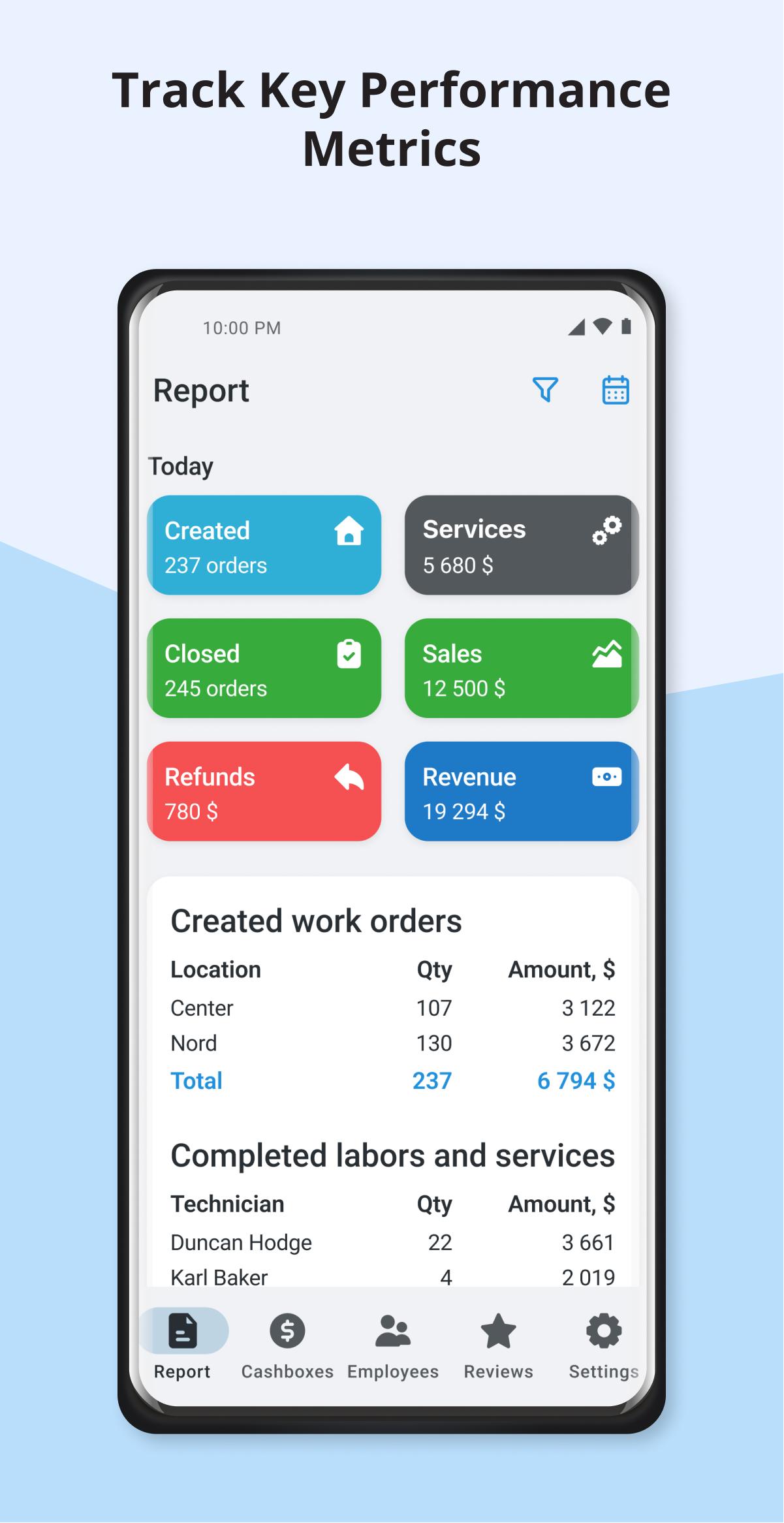
Track key performance metrics of company
App’s Report shows the number of created and closed orders, works performed by each employee, sales and payments. And the most important, it shows company revenue and profit for day, week, month and any custom period. Get insights with your stats every day.
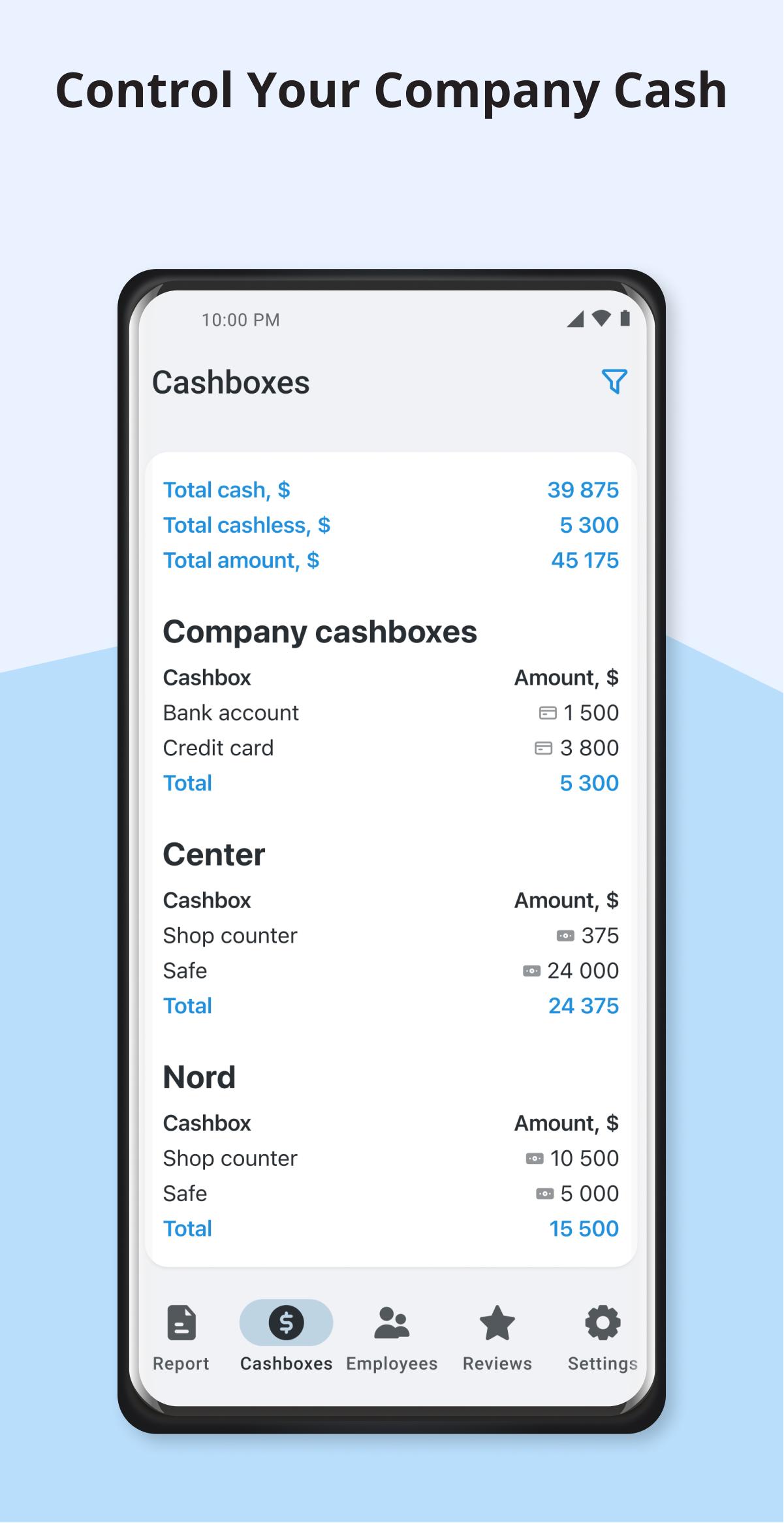
Control your company cash
Check the amount of every cashbox at any time. In the Cashboxes tab you’ll see the current balances of all cashboxes you’ve created in Orderry, total cash and cashless amount and their sum.
Keep in touch with employees
Have some questions after viewing the Report? Contact your employees in one click. In the Employees tab you’ll have a list of all your staff members with call and message buttons. Also, you can track time and IP address of their last sign-in.
Keep customer feedback in mind
Get feedback from customers on the Reviews tab. Here you can see their score and comments on your service for any period. And if you have questions about any review, click on the order number to open it in the web version of Orderry. Long press the review card to contact the customer or the order manager.
Increase your account security
Orderry users who have access to the mobile application can enable two-factor authentication to keep business data safe and secure. You can set access for every employee individually in the Orderry web version.
Avance
Etiquetas
EmpresaInformación
Desarrollador
Orderry LLC
La última versión
2.0
Última actualización
2025-02-04
Categoría
Empresa
Disponible en
Google Play
Mostrar más
Cómo jugar Orderry Dashboard con GameLoop en PC
1. Descargue GameLoop desde el sitio web oficial, luego ejecute el archivo exe para instalar GameLoop.
2. Abra GameLoop y busque "Orderry Dashboard", busque Orderry Dashboard en los resultados de búsqueda y haga clic en "Instalar".
3. Disfruta jugando Orderry Dashboard en GameLoop.
Minimum requirements
OS
Windows 8.1 64-bit or Windows 10 64-bit
GPU
GTX 1050
CPU
i3-8300
Memory
8GB RAM
Storage
1GB available space
Recommended requirements
OS
Windows 8.1 64-bit or Windows 10 64-bit
GPU
GTX 1050
CPU
i3-9320
Memory
16GB RAM
Storage
1GB available space